


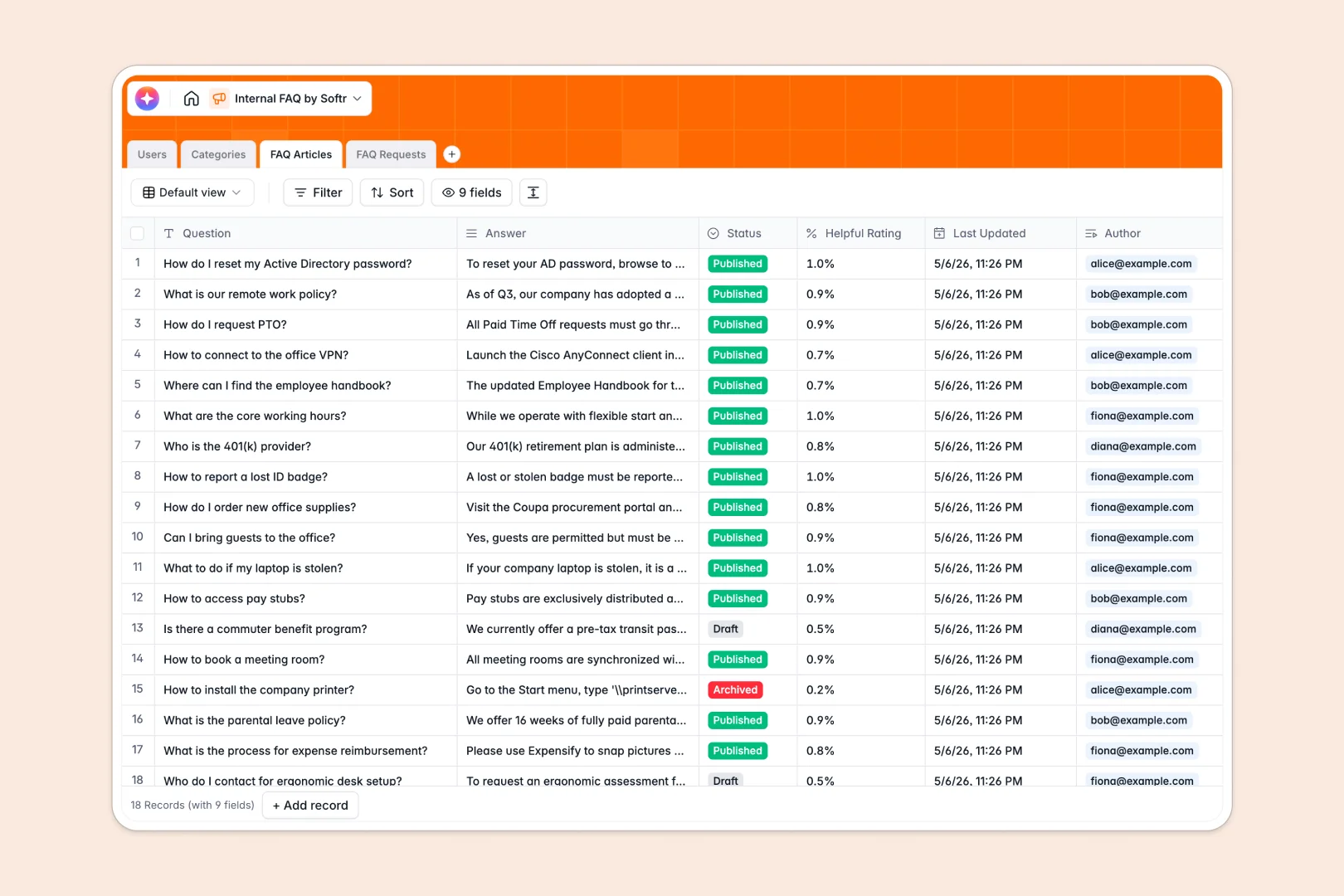
Your Internal FAQ database at a glance
This template keeps company knowledge organized and accessible. It helps team leads and operators manage internal questions, auto-classify incoming requests, and publish clean, structured articles.
By connecting your Users, Categories, FAQ Articles, and FAQ Requests, everyone stays aligned. Updates to HR policies or IT setups reflect instantly in related records, keeping all information accurate.
Built-in AI fields draft quick summaries of your detailed answers automatically, so employees can get the gist of an article in seconds.
What to check before building your internal FAQ base in Airtable
If you want to move away from messy docs, building an internal FAQ base is the right choice. But choosing the right home for your data matters.
What changes with a database built for apps
Airtable is a great tool, but as your team grows, its per-seat pricing makes granting edit access to every employee expensive. If you want support staff to manage articles and managers to review requests, seats add up fast.
With Softr Databases, you get the same relational structure—with linked tables, rollups, and automatic updates—but without the per-collaborator penalty. This is precisely why more teams choose it for company-wide help centers.
Additionally, your database is only half the job. Airtable requires patching together separate portals and forms to keep employees in an interface rather than raw spreadsheets. This template lets you keep your data secure while preparing it for a custom portal.
What you can do with this template
This database is ready to use immediately. It handles categorized articles, tracks employee helpfulness ratings, and manages a queue of user-submitted requests.
Using built-in Database AI agents, the database auto-summarizes long answers and auto-classifies raw request descriptions into clear categories like IT Issue or HR Policy. This saves your admin team hours of repetitive manual sorting.
-
Users
Directory of internal employees, roles, and administrative access levels
-
Categories
Organize FAQ topics into high-level groups like HR, IT, and benefits
-
FAQ Articles
Manage knowledge base Q&As featuring automated AI-generated summaries
-
FAQ Requests
Log employee requests and feedback auto-classified with AI categories
Who is this Internal FAQ database for
- HR & Operations Teams: Centralize policy handbooks, benefits details, and onboarding guides in one location.
- IT Support Managers: Catalog software setup guides, hardware request processes, and troubleshooting steps easily.
- Support Leaders: Build a robust, searchable knowledge base of common questions so agents find answers faster.
How to take it further
Customize the database
Define your own categories like Engineering or Compliance. Add a status field or update the selection choices for the Auto-Classification field to fit your exact workflow.
Import your existing data
If you already have articles or lists of common questions, you can upload them instantly via CSV or sync them using the database API in minutes.
Build a full app around it
When your team is ready, you can easily build an app on top of this database. In just a few clicks, generate a sleek, searchable knowledge portal with Softr's AI Co-Builder.
By building an app, you can implement strict users and permissions. This ensures editors can publish articles, while standard employees only view published content and submit requests.
-
1
-
2
-
3
-
4
Frequently asked questions
-
What is an internal FAQ database?
-
Why use a no-code database to build an internal FAQ tool?
-
How can AI help managing data for your internal FAQ?
-
Can I build an app with this internal FAQ database?
-
Is this internal FAQ template free?
-
How is this template different from an Airtable template?
Start building today. It's free!
Build and launch your first app in under 30 minutes.