


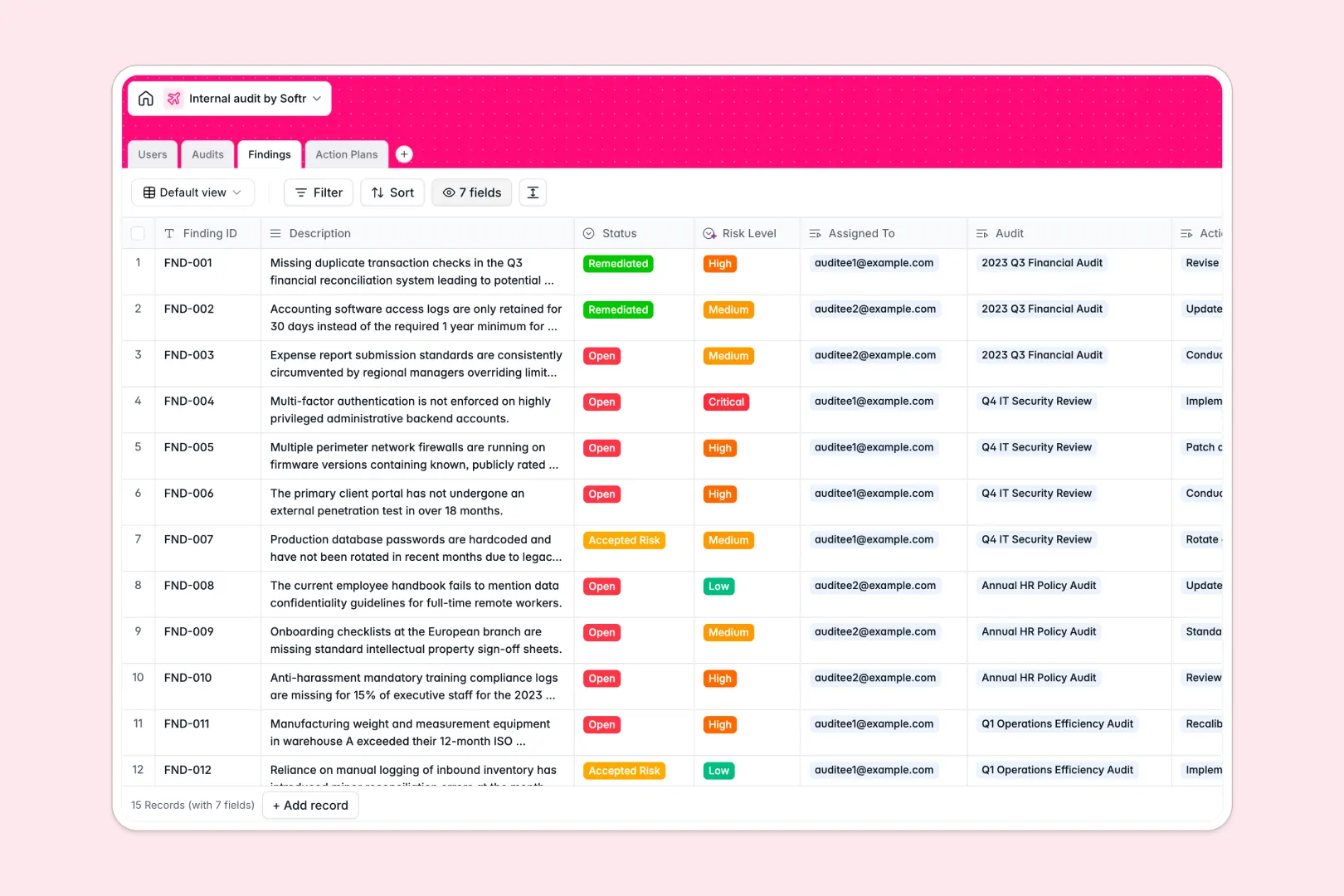
Your Internal Audit database at a glance
This template provides a central, structured hub to prepare audit scopes, track compliance findings, and drive clear accountability across teams.
It connects your audit engagements to findings, individual owners, and action plans, keeping every moving part in one secure location. It also features built-in AI assistance to automatically generate summaries and classify finding severities.
What to check before building your internal audit base in Airtable
While treating audits like a simple list works temporarily, enterprise compliance and risk tracking quickly require more than just raw spreadsheet rows.
What changes with a database built for apps
Managing audit findings requires deep team collaboration, but paying a premium for every single "auditee" who only needs to mark an action item as completed gets expensive rapidly.
This is exactly what Softr Databases are designed to solve. When you use this relational database as your foundation, you can share it with unlimited internal collaborators on all plans.
Instead of managing access by inviting people directly into your raw database, you have the native capability to turn this tables-and-fields system into a secure portal with zero complexity.
What you can do with this template
This system lets you handle audits, findings, and remediation plans without getting lost in multiple versions of documents. You can instantly link every finding back to its high-level audit scope and assign it to an owner.
Additionally, Database AI agents run inside your tables to analyze find descriptions and automatically assign risk levels. They also build concise executive summaries so leadership can get immediate visibility.
-
Users
Track employees with contact details, roles, and assigned audits
-
Audits
Manage audits with status, timelines, and AI-generated summaries
-
Findings
Track gaps and issues with AI-powered risk level classification
-
Action Plans
Manage remediation tasks with evidence and AI-generated titles
Who is this Internal Audit database for
- Internal Auditors: Keep track of audit lifecycles, and automatically catalog finding counts per audit.
- Risk & Compliance Leads: Monitor risk severities with automated AI classification and track remediation progress.
- Department Heads: Act as auditees who can view, owning, and upload evidence for assigned action plans.
How to take it further
Customize the database
You can easily tailor the database structure to fit your organization's compliance frameworks. For example, add custom select choices to the audit departments or tweak the AI model parameters to suit specific risk definitions.
Import your existing data
Moving away from legacy sheets or custom systems is seamless. You can run bulk CSV imports to load historic audits or connect external operational tools through the API to sync live compliance data.
Build a full app around it
The real power of starting here is building custom portals for your teams. Use the AI app generator to turn this relational database into a functional Internal Audit Portal.
With customized users and permissions, you can ensure that auditors see everything, while business teams only view and update their specific findings and action items.
-
1
-
2
-
3
-
4
Frequently asked questions
-
What is an internal audit database?
-
Why use a no-code database to build an internal audit system?
-
How can AI help managing data for internal audits?
-
Can I build an app with this internal audit database?
-
Is this internal audit template free?
-
How is this internal audit template different from an Airtable template?
Start building today. It's free!
Build and launch your first app in under 30 minutes.