


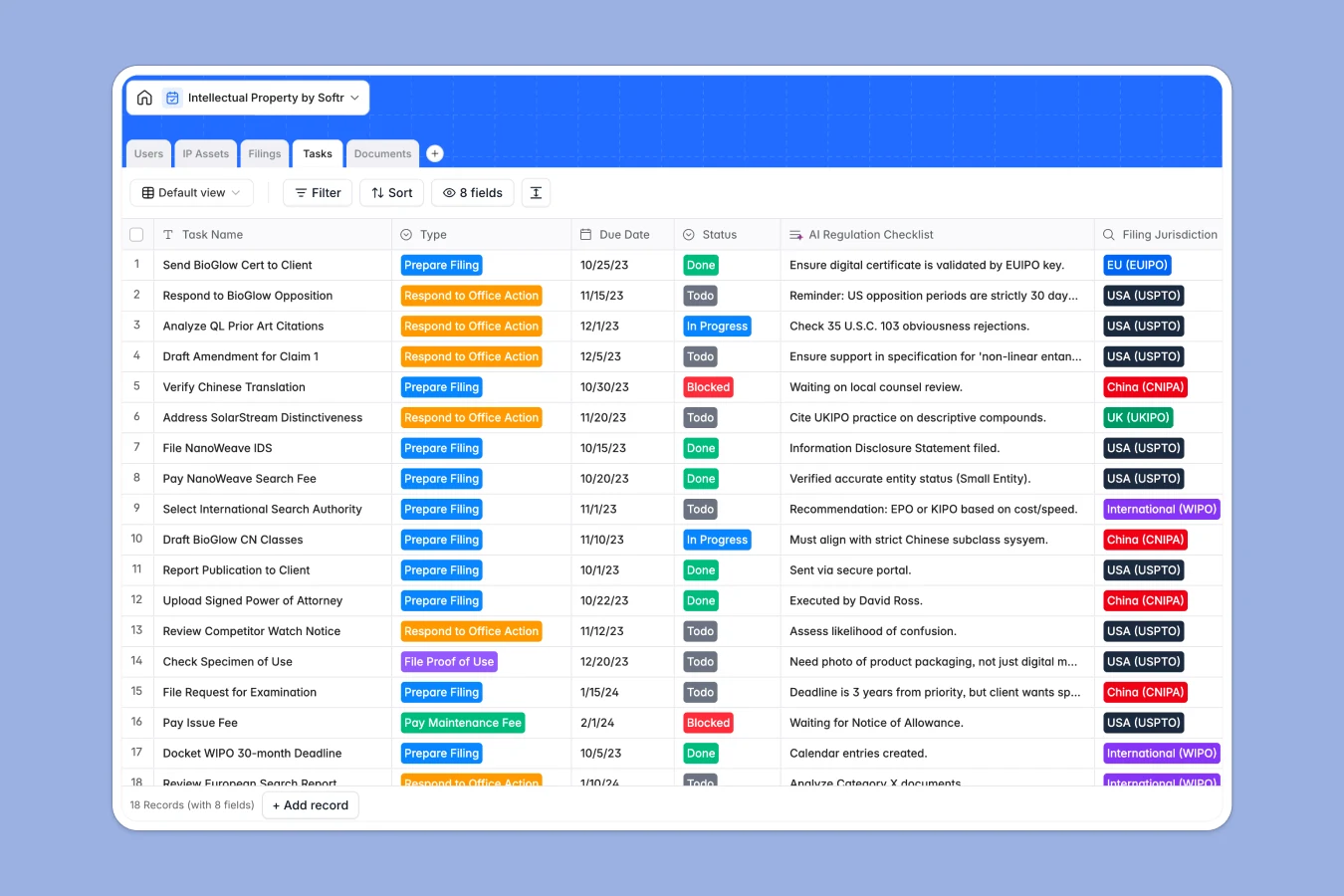
Your Intellectual Property Database at a glance
This template gives you a central repository to track and secure all intellectual property, including patents, trademarks, copyrights, and trade secrets in one structured location.
It dynamically connects your IP assets to specific jurisdiction filings, assigned team members, documents, and key regulatory deadlines.
With built-in AI capability, you can run preliminary conflict checks on your assets and generate action checklists for incoming office actions.
What to check before building your intellectual property base in Airtable
If you are tracking valuable trademarks and patents, choosing the right platform for your intellectual property base is a critical long-term decision.
What changes with a database built for apps
While Airtable is a capable relational engine, its per-seat pricing quickly becomes expensive as your lawyers, external paralegals, and clients need direct access to update records.
This is why leading teams use Softr Databases to structure their IP portfolio natively. Softr offers unlimited collaborators on all plans, so everyone can participate without inflating your bill.
Furthermore, Softr integrates the database, automation workflows, and secure client-facing portals on a single platform. You do not need to stitch multiple disconnected tools together just to share a portal with external counsel.
What you can do with this template
This template lets you immediately organize assets into logical tables for IP Assets, Filings, Tasks, and Documents. You can track renewal dates in specific jurisdictions while automatically linking every file upload and certificate to its respective filing record.
Additionally, you can leverage Database AI agents to automatically summarize complex correspondence or research changing jurisdictional rules to keep your filing checklist always up to date.
-
IP Assets
Store intellectual property assets and track details with AI conflict checks
-
Users
Manage internal legal staff and external clients accessing the IP database
-
Filings
Track official registration applications across global jurisdictions
-
Tasks
Manage deadliness and legal actions with AI-generated regulatory checklists
-
Documents
Centralize registration certificates, legal briefs, and correspondence files
Who is this Intellectual Property database for
- In-House Legal Departments: Securely centralify your company's full IP portfolio and manage pending filing deadlines.
- Law Firms & Solo IP Attorneys: Collaborate with paralegals and track case files across international registries.
- Startups & Founders: Protect your proprietary technology, track pending patents, and ensure compliance before launch.
- External Clients & Stakeholders: View real-time application updates and upload required specimens with ease.
How to take it further
Customize the database
Modify select field values to reflect the specific global agencies you interact with, such as the USPTO, EUIPO, or custom regional authorities. You can also add custom columns to track licensing revenue, IP valuation, or localized defense claims.
Import your existing data
Quickly transition from flat spreadsheets or legal software directories. Upload your current data via bulk CSV import, or use the API to instantly sync live records from external registry tools.
Build a full app around it
When your team is ready, convert this database into a secure application. Use the AI app generator to describe your ideal system and build customized lawyer workflows or client portals in seconds.
With granular users and permissions, you can ensure external clients only see their own filings, while internal legal staff retain editing rights to process status changes and add new task requirements.
-
1
-
2
-
3
-
4
Frequently asked questions
-
What is an intellectual property database?
-
Why use a no-code database to build an IP management system?
-
How can AI help managing data for intellectual property?
-
Can I build an app with this IP database?
-
Is this intellectual property template free?
-
How is this template different from an Airtable template?
Start building today. It's free!
Build and launch your first app in under 30 minutes.