


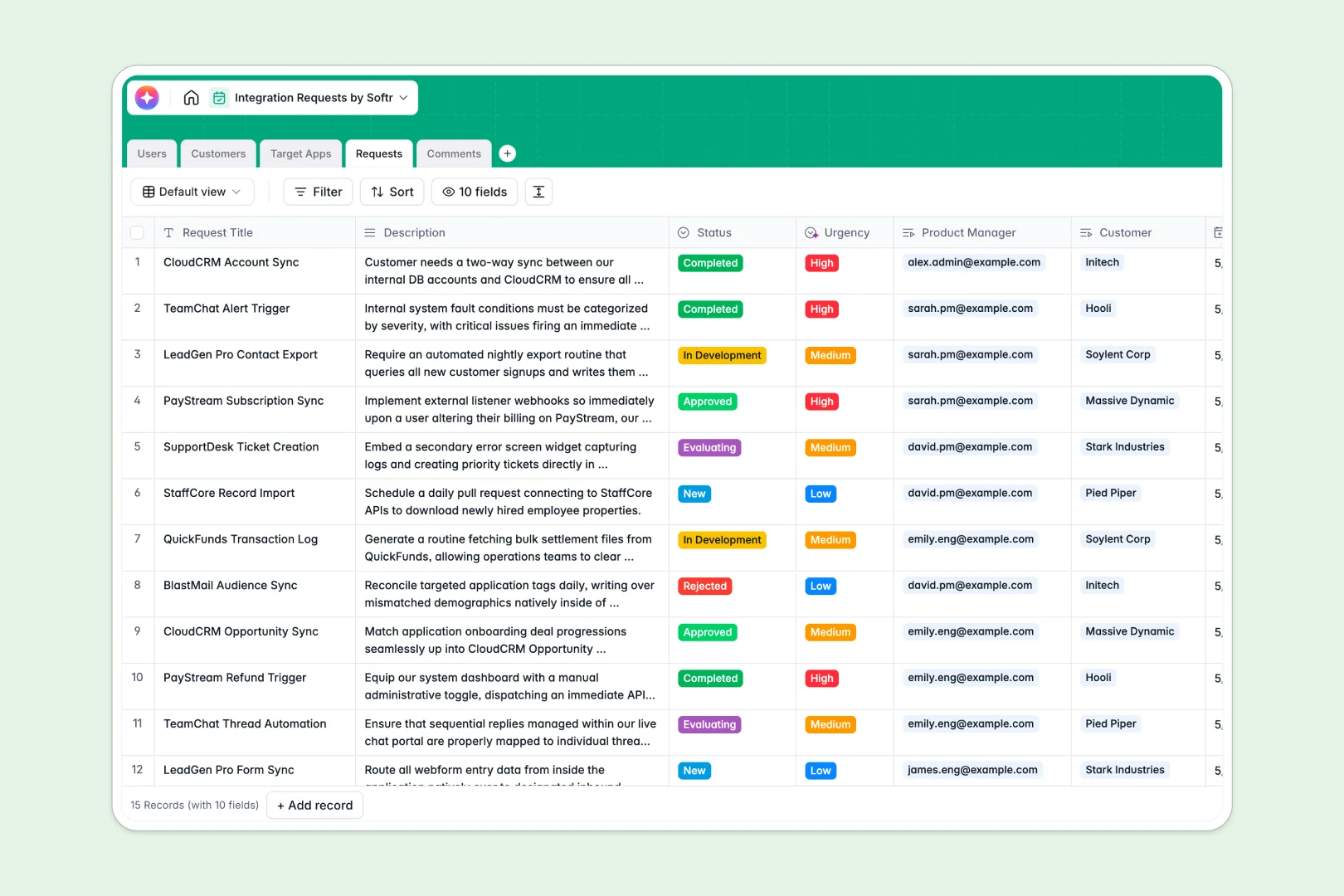
Your Integration Requests database at a glance
Manage and prioritize every product integration request in a single, organized space. This customizable template connects customers, target platforms, and internal product managers without manual data entry.
Keep teams aligned by linking incoming requests directly to customer profiles, team ownership, and live discussion threads. Status tags keep everyone up to date on evaluation progress.
Built-in AI features automatically summarize long request descriptions and analyze urgency levels based on customer feedback, saving your team hours of manual sorting.
What to check before building your integration requests base in Airtable
While organizing product pipelines in a relational setup is smart, relying on Airtable can quickly reveal costly scale ceilings and access hurdles.
What changes with a database built for apps
When multiple team members and customers need to view or edit requests, Airtable's per-seat pricing introduces immediate bottlenecks. Keeping everyone aligned gets expensive quickly.
Using Softr Databases gives you the exact same relational integrity but with unlimited collaborators on all plans. You can structure your fields securely without worrying about ballooning costs.
Because this database is built to power custom portals, you can easily control access levels while supporting up to 200,000 records per database and incredibly fast API limits.
What you can do with this template
This template allows you to instantly track integrations linked to specific clients, assign PM owners, and log internal team discussions. Rich lookup fields display global stats like total requests per customer effortlessly.
It also features native Database AI agents that auto-fill details, summarize technical user descriptions, and scrape app websites to populate descriptions automatically based on database triggers.
-
Users
Track team members with roles, contact info, and assigned integration requests
-
Customers
Manage client companies along with contact details and integration counts
-
Target Apps
Manage external software with AI-generated company descriptions
-
Requests
Track integration proposals using AI-driven summaries and urgency scoring
-
Comments
Centralize discussion threads and updates associated with requests
Who is this Integration Requests database for
- Product Teams: Centralize requested connections, assign owner PMs, and communicate status back to customer success.
- Customer Success Managers: Add requests for key customers, see total requests at a glance, and monitor priority.
- Engineering Leads: Track approved integrations, reference customer details, and update development progress.
- SaaS Operations: Manage third-party app directories, catalog categories, and control platform requests in one place.
How to take it further
Customize the database
Change categories to match your specific industry needs or add new select values to your status pipeline. Since this is a native database, adding customized fields takes seconds.
Import your existing data
Bulk-upload existing integration requests from any standard CSV spreadsheet or use our developer-friendly API to continuously sync inputs from internal forms or customer systems.
Build a full app around it
When you are ready, use our AI app generator to turn these tables into a secure internal tracking tool or an external customer portal. Describe what you want in one prompt, and the AI will co-build interactive interfaces instantly.
You can configure granular users and permissions so customers can only see or edit their own integration requests, while product managers can access and manage the full workspace pipeline.
-
1
-
2
-
3
-
4
Frequently asked questions
-
What is an integration requests database?
-
Why use a no-code database to build an integration requests system?
-
How can AI help managing data for integration requests?
-
Can I build an app with this integration requests database?
-
Is this integration requests template free?
-
How is this database different from an Airtable template?
Start building today. It's free!
Build and launch your first app in under 30 minutes.