


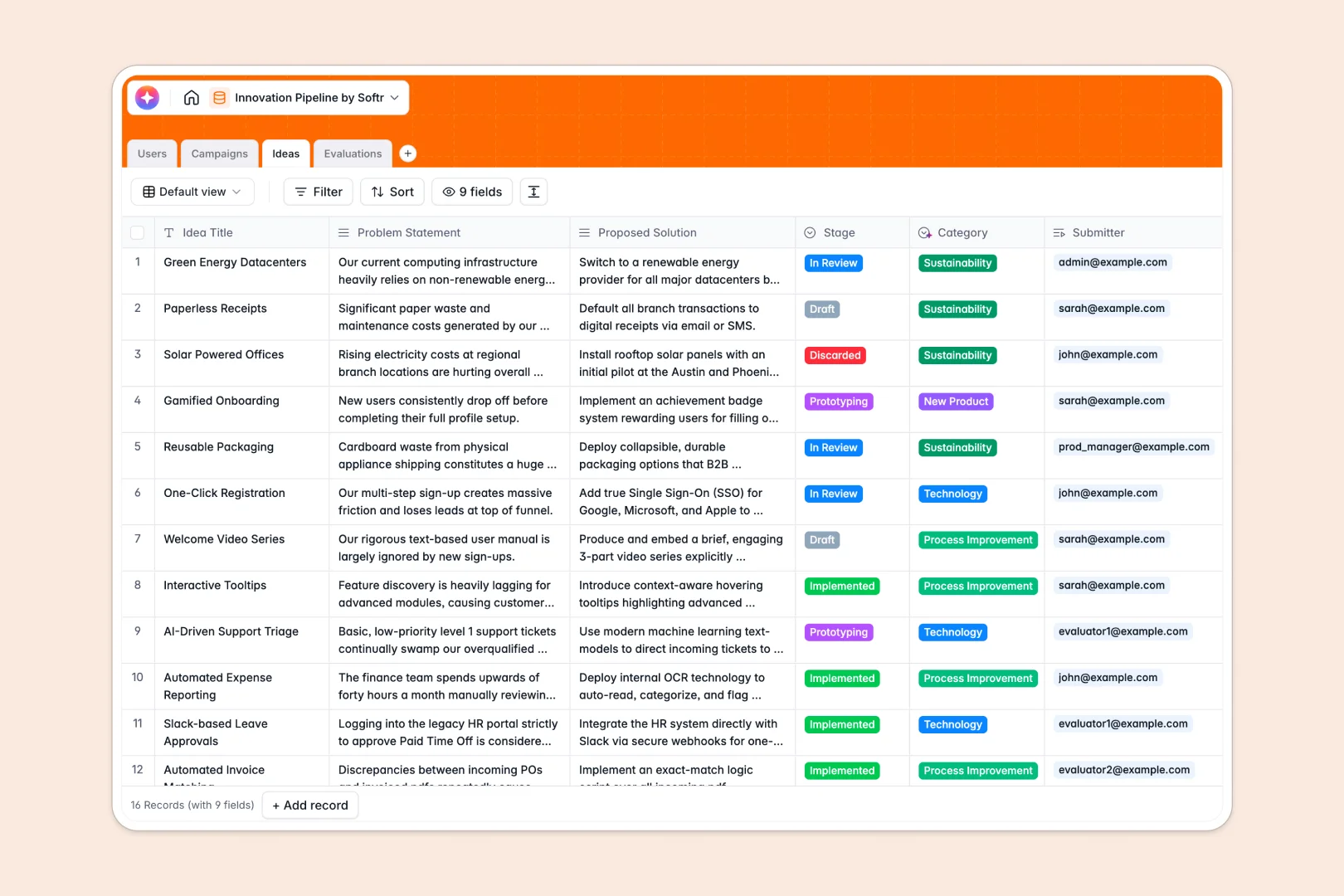
Your Innovation Pipeline database at a glance
This template provides a clear workflow to source, evaluate, and prioritize company-wide ideas. It connects thematic campaigns, staff submissions, and evaluation metrics together seamlessly.
Everything stays organized as your pipeline grows. You can link individual ideas directly to designated evaluators and automatically count submissions per campaign to track engagement.
Built-in Database AI agents automatically categorize campaign suggestions and write high-impact executive pitches of new product ideas directly inside your tables.
What to check before building your innovation pipeline in Airtable
Many teams naturally turn to Airtable to manage submissions. While its relational fields are impressive, there are a few important factor limits that might make you pause.
What changes with a database built for apps
In Airtable, as soon as team members need to edit ideas, submit scores, or manage campaigns, you are forced into per-seat pricing. This makes scaling an organization-wide ideation program highly expensive.
Softr Databases handle this differently by offering unlimited collaborators on all plans. You can share your innovation database with your entire company without skyrocketing costs.
Instead of patching together external form tools and interfaces, everything you need to run a submission program—including precise user access and workflows—can live in one native platform.
What you can do with this template
With this database, you can run multi-stage structured campaigns. Track submissions from Conceptualization to Prototyping and assign specific evaluators to score ideas on feasibility and impact.
Because we leverage native AI fields, your contributors can focus on submitting ideas while the system handles sorting them and generating clear executive summaries.
No manual copy-pasting is required. When a new submission arrives, the database populates classifications and updates the live campaign dashboards instantly.
-
Users
Manage platform roles, departments, campaigns and concept creators
-
Campaigns
Coordinate thematic innovation challenges and track overall submissions
-
Ideas
Propose innovation concepts using AI to draft pitches and categorize topics
-
Evaluations
Rate proposals on technical feasibility, business impact, and strategic alignment
Who is this Innovation Pipeline database for
- Product Leaders: Easily organize product-oriented cohorts, categorize submissions, and review structured feedback in one dashboard.
- Operations Managers: Track process improvement concepts and easily calculate feasibility scores alongside team feedback.
- Program Managers: Keep campaigns on track with deadlines, assign managers, and monitor contributor submissions smoothly.
- Executive Teams: Access executive pitches generated automatically to discover high-value opportunities without digging through raw drafts.
How to take it further
1. Customize the database
You can modify the select options in this database to match your business departments or change the evaluation criteria from basic score fields to customized weight parameters. It only takes a few clicks to rename fields or add custom columns as your internal process evolves.
2. Import your existing data
If you already have a running list of idea suggestions in a spreadsheet, you can import them directly into this database via CSV in moments. You can also use the native API to sync idea submissions from external communication channels.
3. Build a full app around it
When your team is ready, you can seamlessly build an app on top of this database. Specify what you need and Softr's AI Co-Builder will instantly generate professional submission portals, custom dashboards, and workflow stages matching this data structure.
You can configure precise users and permissions so that contributors only see their own submissions while designated evaluators access the voting queue. This transforms your underlying schema into a private, secure, and production-ready innovation hub.
-
1
-
2
-
3
-
4
Frequently asked questions
-
What is an innovation pipeline database?
-
Why use a no-code database to build an innovation pipeline?
-
How can AI help managing data for innovation pipelines?
-
Can I build an app with an innovation pipeline database?
-
Is this innovation pipeline database free?
-
How is this template different from an Airtable template?
Start building today. It's free!
Build and launch your first app in under 30 minutes.