


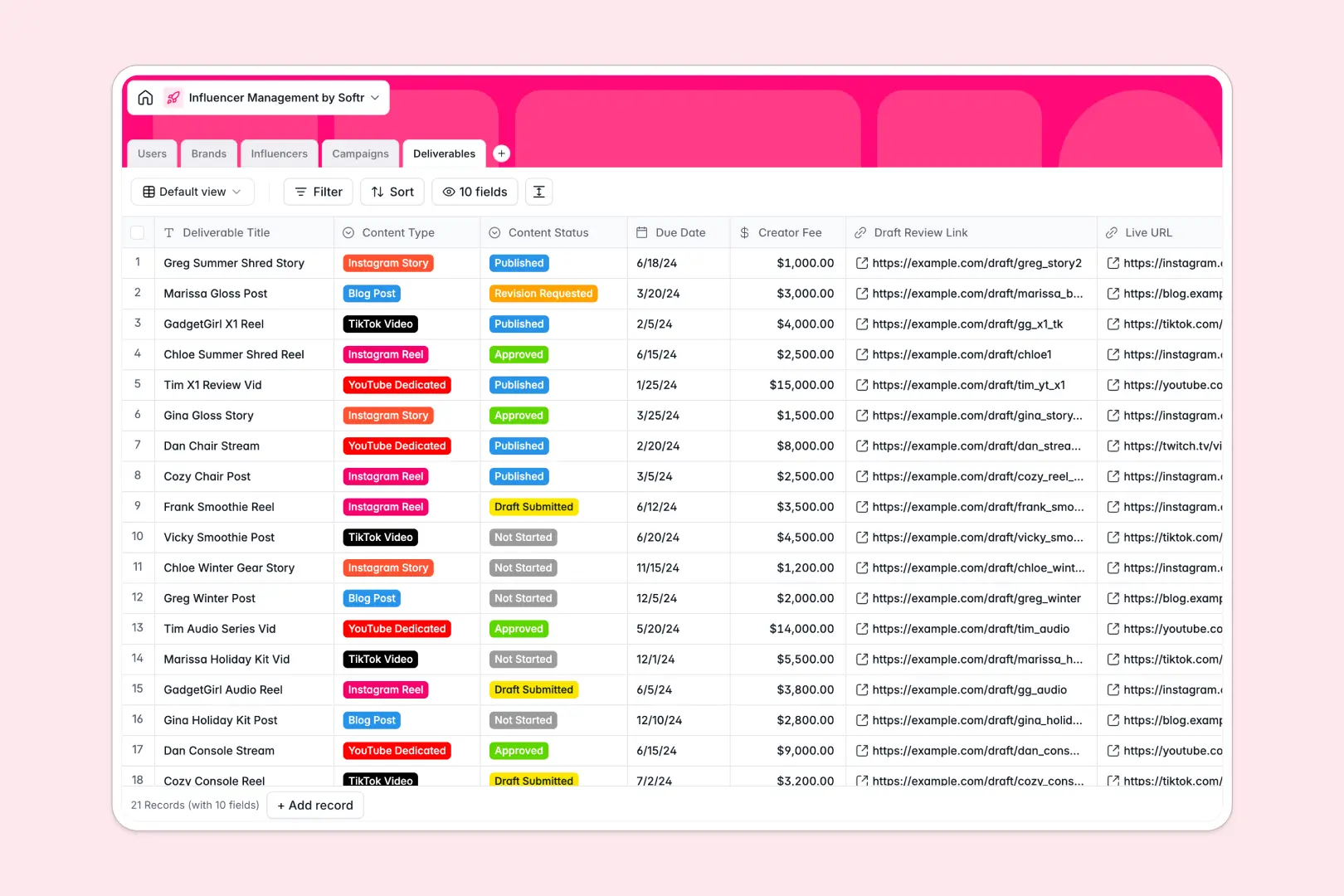
Your Influencer Management database at a glance
Streamline how your team tracks creators, balances brand sponsorships, and monitors deliverables. This template is designed to keep your campaigns moving forward without losing track of links, briefs, or fees.
Five built-in tables—Users, Brands, Influencers, Campaigns, and Deliverables—connect with each other so you always know who is working on what campaign. No more copying handles or pasting duplicate budget data across siloed tabs.
Built-in AI features work directly inside your tables, automatically generating influencer bios from social handles and drafting fresh caption ideas for quick review.
What to check before building your influencer management base in Airtable
Choosing where to build your influencer roster is a big decision, especially when your team and brand client network start growing.
While Airtable provides relational tables, its per-seat pricing means your costs jump quickly as soon as managers, external brand clients, or agencies need to write and collaborate inside the database. It can also be tricky to build clean external workspaces without stitching multiple third-party tools together.
What changes with a database built for apps
When your workflow is built on a tool that provides the database, permissions, and app layer in one ecosystem, everything runs faster. You get custom views for different roles, unlimited collaborators, and native scalability.
This is exactly what Softr Databases are designed for. You get the robust relations (like linking an influencer to both a talent manager and a specific campaign) with the flexibility to quickly build clean, private portals for your creators and brand clients.
What you can do with this template
- Automate research on autopilot: Use built-in Database AI agents to automatically research brands, complete bio overviews, and draft 3 unique social captions based on custom deliverable titles.
- Track content from draft to publish: Keep tabs on content types like Reels, TikToks, and Stories, with direct fields for drafts, fees, and final live links.
- Keep budgets in check: Instantly view campaign metrics, rollup calculations of total brand sponsorships, and custom creator fees across active timelines.
-
Users
Track team members managing influencers, campaigns, and roles
-
Brands
Manage client profiles with automated AI-powered brand overviews
-
Influencers
Manage creators with custom-crafted, AI-generated professional bios
-
Campaigns
Track initiatives with statuses, timelines, budgets and relationships
-
Deliverables
Track content statuses and auto-generate AI caption variations
Who is this Influencer Management database for
- Talent Managers: Effortlessly oversee creator rosters, track custom brand deliverables, and maintain accurate social links.
- Campaign Coordinators: Monitor launch dates, track draft submissions, and make sure assets get approved before going live.
- Agency Executives: Centralize brands, active campaigns, and budgets in a unified ecosystem that keeps external operations organized.
How to take it further
1. Customize the database
Adjust fields to match your workflow. You can easily add more social platforms to the select dropdown, modify creator fee categories, or track extra profile fields like engagement rate without breaking relationships.
2. Import your existing data
Import your roster directly from a CSV file or call an external API. Softr Databases allow you to bulk-upload your historic campaigns and live content assets with zero fuss.
3. Build a full app around it
When you're ready to share this data with the team or clients, we recommend turning this database into a portal. It is the fastest way to shield sensitive brand budget details from external creators.
Instantly build an app on top of this template using the AI-assisted app builder. It automatically maps the tables to a clean user interface where creators can log in to upload drafts, while brand clients log in to approve them with tailored users and permissions. That way, everyone gets the exact view they need.
-
1
-
2
-
3
-
4
Frequently asked questions
-
What is an influencer management database?
-
Why use a no-code database to build an influencer management system?
-
How can AI help managing data for influencer campaigns?
-
Can I build an app with this influencer management database?
-
Is this influencer management template free?
-
How is this template different from an Airtable template?
Start building today. It's free!
Build and launch your first app in under 30 minutes.