


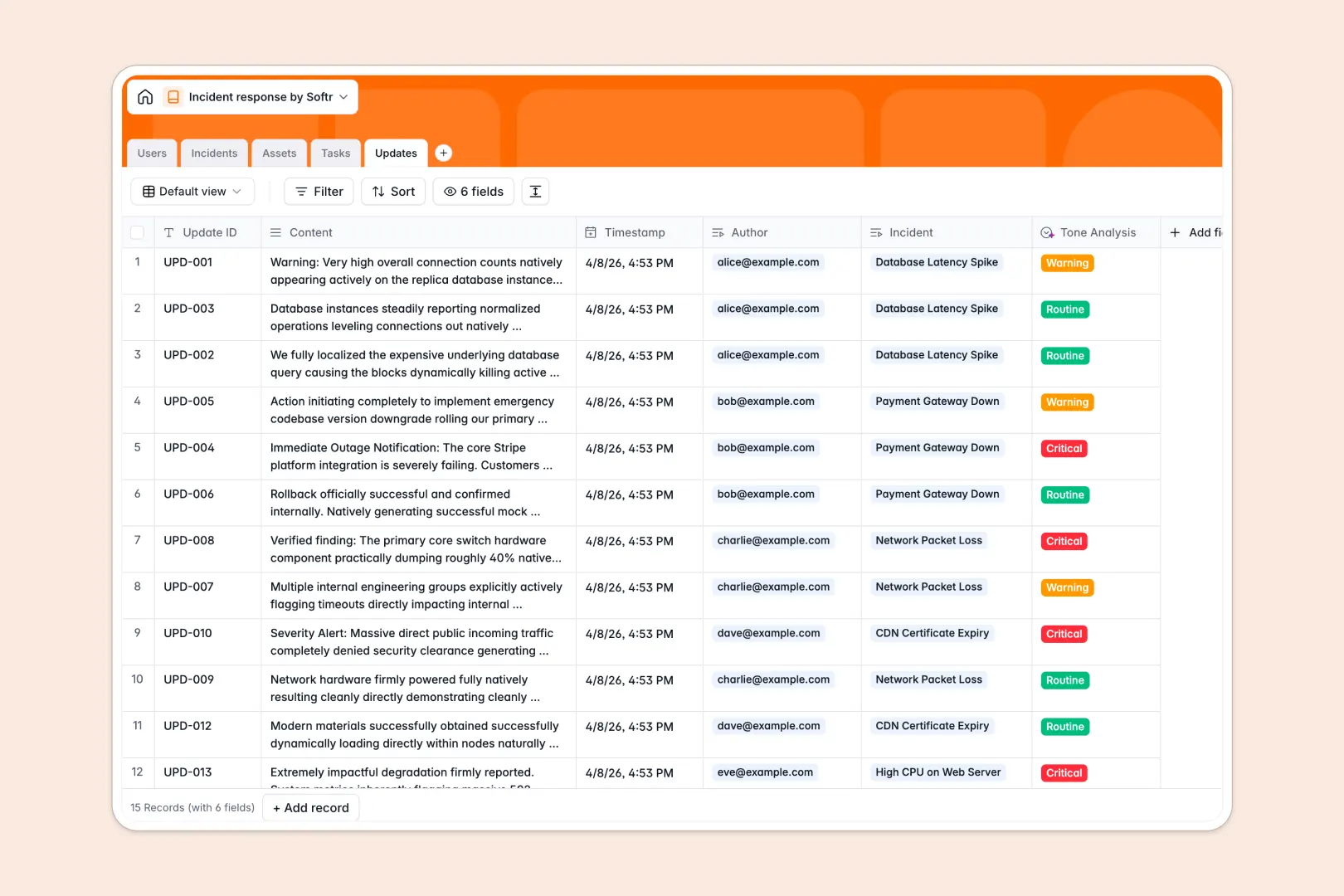
Your Incident Response database at a glance
This template gives your engineering, security, and IT teams a central, reliable place to log, track, and resolve critical issues. Assign tasks, log timeline updates, and monitor affected infrastructure instantly during high-pressure situations.
Everything is connected out of the box—incidents link directly to your affected assets, assigned tasks, and chronological team updates. No more searching through disjointed chat logs or static lists while a system is down.
An AI-driven post-mortem generator runs right inside the database, digesting incident logs and updates. It automatically drafts a structured summary to help your team prevent future outages with minimal friction.
What to check before building your incident response base in Airtable
Choosing where to build your incident management system comes down to how your responder team coordinates when things break.
What changes with a database built for apps
When a major outage hits, you need your whole team—and often external stakeholders—to sync status quickly. Airtable imposes steep per-seat pricing for any teammate who needs to edit or log records, quickly becoming expensive during cross-functional incident responses.
With Softr Databases, you get unlimited collaborators across all plans. You can also easily keep up with rapid logging, as the database supports high record ceilings and faster API response rates than traditional alternatives.
What you can do with this template
This template lets you log incidents, detail their severity from SEV-1 to SEV-4, and tie them to critical technical infrastructure like web servers or databases. Team members can claim tasks, document timelines, and track resolution steps under a unified ID.
With built-in Database AI agents, your database handles repetitive work for you. It automatically analyzes the tone of incident reports and generates an initial post-mortem report as soon as the status changes to resolved.
-
Users
Track team members, active responders, and incident commanders with core roles
-
Incidents
Track critical events with AI-powered draft summaries for post-mortem reviews
-
Assets
Manage infrastructure, applications, and services affected during operational events
-
Tasks
Organize remediation steps, action items, and assignments to resolve incidents
-
Updates
Log timeline updates with AI-powered urgency analysis to assess communication tone
Who is this Incident Response database for
- DevOps & SRE Teams: Coordinate response protocols, assign tasks, and track system health during active incidents.
- IT & Security Admins: Standardize incident logging, analyze infrastructure vulnerabilities, and maintain a historical audit trail.
- Support Leaders: Access real-time updates on active system outages to keep customers informed and manage SLAs.
How to take it further
Customize the database
To fit your organization's exact needs, you can easily add custom severity levels, create new fields for compliance codes, or define customized system asset types. Because it is a native Softr Database, editing field types or adjusting relationships takes seconds.
Import your existing data
If you have past incident logs or asset registries saved in external files, you can upload them instantly. Use the built-in CSV import to populate your database with legacy data and maintain your entire operational history in one secure place.
Build a full app around it
When your team is ready to scale operations, you can easily generate an app with AI directly on top of this database. Instead of forcing everyone to work inside raw tables, build a clean, custom incident portal with granular users and permissions.
This lets responders quickly update tasks on mobile, gives stakeholders a read-only status dashboard, and provides compliance officers with polished post-mortem reports—all driven by a single database.
-
1
-
2
-
3
-
4
Frequently asked questions
-
What is an incident response database?
-
Why use a no-code database to build an incident response system?
-
How can AI help managing data for your incident response?
-
Can I build an app with this incident response database?
-
Is this incident response template free?
-
How is this template different from an Airtable template?
Start building today. It's free!
Build and launch your first app in under 30 minutes.