


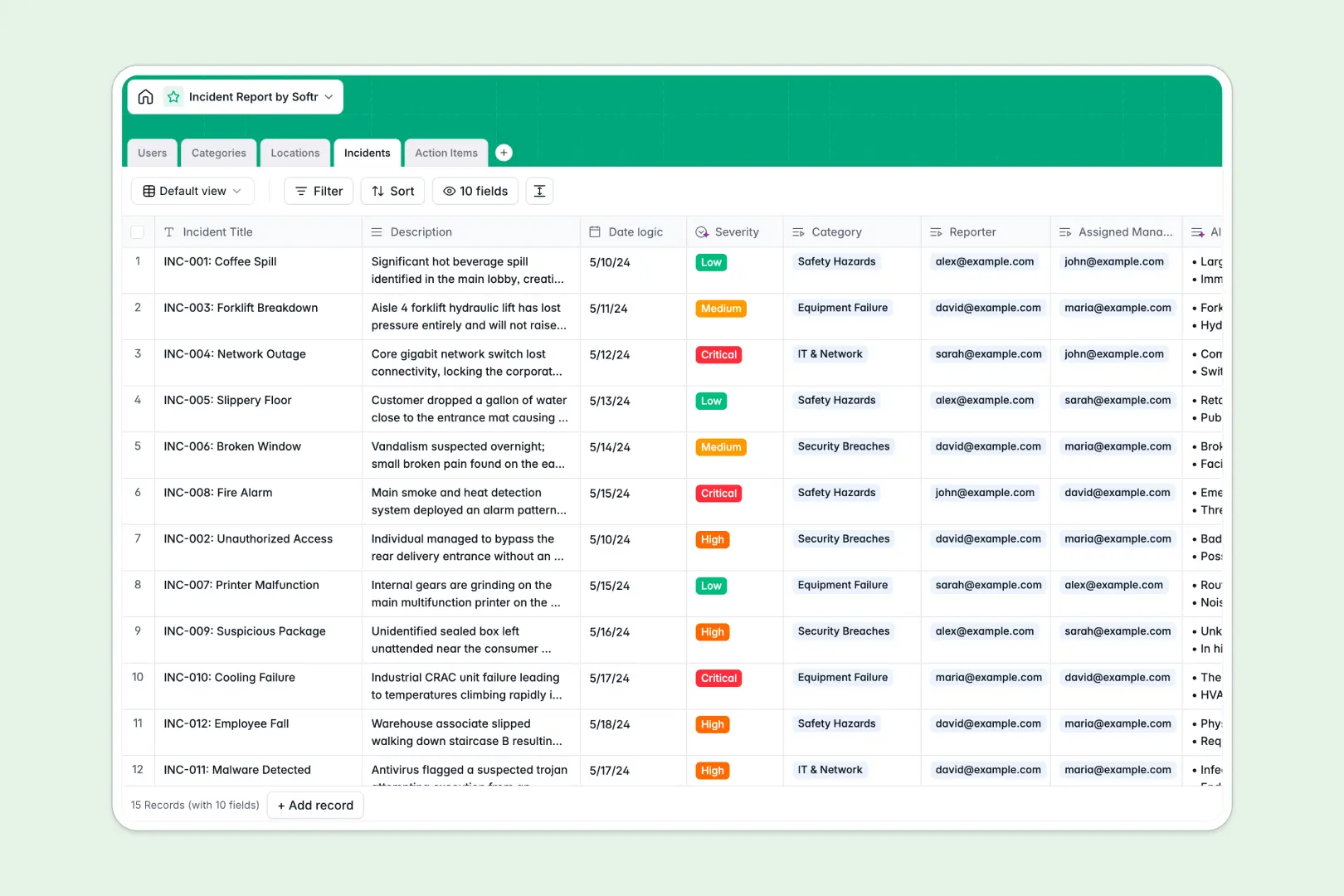
Your Incident Report database at a glance
This template provides a reliable structure to log, track, and tackle organization-wide incidents promptly. It centralizes reports, coordinates remediation tasks, and guarantees that critical safety or system issues are resolved without falling through the cracks.
By connecting your reports directly to categories, locations, and staff members, the database creates a clear audit trail. Built-in AI-powered triage fields automatically classify incident severity and draft bulleted summaries directly inside your records to save triage time.
What to check before building your incident report base in Airtable
While finding an incident report Airtable setup is a popular starting point, managing sensitive company incidents in Airtable often hits cost and visibility roadblocks.
What changes with a database built for apps
When managing critical workplace reports, safety issues, or security breaches, you need to share access without exposing the entire database or paying high collaborator fees. Softr Databases give you the same relational power as Airtable, but without punishing you with per-seat pricing.
Because this template relies on a single relational structure, your dates, categories, and severity ratings stay perfectly standardized. Instead of stitching external systems together to limit who can see what, you can run and protect your backend data privately on a platform built for scalable collaboration.
What you can do with this template
With this incident log, you can link reported cases to operational locations and assign direct action items to response teams. Built-in Database AI agents analyze descriptions automatically to define severity levels and suggest step-by-step resolution advice for quick triage.
You can also structure distinct views for managers and reporters. This keeps individual incident data private while giving your resolution leads a complete overview of active tasks.
-
Users
Track team members with distinct system roles, contact info, and assignments
-
Categories
Organize standardized incident classification groupings for easy analysis
-
Locations
Manage physical and digital sites linked to managers and reported issues
-
Incidents
Centralize safety issues using AI to predict severity and generate summaries
-
Action Items
Organize corrective steps with AI-powered resolutions and owner assignment
Who is this Incident Report database for
- Operations & Safety Officers: Keep track of facility-wide incidents, identify recurring hotspots, and maintain regulatory compliance.
- IT & Security Teams: Log digital breaches or hardware failures immediately and coordinate fast technical resolutions.
- HR Specialists: Document employee relations incidents confidentially while monitoring ongoing remediation actions.
- Store & Venue Managers: Report physical hazards on-site and monitor assigned maintenance tickets in real time.
How to take it further
Customize the database
Modify incident categories, adjust severity levels, or add Custom Fields to match your team's industry-specific reporting workflows. Managing fields is visual and straightforward, allowing you to iterate on data structures dynamicly.
Import your existing data
Avoid manual copying by dragging and dropping your past logs via CSV upload directly into your new setup. You can also leverage API endpoints to continuously import incident records from your external forms or emergency notifications.
Build a full app around it
Turn this backend database into a secure internal application using the Softr interface builder. Create custom views, build digital reporting forms for employees, and set up granular users and permissions. This allows reporters to log issues anonymously while keeping resolution steps visible only to assigned security specialists.
-
1
-
2
-
3
-
4
Frequently asked questions
-
What is an incident report database?
-
Why use a no-code database to build an incident report system?
-
How can AI help managing data for incident reports?
-
Can I build an app with an incident report database?
-
Is this incident report database template free?
-
How is this template different from an Airtable template?
Start building today. It's free!
Build and launch your first app in under 30 minutes.