


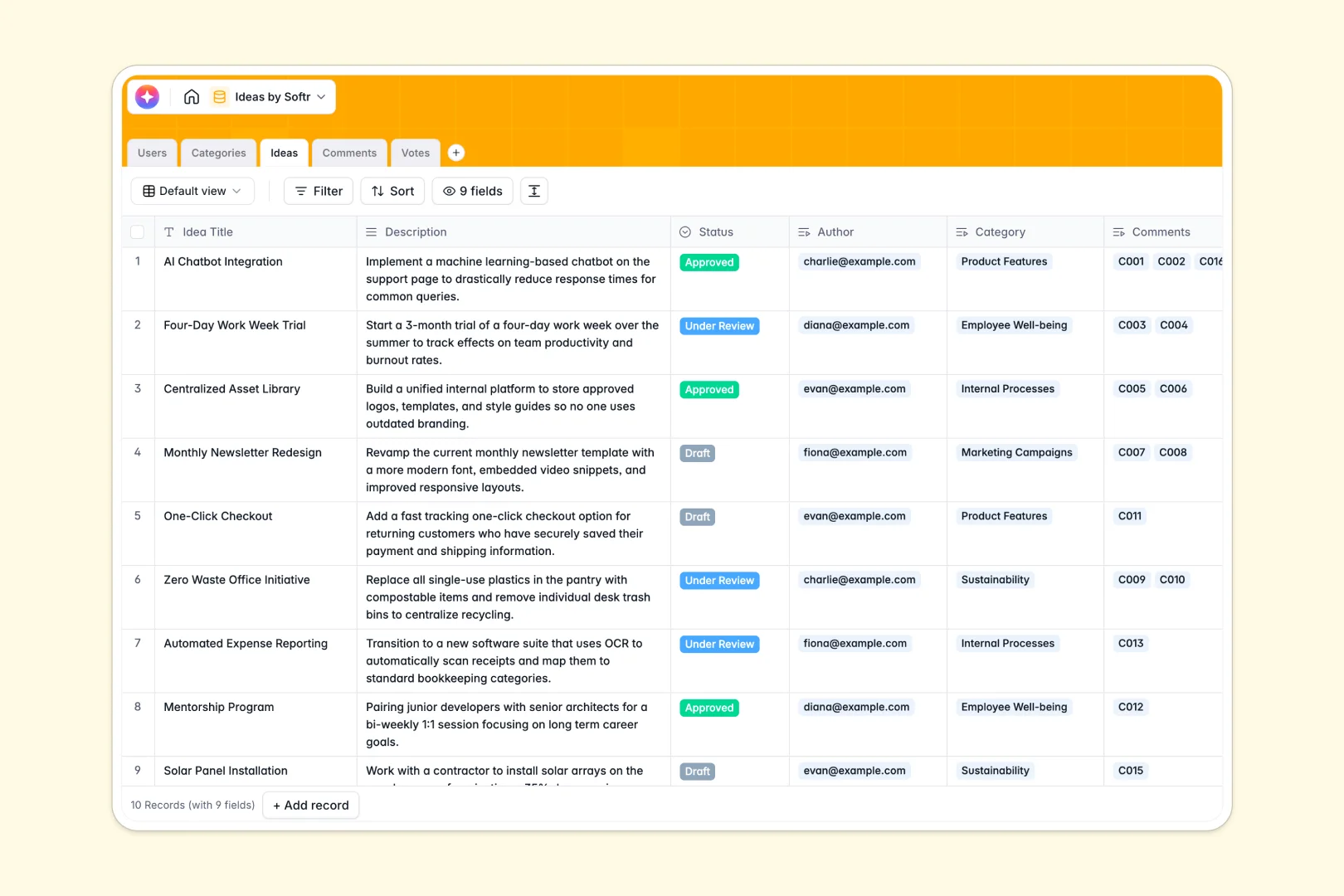
Your Ideas Database at a glance
This template provides a central hub to submit, organize, review, and vote on team proposals. It ensures every suggestion is captured, categorized, and discussed transparently rather than getting lost in chat threads.
Your database links tables for Ideas, Users, Categories, Comments, and Votes together natively. Each submission is immediately tied to its contributor, and all community interaction flows automatically to the right record.
Built-in Database AI agents analyze performance and sentiment instantly, summarizing complex proposals into elevator pitches and evaluating comment sentiment automatically.
Where ideas outgrow Airtable
If you want to validate and collaborate on ideas across your organization, storing them in Airtable can quickly reveal structural bottlenecks.
What changes with a database built for apps
While Airtable handles data storage, organizing wide team participation becomes costly fast because sharing editing rights triggers per-seat pricing. Softr Databases allow unlimited collaborators on all plans so your entire company can submit or edit listings.
When databases scale to handle thousands of comments, votes, and ideas, you won't hit the strict record limits that occur with Airtable. Scaling with native connections requires no fragile third-party integrations.
What you can do with this template
With this Ideas model, you can organize workflows smoothly by categorizing entries and tracking review statuses from draft to approved. Your team can upvote submissions and exchange feedback inside dedicated comment tables.
Using native AI features, you can convert lengthy outlines into concise two-sentence pitches. This keeps reviewers focused and accelerates decision-making without extra manual curation.
-
Users
Track team profiles, system access roles, and interactive contributions
-
Categories
Group ideas into thematic classifications for structured organization
-
Ideas
Manage concepts with AI-powered summaries, evaluation stages, and authors
-
Comments
Analyze community feedback using AI-generated sentiment classification
-
Votes
Log individual upvotes to gauge project popularity and engagement
Who is this Ideas database for
- Product Teams: Prioritize feature requests by transparently tracking user upvotes and community feedback.
- Operations Leads: Capture process improvement suggestions from department stakeholders in one organized framework.
- Innovation Hubs: Run structured ideation campaigns with automated summary generation for executive review.
How to take it further
Customise the database
To fully capture your unique workflow, you can add or modify your select options—such as inserting an "In Progress" step to your project status. Add custom currency fields to track estimated budgets or create extra relational links to tag departments.
Import your existing data
If you have a collection of ideas stored elsewhere, you can upload your CSV file in seconds to map existing lists directly into your tables. You can also sync live data from other sources using custom API endpoints to keep everything up to date automatically.
Build a full app around it
When you are ready to launch a submission portal, you can build an app on top of this exact database. Using the Softr AI app generator, just write a simple prompt to turn this structured schema into a complete web portal.
You can set up granular users and permissions to control what stakeholders see, allowing contributors to edit only their own entries while reviewers manage statuses globally. Designing custom layouts ensures non-technical users submit concepts in an intuitive interface without touching your raw database.
-
1
-
2
-
3
-
4
Frequently asked questions
-
What is an ideas database?
-
Why use a no-code database to build an ideas system?
-
How can AI help managing data for ideas?
-
Can I build an app with this ideas database?
-
Is this ideas Airtable template free?
-
How is this template different from an Airtable template?
Start building today. It's free!
Build and launch your first app in under 30 minutes.