


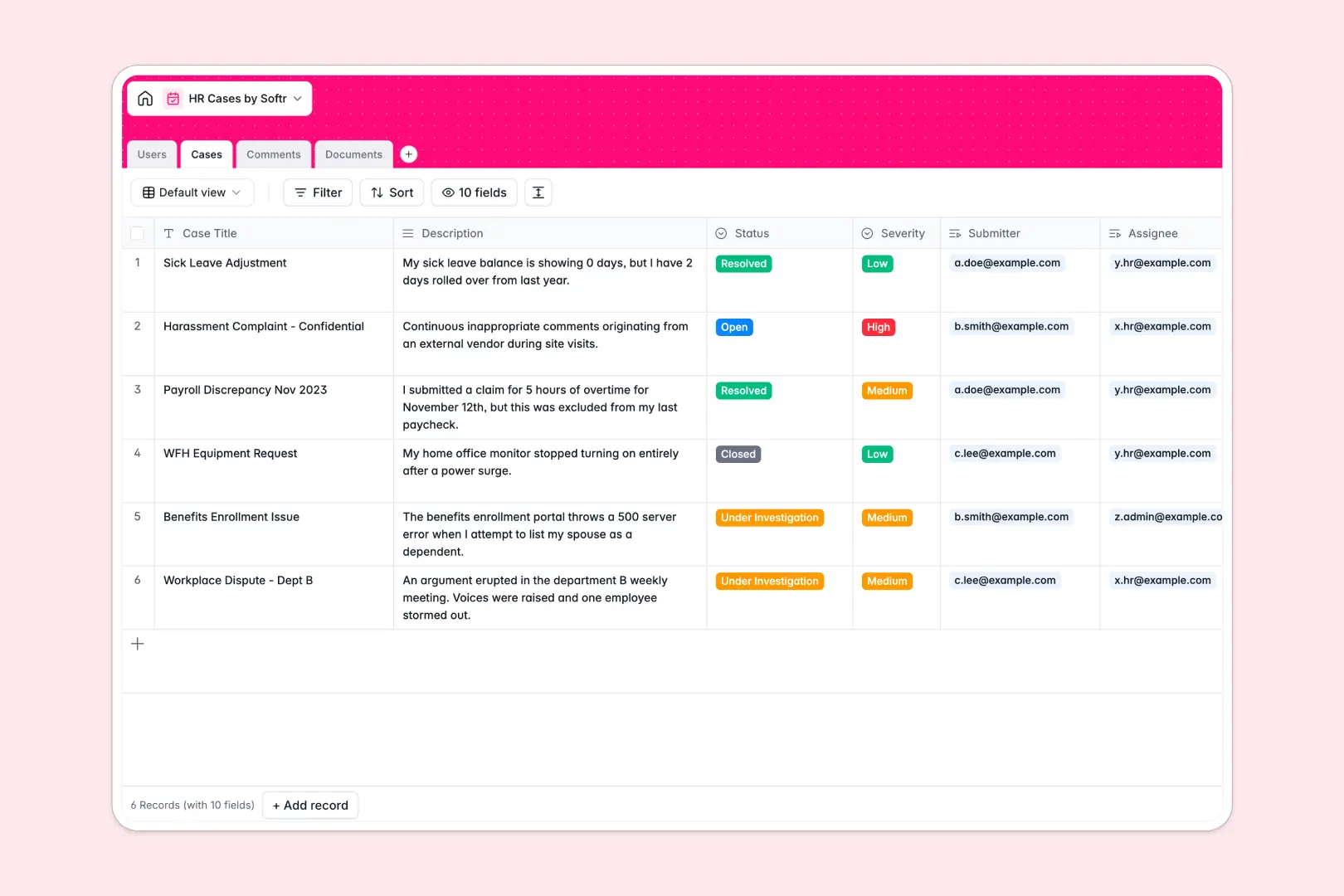
Your HR Cases database at a glance
This template gives you a secure, structured space to organize employee inquiries, grievances, and document submissions. You can log cases, assign investigators, and keep sensitive communication strictly organized in one central place.
Your database connects cases to submitters, assignees, and support files seamlessly. Every request stays linked to its message history and raw attachments so details are never lost across isolated messages.
An AI-powered severity classifier automatically reads incoming descriptions to tag high-priority concerns, while a automatic resolution summary extracts key lessons once a case is closed.
What to check before building your HR cases base in Airtable
Managing highly sensitive employee relations requires careful planning around access, scale, and costs before committing to a setup.
What changes with a database built for apps
In HR operations, sharing safe data with employees while maintaining strict case confidentiality is critical. In legacy tools, adding employees as contributors to submit and track their own tickets quickly skyrockets your per-seat pricing.
This is why building on Softr Databases is designed to scale differently. You get unlimited database collaborators on all plans, allowing you to scale operations without financial penalties.
When you are ready to expand, you do not need to stitch multiple external front-ends together. The database, permissions, and interface exist on a single platform to keep employee data secure and access controls intact.
What you can do with this template
This template establishes a direct relationship between cases, team members, and uploaded evidence. This prevents misplaced files and ensures an audit trail exists for every closed file.
Thanks to built-in Database AI agents, your database automatically analyzes the urgency of every new ticket and writes high-level summary notes, helping your team focus on high-risk issues first.
You can customize case fields or modify roles within minutes to match your specific corporate compliance policies.
-
Users
Track team members, HR representatives, contact info and permission roles
-
Cases
Manage HR inquiries with AI-generated severity ratings and resolution summaries
-
Comments
Log historical updates, communication and notes on active HR cases
-
Documents
Centralize case-related attachments, evidence and medical notes securely
Who is this HR Cases database for
- HR Managers: Access a consolidated, private view of all employee concerns and active investigations.
- Operations Leads: Keep track of unresolved organizational bottlenecks and department-wide workplace trends.
- Employee Relations Teams: Collaborate safely on sensitive cases with unified note logging and document management.
How to take it further
1. Customize the database
Modify select options like case status, severity metrics, or department tags to match your corporate terminology directly in your workspace. You can easily add fresh custom columns for regulatory reference numbers or legal reviewer tasks.
2. Import your existing data
Migrate previous spreadsheets, trackers, or system histories safely with a quick CSV import. This instantly populates your cases, users, and historical documents so you do not lose audit trail history.
3. Build a full app around it
When your team is ready to securely share access, you can generate an app with AI in a few clicks on top of this exact database.
You can easily define granular users and permissions to ensure employees only see their own submitted cases, while HR case managers inspect and edit the entire directory. Your structured database provides the ideal underlying framework for building secure internal portals or self-service tools.
-
1
-
2
-
3
-
4
Frequently asked questions
-
What is an HR cases database?
-
Why use a no-code database to build an HR case system?
-
How can AI help managing data for HR cases?
-
Can I build an app with this HR cases database?
-
Is this HR Cases template free?
-
How is this HR cases template different from an Airtable template?
Start building today. It's free!
Build and launch your first app in under 30 minutes.