


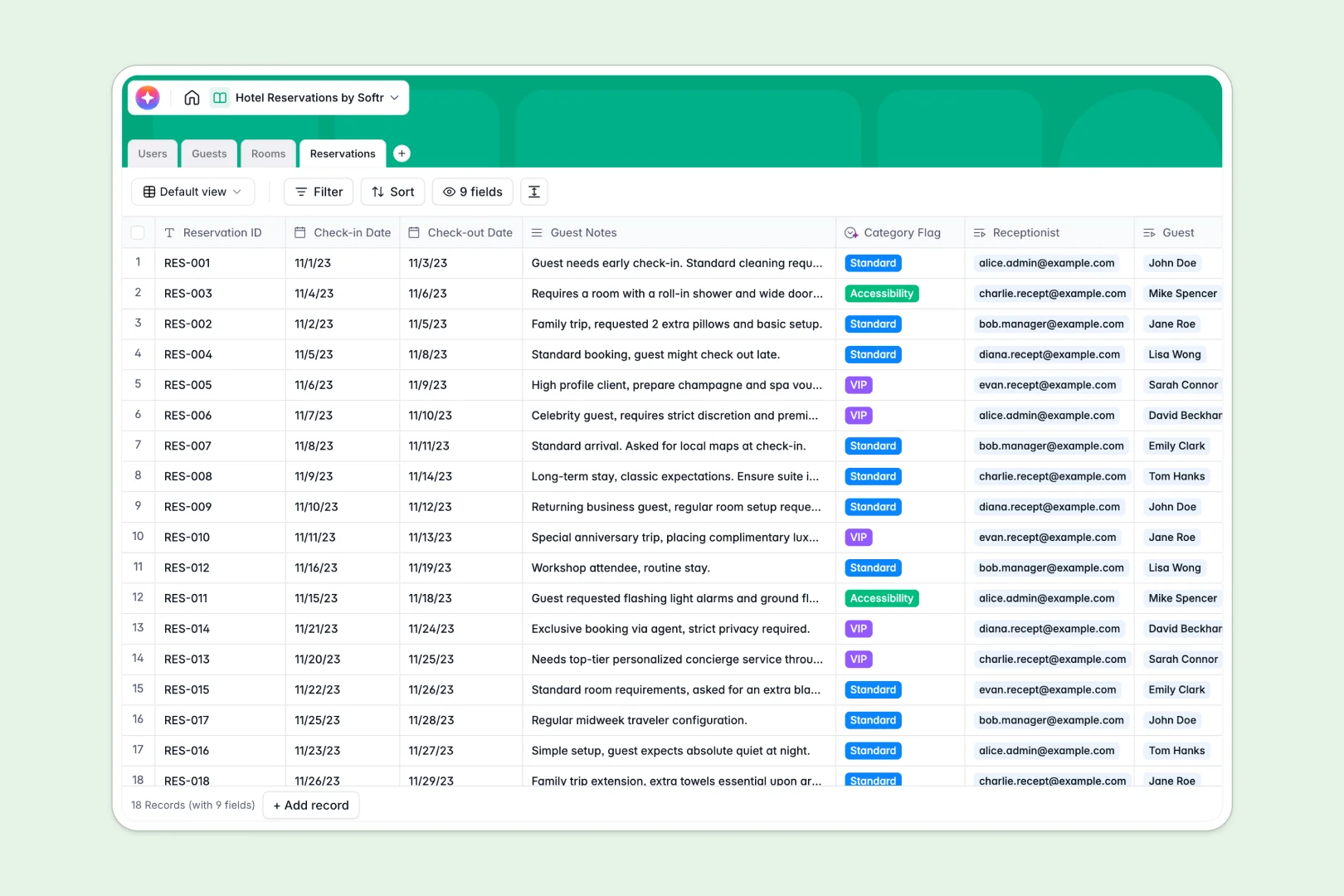
Your Hotel Reservations database at a glance
This template gives hotel operators and reception teams a clean, structured way to manage bookings, guest preferences, and room availability in one unified system. It replaces chaotic calendars with four clear databases: Guests, Rooms, Reservations, and Staff.
Because the tables are natively connected, every check-in is instantly tied to a specific room, a detailed guest profile, and the receptionist on shift. The system also comes with built-in AI fields that automatically write room promo descriptions and flag VIP guests based on reservation notes.
What to check before building your hotel reservations base in Airtable
While Airtable is a powerful relational database, managing an active front desk and guest portal on their platform quickly exposes a few operational pain points.
First, hotel databases need to be shared across shift managers, receptionists, and cleaning staff. Airtable's per-seat pricing means your monthly bill skyrockets as you add collaborators. Second, you eventually need to share check-in schedules or intake forms with staff and guests. Staging this inside Airtable requires stitching together external form builders, portals, and interface tools.
What changes with a database built for apps
Managing your bookings on a platform with the front-end built directly in is a completely different experience. This is exactly what Softr Databases are designed for.
You secure the exact same relational foundation—linked tables, lookups, and rollups—but with unlimited collaborators on all plans. You can share access with your entire reception staff, night shifts, and housekeeping crew without worrying about seat fees. Plus, your operational data transitions smoothly into front-end portals as you scale.
What you can do with this template
- Track live inventory: Instantly see room statuses (Available, Occupied, Maintenance) and prevent double bookings.
- Generate automatic guest summaries: Use built-in Database AI agents to analyze past guest notes, automatically categorize VIP profiles, and write room marketing copy.
- Calculate total spend: Rollup functions automatically sum guest transactions to reveal your most valuable returning clients.
-
Users
Track hotel staff members, contact information, roles, and managed bookings
-
Guests
Manage guests and synthesize their traits with AI-generated profile summaries
-
Rooms
Track room availability and auto-generate promotional copy using AI tools
-
Reservations
Manage booking dates and auto-classify stay types via AI sentiment detection
Who is this Hotel Reservations database for
- Boutique Hotels & B&Bs: Simplify front-desk operations and coordinate guest check-ins without messy spreadsheets.
- Property Managers: Track multiple rental units, nightly rates, and incoming guest requests in real time.
- Reception Teams: Quickly log guest notes, verify room availability, and access historical booking records instantly.
How to take it further
Customize the database
You can easily tailor this template to fit your specific property's style. Modify the room category dropdowns, adjust the nightly rates, or add custom fields like checkout checklists and dietary requirements in just a few clicks.
Import your existing data
If you have guest details or past booking history stored in external logs, you can import them instantly. Just upload your existing CSV directly into the database to populate your guest profiles in seconds.
Build a full app around it
When you are ready, you can easily turn this back-end template into any front-facing tool. Use the interface builder to design a clean reception dashboard or a self-service check-in portal for incoming guests. With granular users and permissions, you can ensure receptionists edit check-ins, managers view total revenue, and guests only see their own reservation details.
-
1
-
2
-
3
-
4
Frequently asked questions
-
What is a hotel reservations database?
-
Why use a no-code database to build a hotel reservations system?
-
How can AI help managing data for hotel reservations?
-
Can I build an app with this hotel reservations database?
-
Is this hotel reservations template free?
-
How is this template different from an Airtable template?
Start building today. It's free!
Build and launch your first app in under 30 minutes.