


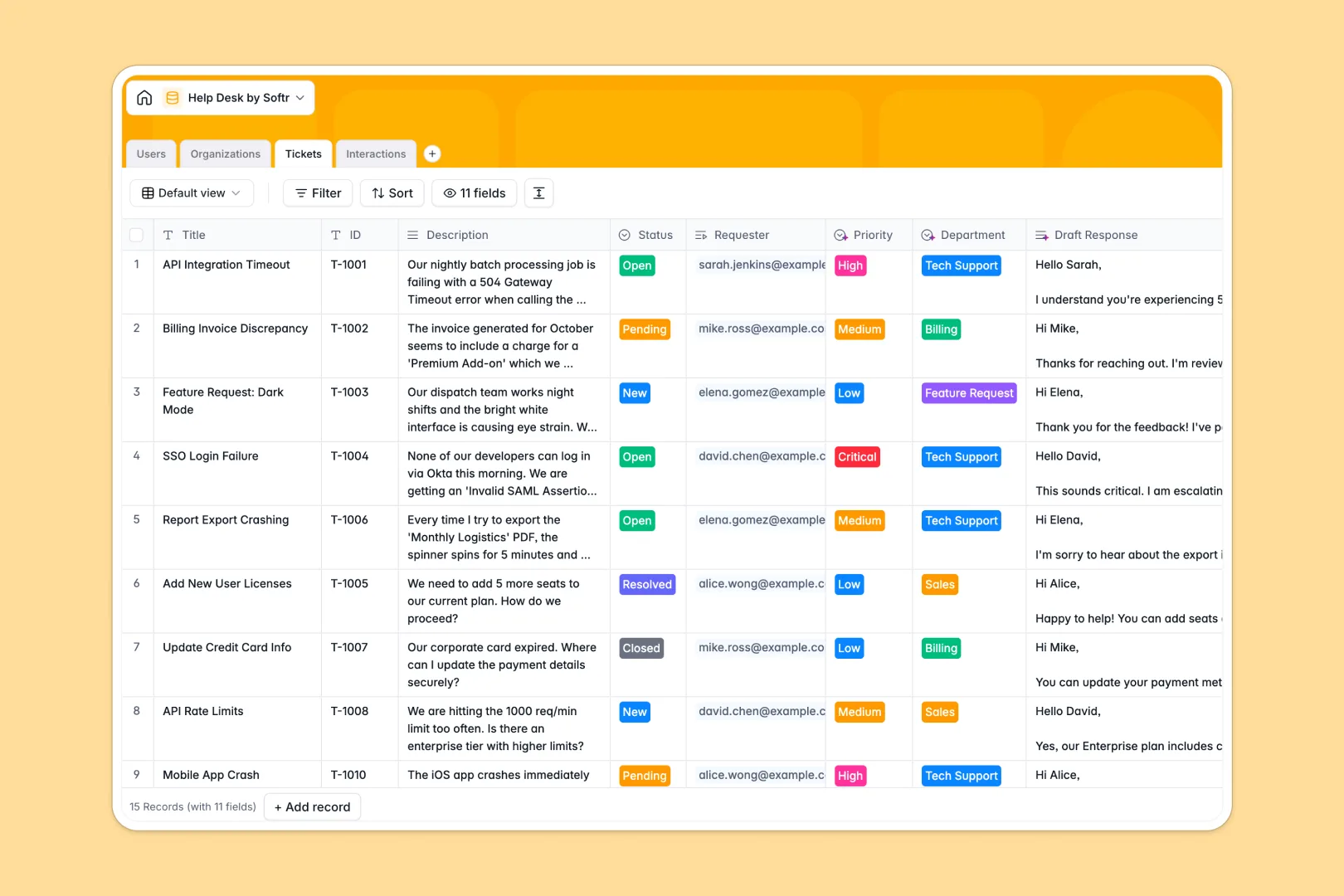
Your Help Desk database at a glance
This template lets you manage customer issues and agent responses without chaotic email threads or disjointed tools. It tracks tickets, organizations, and user roles in one central feed.
By linking tickets directly to users and client organizations, support agents can view ticket history instantly. Native relational tables keep every conversation, team member, and SLA tier organized without breaking.
Built-in AI fields draft quick response suggestions and automatically classify ticket urgency based on customer descriptions. This ensures your support team can focus on resolving issues rather than triaging data.
What to check before building your Help Desk base in Airtable
Many customer service teams start their tracker in Airtable because they need structured tables instead of spreadsheets. While Airtable is a solid relational base, teams often face unexpected limitations as their operations scale.
What changes with a database built for apps
Airtable's per-seat pricing quickly becomes expensive because every active agent or collaborator needs a paid seat. With Softr Databases, you get unlimited collaborators on all plans so your entire team can track issues freely.
Furthermore, Airtable limits API requests and imposes strict record caps. Softr Databases support up to 200K records per database and 1M per workspace, offering visual tools to scale your support operations safely.
Instead of patching together separate forms, automation tools, and portals, this template integrates right into a unified ecosystem. You can manage data, build client-facing views, and run automation from a single platform.
What you can do with this template
You can keep historical records of all customer interactions linked directly to active tickets. This structure ensures no customer details are lost when tickets transition between agents.
This database also includes native Database AI agents to automate repetitive tasks. They instantly triage incoming tickets, determine priority level, and draft polite troubleshooting replies for your agents.
-
Users
Track support agents, administrators, and customer profile details
-
Organizations
Manage client companies with SLAs and details enriched by AI web search
-
Tickets
Track client issues featuring AI-powered routing, priority analysis, and drafts
-
Interactions
Log customer communications and internal notes with AI-driven sentiment analysis
Who is this Help Desk database for
- Customer Support Teams: Speed up resolution times with connected records and auto-drafted responses.
- IT Administrators: Keep track of internal technical requests and software issues systematically.
- Account Managers: Track the health and volume of incoming support tickets from key accounts.
- Operations Leads: Gain visibility into agent workloads, SLA compliance levels, and customer sentiment analytics.
How to take it further
Customize the database
Adjust fields effortlessly to match your specific support workflow. You can rename priority levels, add custom support tags, or add additional select options for support departments in seconds.
Import your existing data
If you have legacy contacts or resolved tickets, you can import them instantly. Upload your existing history via CSV files or connect external data via APIs to populate your database in one go.
Build a full app around it
When your team is ready to scale, you can easily use an AI app generator to turn this database into a complete portal. Describe the client interface you need in a single prompt to instantly build custom dashboards, response portals, and client submission forms.
With customized users and permissions, you can ensure customers only see their own tickets, while support agents access a unified queue. Starting with a cleanly structured database makes deploying these front-end apps fast and flawless.
-
1
-
2
-
3
-
4
Frequently asked questions
-
What is a help desk database?
-
Why use a no-code database to build a help desk system?
-
How can AI help managing data for your help desk?
-
Can I build an app with this help desk database?
-
Is this help desk database template free?
-
How is this help desk template different from an Airtable template?
Start building today. It's free!
Build and launch your first app in under 30 minutes.