


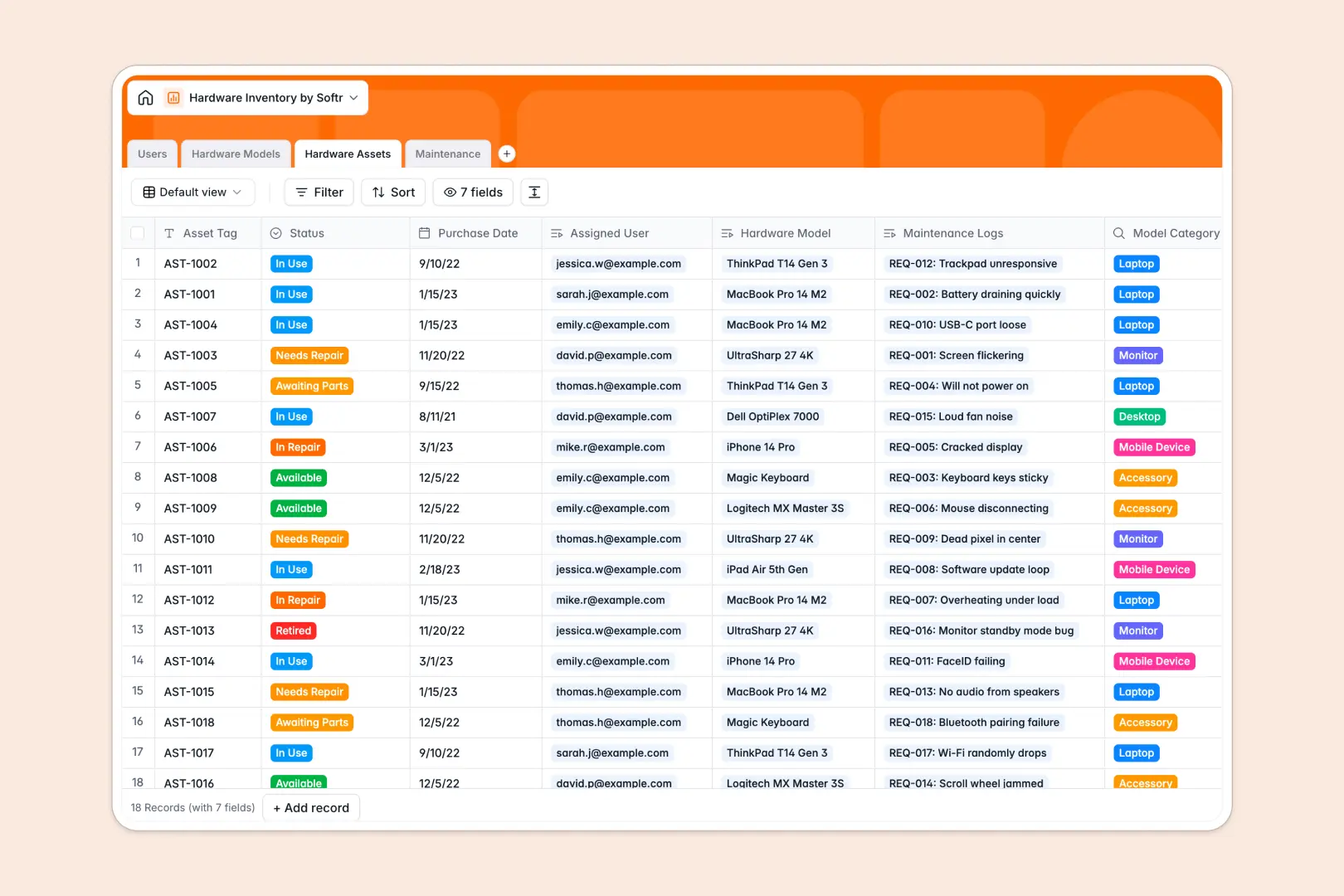
# Your Hardware Inventory Database at a glance
Track your company's tech stack, from physical devices and specs to maintenance logs and assignments. Keep your IT operations running smoothly in one centralized location.
Connect hardware models to specific serialized assets and map assets directly to employees in your directory. This relational structure makes tracking deployment and wear easy.
Use built-in AI to auto-generate troubleshooting guides for repair requests or fetch hardware specs from the web. Keep your IT support team one step ahead with smart automations.
What to check before building your hardware inventory base in Airtable
Managing company equipment requires team collaboration, but scaling database access shouldn't break your budget.
What changes with a database built for apps
While Airtable relies on per-seat pricing that charges you for every collaborator, Softr Databases include unlimited collaborators on all plans so your entire team can update asset records freely.
Instead of stitching third-party portal tools together, you get interface building and custom permissions natively within one platform. This template acts as your instant data source and visual workspace in one tool.
What you can do with this template
Link asset logs and serial numbers directly to employee profiles, ensuring clear accountability for every laptop and monitor. Monitor category fields to balance stock levels dynamically.
Set up Database AI agents to automatically research device specifications or write troubleshooting guides for newly flagged IT issues. This automates manual data entry and setup steps.
-
Users
Track employees, IT support staff, roles, and assigned devices
-
Hardware Models
Catalog hardware specifications using AI for web-powered model summaries
-
Hardware Assets
Track individual hardware units, warranty status, and ownership logs
-
Maintenance
Manage hardware repair tickets with AI-generated troubleshooting guides
Who is this Hardware Inventory database for
This template helps teams maintain complete visibility over physical company assets and IT support requests.
- IT Administrators: Track available devices, assign serial numbers, and manage repairs in one place.
- Operations Managers: Monitor purchasing history, hardware categories, and overall asset lifecycle.
- Team Leads: Request devices for new hires and oversee equipment assigned to team members.
How to take it further
1. Customize the database
Modify status fields to match your procurement processes or add custom categories like office furniture. You can easily add lookup columns or edit options in minutes.
2. Import your existing data
Effortlessly upload your existing device list via CSV to populate your data in seconds. You can also utilize API access for automated external data syncing.
3. Build a full app around it
When your team scales, use the AI app generator to generate a fully branded internal IT portal. Describe what you need in plain text, and watch the platform connect tables and design interfaces automatically.
Define granular users and permissions to let employees log requests while restricting administrative tables only to IT support staff.
-
1
-
2
-
3
-
4
Frequently asked questions
-
What is a hardware inventory database?
-
Why use a no-code database to build a hardware inventory system?
-
How can AI help managing data for hardware inventory?
-
Can I build an app with hardware inventory database?
-
Is this hardware inventory template free?
-
How is this hardware inventory template different from an Airtable template?
Start building today. It's free!
Build and launch your first app in under 30 minutes.