


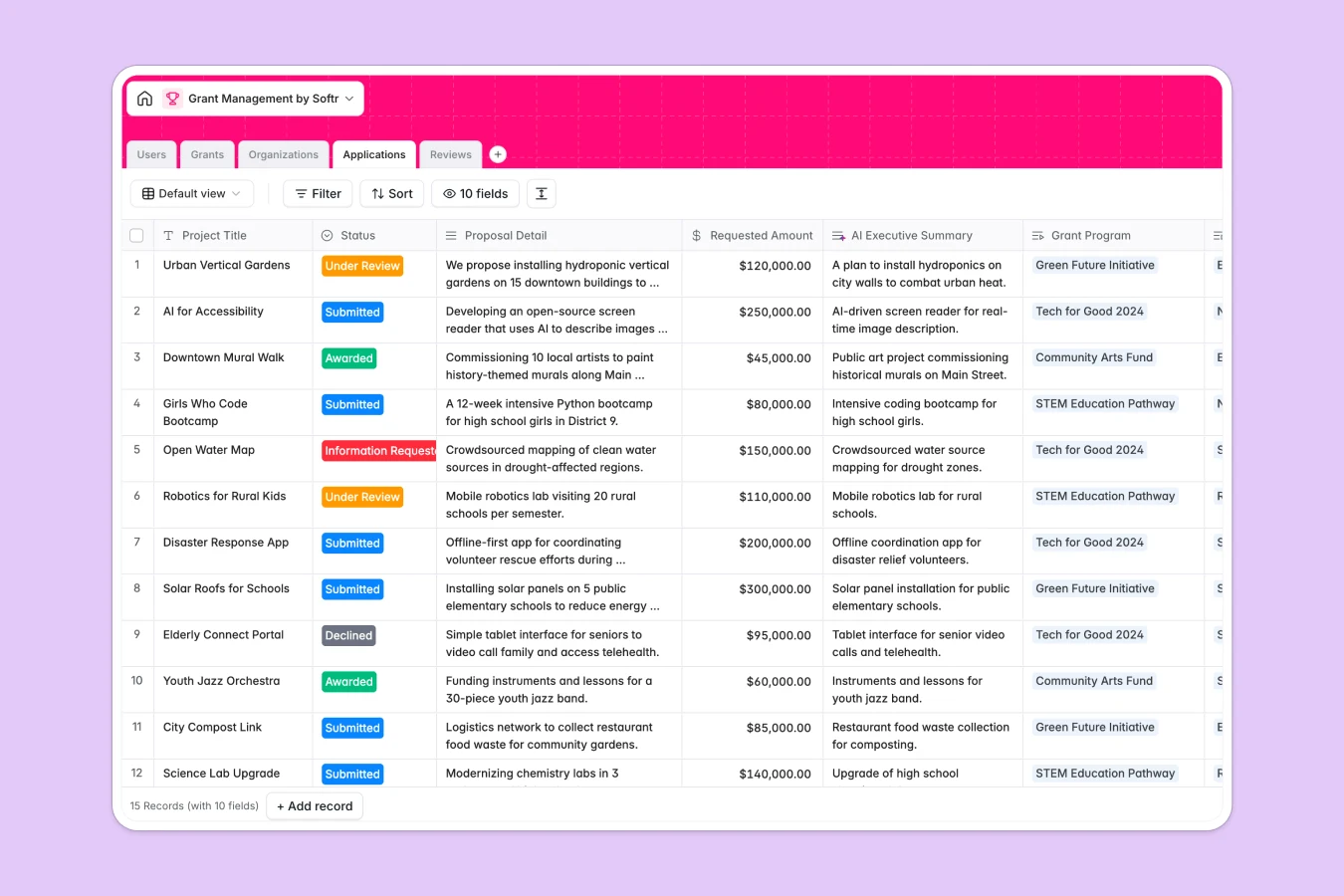
Your Grant Management database at a glance
This database organizes funding opportunities, applicant profiles, reviewers, and scoring metrics in one central ecosystem. It automatically links every application to its parent grant, applicant organization, and individual review scores to keep operations synchronized.
With built-in AI capabilities, the system instantly drafts eligibility checklists, writes applicant executive summaries, and estimates project risks based on submission text.
What to check before building your grant management base in Airtable
Airtable is a capable relational database, but compiling data is only half the work. Once you begin managing applicant submissions, bringing in external reviewers, or coordinating with local non-profits, sharing data gets complex and expensive.
What changes with a database built for apps
Traditional databases charge steep per-seat fees that restrict how you collaborate. Because your entire team, review panels, and external applicants require different types of access, Softr Databases support unlimited collaborators so you can scale access without escalating costs.
Additionally, instead of stitching together third-party portal tools, you get higher API rate limits and generous record capacities on a platform engineered to evolve into responsive user portals.
What you can do with this template
This template is fully flexible for any custom funding pipeline, enabling you to define users, analyze incoming drafts, and tally review scores dynamically with rollup formulas.
To automate heavy manual steps, use Database AI agents inside your fields to summarize proposal scopes and evaluate applicant project feasibility automatically as records are created.
-
Users
Manage system users including grant managers and external application reviewers
-
Grants
Track funding programs with AI-generated eligibility checklists from descriptions
-
Organizations
Manage applicant companies featuring AI-powered mission and vision web profiles
-
Applications
Evaluate proposal details using AI-generated executive summaries and risk assessments
-
Reviews
Centralize application scores, feedback logs, and funding recommendations
Who is this Grant Management database for
- Non-Profits & Foundations: Review and distribute funding opportunities to community initiatives securely and cleanly.
- Government Programs: Manage public project proposals with structured review steps and automated compliance checklists.
- Corporate Giving Teams: Evaluate social-impact applications while keeping corporate stakeholders updated on total fund delivery.
- Academic Institutions: Oversee research grant proposals and assign specific peer reviewers based on subject-matter expertise.
How to take it further
First, customize the database structure visually by adding custom fields, setting up review score structures, or editing grant category selections to match your precise funding rules.
Next, upload your existing information into the system. You can achieve this quickly by importing existing CSV tables or executing automated sync actions directly through the database API.
Finally, build web portals on top of your tables when your group is ready. Use our AI app generator to turn your relational data into an interactive dashboard. With granular users and permissions, review boards only see submissions assigned to them, while applicants can track their processing milestones in real time.
-
1
-
2
-
3
-
4
Frequently asked questions
-
What is a grant management database?
-
Why use a no-code database to build a grant management system?
-
How can AI help managing data for grant management?
-
Can I build an app with this grant management database?
-
Is this Grant Management template free?
-
How is this template different from an Airtable template?
Start building today. It's free!
Build and launch your first app in under 30 minutes.