


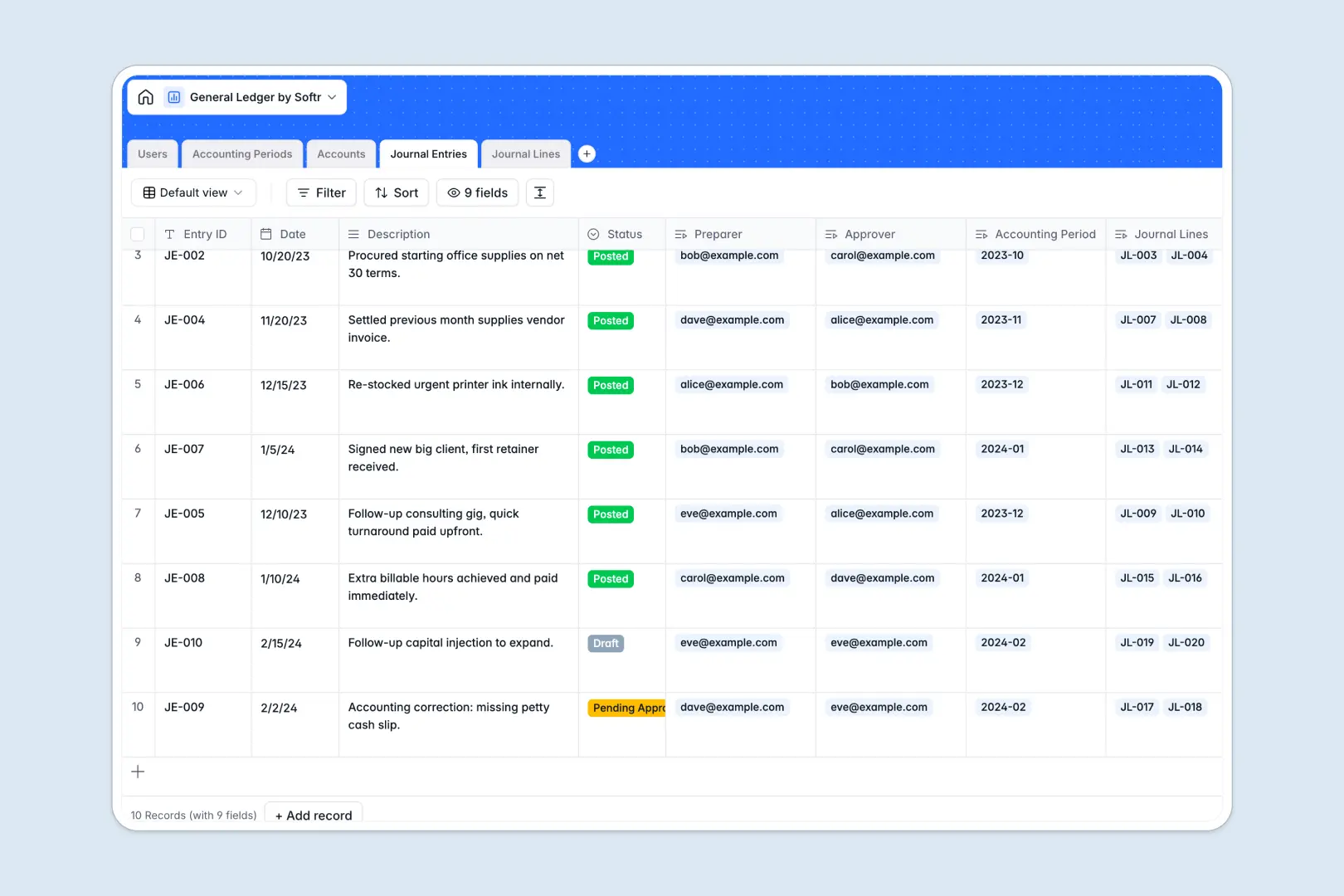
Your General Ledger database at a glance
This template gives you an organized, audit-ready way to control your finances. Easily track journal entries, chart of accounts, and detailed ledger lines in one secure workspace.
By naturally linking journal lines to both accounts and parent transactions, your records remain completely synchronized. Rollups dynamically calculate debit and credit balances, eliminating manual calculations and human error.
Native AI features running directly in your fields automatically categorize line memos, generate audit summaries, and draft usage rules for accounts to accelerate your month-end closing processes.
What to check before building your general ledger base in Airtable
Managing complex financial databases in Airtable quickly becomes expensive and difficult to scale as more stakeholders require visibility into accounting data.
Where general ledger outgrows Airtable
Airtable is a capable relational tool, but its per-seat pricing model charges you for every stakeholder who needs editing access to ledger details. This model makes it highly expensive to include your whole team, external auditors, or executive leadership.
To share financial dashboards or transaction entry forms with specific permissions, teams end up stitching together multiple external tools. This is exactly why Softr Databases are built to resolve these limitations by offering a unified workspace.
With Softr, you get native databases combined with interface building, workflows, and granular access rules in one system. Crucially, you can invite unlimited collaborators to your workspace without paying per-seat penalties.
What you can do with this template
This General Ledger template functions as a ready-to-use starting point that you can immediately adapt to your specific chart of accounts. You can customize fields, run approval sequences, and easily balance transaction records in a view built exactly for you.
By leveraging built-in Database AI agents, your ledger can automatically draft compliance summaries and clean accounting records. Running directly within your fields, these agents let teams focus on critical financial review instead of dry manual classification.
-
Users
Track accounting team members with roles, emails, and transaction approvals
-
Accounting Periods
Manage financial reporting periods, active timelines, and access controls
-
Accounts
Organize the chart of accounts with balances and AI-generated usage rules
-
Journal Entries
Verify accounting transactions and generate AI-powered audit-ready summaries
-
Journal Lines
Record debit/credit splits with AI-automated operational classification
Who is this General Ledger database for
- In-house Accounting Teams: Securely prepare, review, and post journal entries with clear status indicators.
- CFOs & Finance Chiefs: Maintain real-time oversight of total assets, liabilities, expenses, and ledger integrity.
- External Financial Auditors: Access clean, categorized transaction strings with automated audit summaries ready.
- Small Business Owners: Professionalize financial recordkeeping without relying on complex, costly software systems.
How to take it further
1. Customize the database
You can modify the ledger tables within seconds to perfectly match your tax structures and departmental guidelines. Expand choice lists, adjust account types, or adapt ledger statuses to fit your month-end timeline.
2. Import your existing data
Avoid manual data re-entry by pulling in your historical balances directly using a quick CSV spreadsheet upload. You can also connect external billing platforms and bank registers via API for continuous real-time ledger updates.
3. Build a full app around it
When your accounting team is ready, you can seamlessly build an app on top of this structured relational database. Simply describe what portal or dashboard you require, and the Softr AI Co-Builder will instantly generate visual interfaces, roles, and workflows.
With customized users and permissions, you can ensure clerks only enter draft entries, accountants handle review, and auditors see read-only summaries. Starting from a well-structured database makes launching secure internal portals both fast and highly accurate.
-
1
-
2
-
3
-
4
Frequently asked questions
-
What is a general ledger database?
-
Why use a no-code database to build a ledger system?
-
How can AI help managing data for a general ledger?
-
Can I build an app with this general ledger database?
-
Is this General Ledger template free?
-
How is this different from an Airtable template?
Start building today. It's free!
Build and launch your first app in under 30 minutes.