


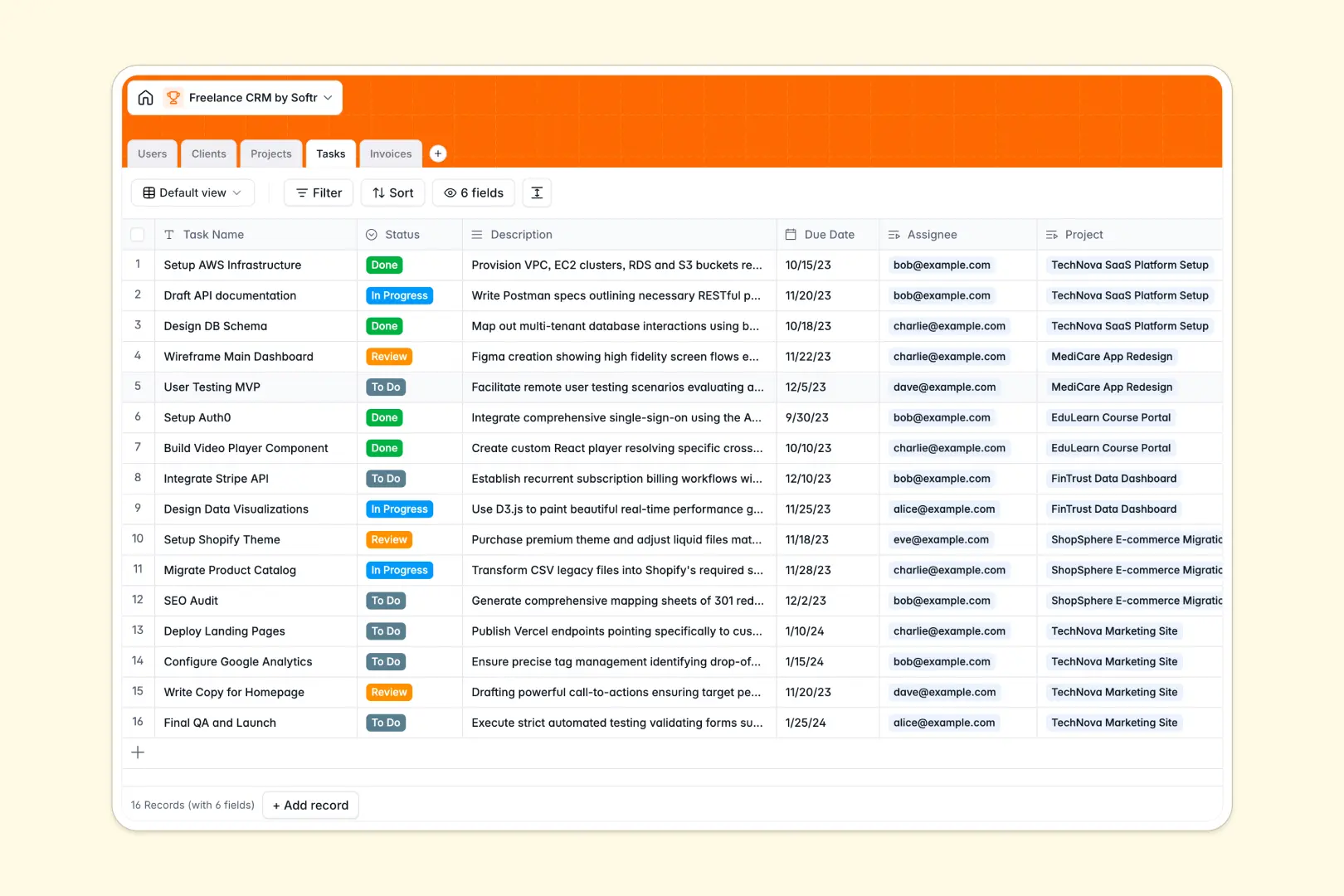
Your Freelance CRM database at a glance
Track client profiles, active project pipelines, daily deliverables, and billing statuses in one single system. Avoid losing critical business details across messy text files or fragmented apps.
Your contacts, projects, tasks, and invoices are linked through native relational fields. A single change in an invoice status or task list instantly updates your entire client health overview.
This template features built-in AI fields that analyze raw descriptions and search live company websites. It automatically extracts project milestones and categorizes new client industries for you.
What to check before building your freelance CRM base in Airtable
While evaluating Airtable for your freelance workflow, consider how scalable it will remain as your active client list grows.
Why a database built for app ecosystems matters
Airtable charges per collaborator, meaning adding contractors or inviting external clients to view progress reports gets expensive immediately. Softr is different: you get the relational database features you need with unlimited collaborators included on every single plan.
This is exactly what Softr Databases are built to resolve. It offers the structural strength of a database without forcing costly fee ceilings as your team or client list scales up.
What you can do with this freelance CRM template
Maintain structural control over client communications and verify payment collections quickly with specific financial and relational views.
Deploy native Database AI agents within your fields to research new leads, categorize customer profiles, and summarize project milestones without manual entry.
-
Users
Track freelancers, team members, and client users with designated roles
-
Clients
Manage client accounts with websites, logos, and AI-enriched summaries
-
Projects
Track deliverables, client associations, and AI-generated project summaries
-
Tasks
Organize project tasks with statuses, deadlines, and direct assignees
-
Invoices
Track freelance client billing, currency amounts, and overall payment statuses
Who is this Freelance CRM database for
This template supports self-employed professionals and growing services companies looking to streamline administrative work.
- Solo Freelancers: Keep active tasks, contract documents, and client invoices organized in one unified workspace.
- Boutique Agencies: Assign project tasks directly to contractors while maintaining clear overhead billing views.
- Consultative Businesses: Use the auto-summarize AI features to quickly review project scopes and historical client values.
How to take it further
1. Customize the database
Customize select-field categories, tax rates, project stages, or roles to perfectly match the daily pipeline of your freelance business.
2. Import your existing data
Bulk-upload your spreadsheet client lists through a rapid CSV import or connect external software tools using standard APIs to push live invoices inside.
3. Build a full app around it
When you need to construct a custom client dashboard, use this structured database directly behind an interface. You can build an app that provides your clients secure users and permissions to view and pay invoices without seeing your internal task workflows.
-
1
-
2
-
3
-
4
Frequently asked questions
-
What is a freelance CRM database?
-
Why use a no-code database to build a freelance CRM system?
-
How can AI help managing data for your freelance CRM?
-
Can I build an app with this freelance CRM database?
-
Is this Freelance CRM database template free?
-
How is this freelance CRM database different from Airtable?
Start building today. It's free!
Build and launch your first app in under 30 minutes.