


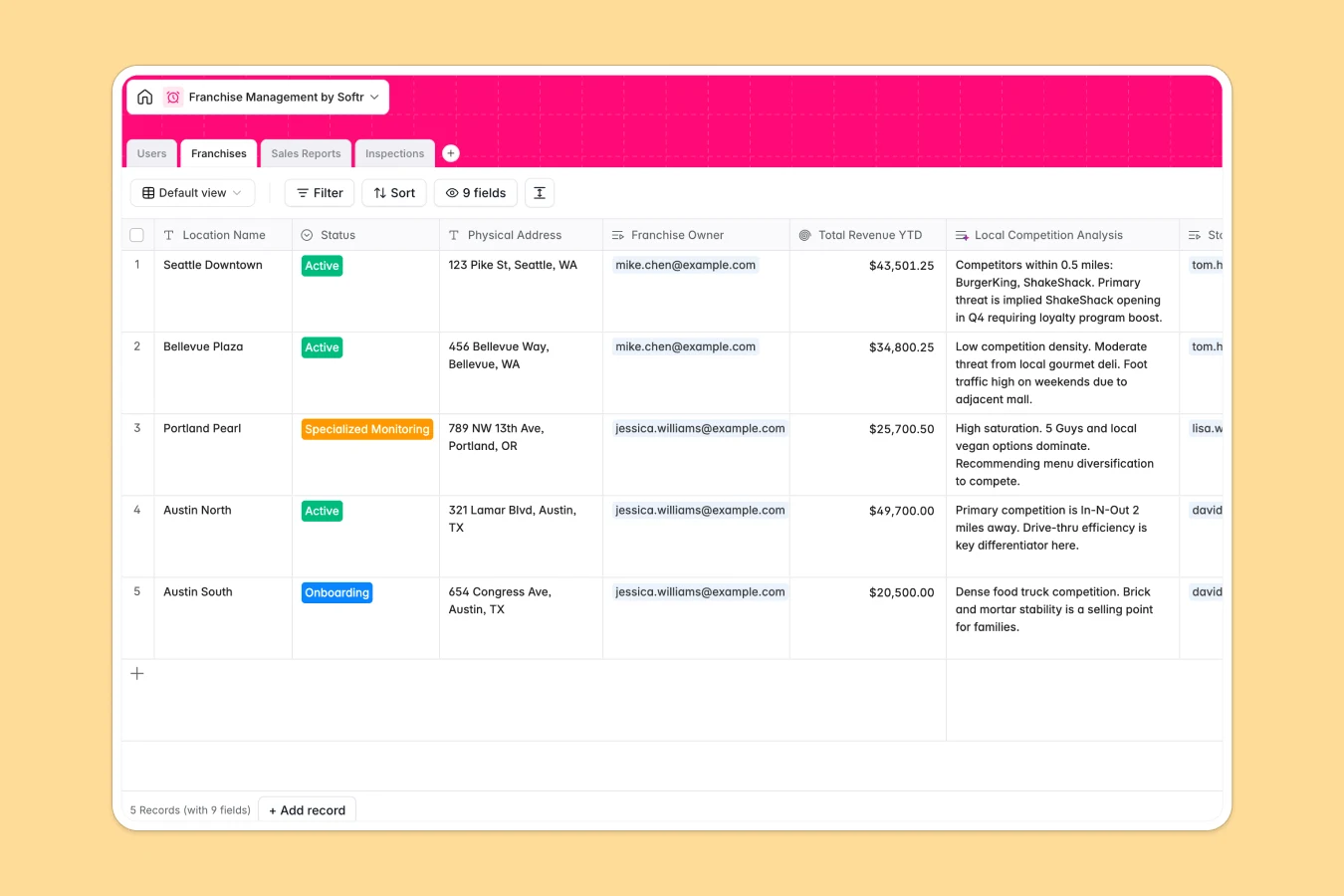
Your Franchise Management database at a glance
This template gives you complete visibility over your physically distributed network of stores, owners, and managers. Organize location details, weekly sales reports, and quality audits in one central dashboard.
Everything connects logically: Users are linked to the specific Franchises they own or manage, which in turn connect directly to weekly Sales Reports and audit Inspections.
With native AI features, you can automatically run local market competitor research and analyze sales performance trends directly from your data tables.
What to check before building your franchise management base in Airtable
Starting your franchise operations in Airtable seems like the obvious choice because of its familiar relational structure. However, sharing that database with external franchise owners and local store managers quickly becomes a financial and operational challenge.
What changes with a database built for apps
Airtable's per-seat pricing gets expensive fast when you want every local franchise owner and store manager to submit weekly sales reports directly. Instead of paying for dozens of collaborator seats, Softr Databases include unlimited collaborators on all plans so your entire network can participate without extra charges.
Additionally, you don’t have to worry about scale limits or stitching multiple external form and portal tools together to keep local owners from seeing each other's financial metrics. You get higher record ceilings and a secure foundation designed to safely power custom portals from day one.
What you can do with this template
This template provides pre-configured tables for Users, Franchises, Sales Reports, and Inspections. It helps you keep financial performance and brand standards unified across all territories.
You can also leverage built-in Database AI agents to automate tasks like generating remedial checklists immediately after an audit fails, or gathering online competitor intel based on a franchise's physical address.
-
Users
Manage headquarters admins, store managers, and franchise owners
-
Franchises
Track physical locations with AI-powered local competition insights
-
Sales Reports
Log weekly revenue using AI to evaluate performance sentiment
-
Inspections
Monitor store audits with AI-generated remedial blueprints
Who is this Franchise Management database for
- Franchise HQ Teams: Track network performance, organize owner directories, and standardize quality control audits.
- Franchise Owners: Monitor overall location status, manage your assigned store managers, and review year-to-date revenue.
- Store Managers: Easily log weekly transaction counts and write immediate operational notes without complex spreadsheets.
How to take it further
Customize the database
You can customize your database structure in seconds to align with your brand's unique operations. Modify status values like adding a "Renovation" phase, add currency fields for marketing fund contributions, or adjust audit scorecard metrics visually.
Import your existing data
If you are currently tracking stores in legacy spreadsheets, you can import your CSV files directly into this database to get started instantly. You can also sync from external systems using our API to consolidate existing business data.
Build a full app around it
When you are ready, use our AI app generator to turn this database into a secure franchise portal with one click. This lets local store managers log their sales via a simple interface, and limits what they see via granular users and permissions so franchise owners only access their own stores’ dashboards.
-
1
-
2
-
3
-
4
Frequently asked questions
-
What is a franchise management database?
-
Why use a no-code database to build a franchise management system?
-
How can AI help managing data for your franchise network?
-
Can I build an app with this franchise database?
-
Is this franchise management template free?
-
How is this template different from a franchise management Airtable template?
Start building today. It's free!
Build and launch your first app in under 30 minutes.