


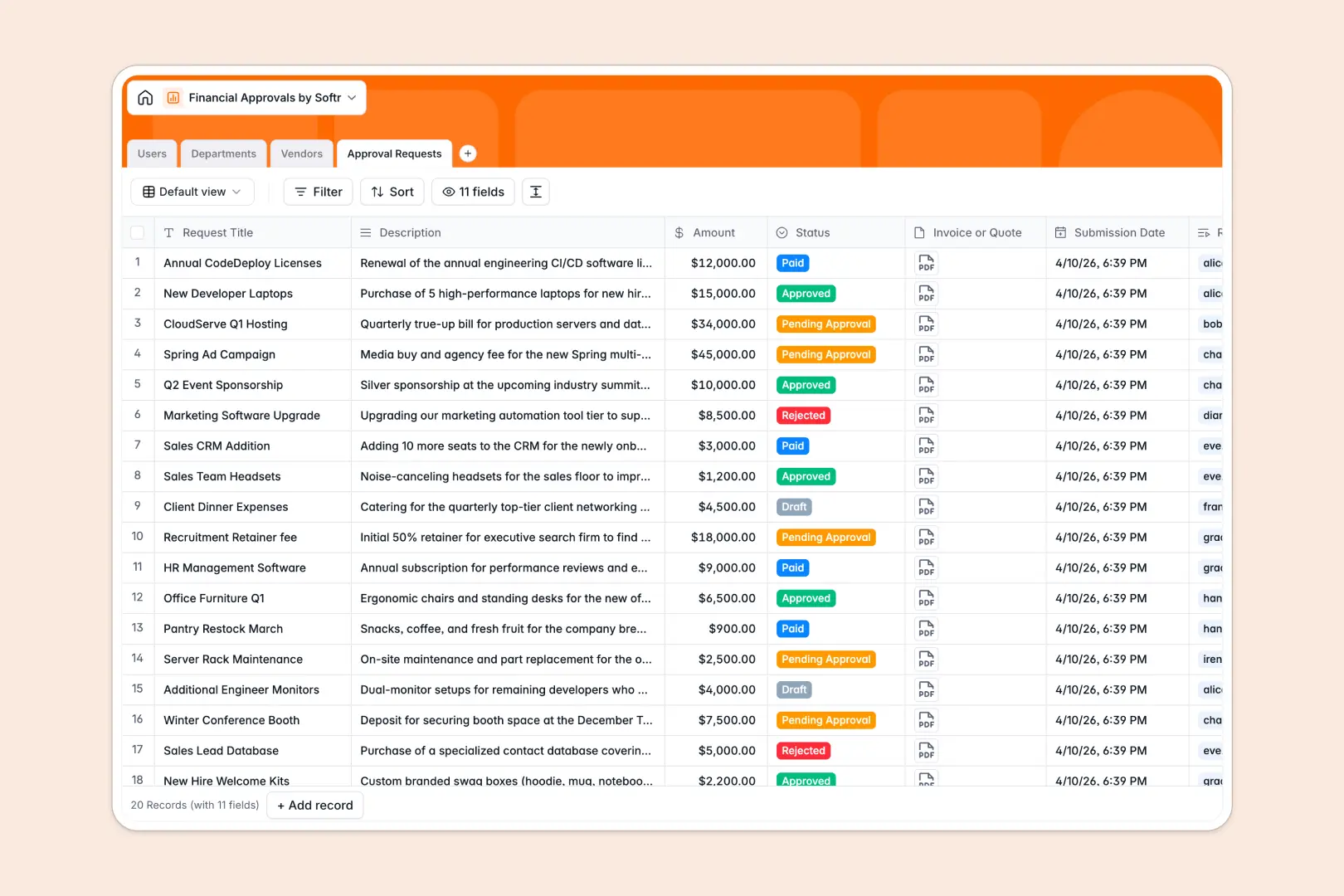
Your Financial Approvals database at a glance
Spend less time chasing managers and more time moving projects forward with a unified hub for all budget and purchase requests.
Keep requests connected directly to Department budgets and detailed Vendor profiles without manual reconciliation.
AI-ready fields automatically draft executive summaries of purchase descriptions and research new vendor profiles in real time.
What to check before building your financial approvals base in Airtable
Managing spend requests requires a database structure to connect departments, requesters, and vendors cleanly. While Airtable is a solid relational base, teams handling sensitive budget workflows often run into scaling bottlenecks and cost constraints.
What changes with a database built for apps
Building a scalable approval system shouldn't penalize you with steep per-seat fees when adding employees, managers, or external vendors to your workflow.
With Softr Databases, you get unlimited collaborators on all plans alongside higher record ceilings and faster API performance for heavy transactional volumes.
Instead of patching together third-party portals, form builders, and external notification tools, your relational tables live inside the same system that powers secure user interfaces.
What you can do with this template
Requesters can upload invoices and submit amounts that automatically link to their departments, ensuring live spending always rolls up against hard budget limits.
Built-in Database AI agents run inside your tables to extract insights, summarize complex purchase requests, and research new supplier websites instantly.
-
Users
Manage system users with defined roles, departments, and approval queues
-
Departments
Track organizational units alongside budget limits and total approved spending
-
Vendors
Directory of suppliers with category tags and AI-generated company summaries
-
Approval Requests
Track financial requests with amounts, statuses, and AI executive summaries
Who is this Financial Approvals database for
This database is built for operational leads and finance departments that need transparent budget oversight without administrative overhead.
- Finance Teams: Keep purchase approvals directly connected to live department budget limits without breaking formula links.
- Department Heads: Review auto-generated executive summaries and make fast, informed decisions on team spend requests.
- Operations Managers: Centralize supplier profiles and verify vendor safety using automated background summaries.
How to take it further
1. Customize the database
Adjust select options for spending categories, set specific budget caps for departments, or add your own custom fields to match your company's fiscal policies.
2. Import your existing data
Move your historic transaction logs, vendor lists, and active staff rosters from spreadsheets into your database using clean CSV imports.
3. Build a full app around it
When your team needs individual dashboards, use the AI app generator to turn this database into a tailored internal portal.
You can set granular users and permissions so employees only view their own requests, while department managers see and approve pending budgets.
-
1
-
2
-
3
-
4
Frequently asked questions
-
What is a financial approvals database?
-
Why use a no-code database to build a financial approvals system?
-
How can AI help managing data for financial approvals?
-
Can I build an app with financial approvals database?
-
Is this Financial Approvals template free?
-
How is this template different from an Airtable template?
Start building today. It's free!
Build and launch your first app in under 30 minutes.