


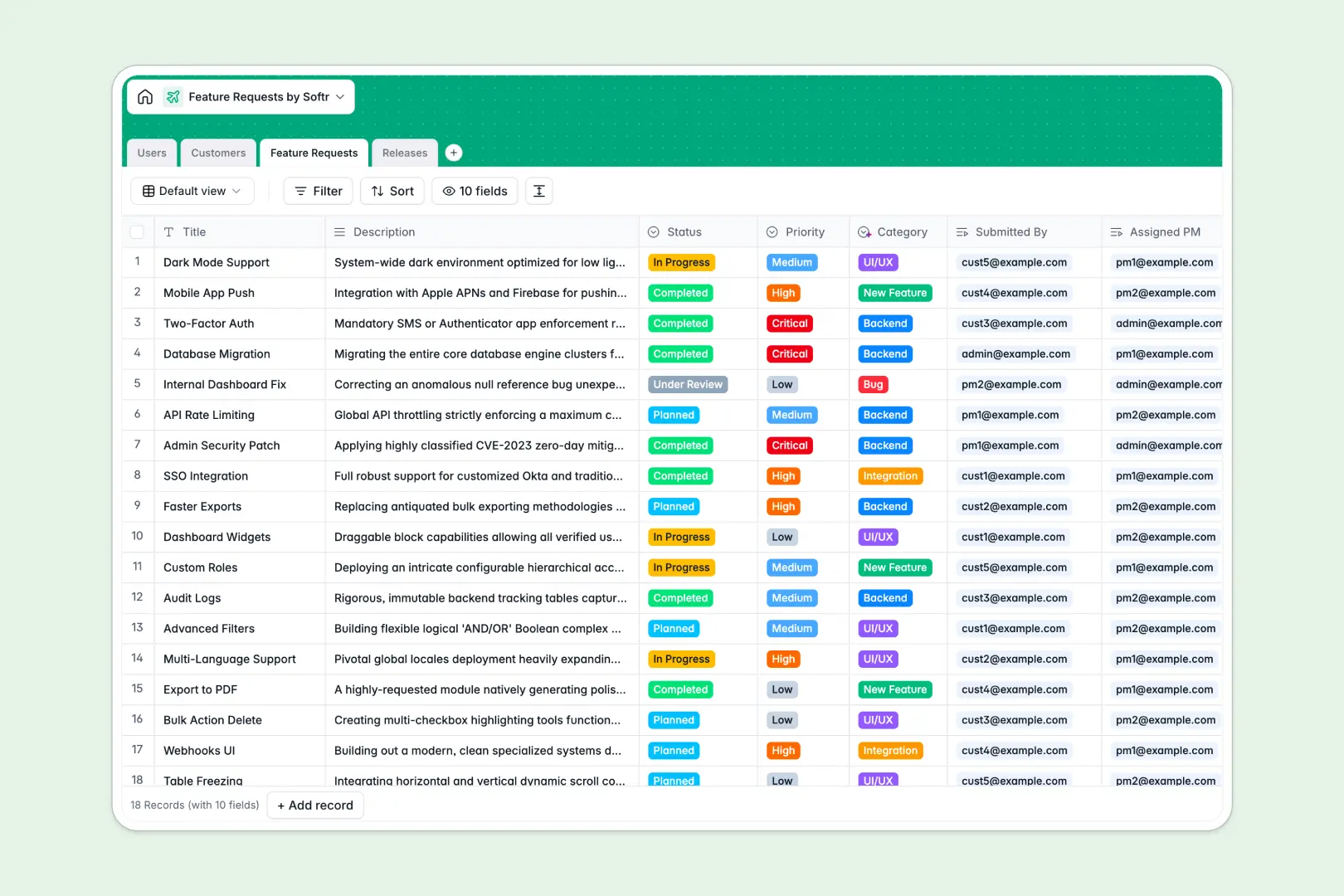
Your Feature Requests database at a glance
Track product ideas, bugs, and enhancements systematically in a central workspace. This template makes it simple to capture incoming feedback and quickly link it to target product releases.
Connect contacts from the Users and Customers tables directly to incoming items in the Feature Requests table, then roll them up into target development milestones in the Releases table.
Leverage built-in AI fields that automatically categorize incoming feedback based on user descriptions and synthesize customer-facing release documentation when roadmaps ship.
Where managing feature requests outgrows Airtable
Relational platforms are perfect for planning product roadmaps, but managing raw feedback in Airtable becomes incredibly complex when your customer-facing teams and external users need access.
What changes with a database built for apps
Airtable charges per seat, which quickly makes sharing database access with your support team, account managers, and clients prohibitively expensive.
With Softr Databases, you get the same powerful relational integrity—such as linking multiple customers to a single request—but with unlimited collaborators on all pricing tiers.
Additionally, you will not hit tight scale ceilings, as this database supports up to 200,000 records paired with an API that runs ten times faster to handle busy product feedback streams.
What you can do with this template
Track priority, status, and target versions smoothly, keeping your product management and client relations entirely aligned.
Deploy native Database AI agents to automatically pull company information from customer websites, categorize requests, and draft release notes dynamically.
-
Users
Manage platform accounts and roles for submitting or tracking feature requests
-
Customers
Track requesting client entities with websites and AI-generated company profiles
-
Feature Requests
Centralize product ideas and bugs, using AI to auto-classify categories
-
Releases
Plan product updates with targets and AI-generated release summaries
Who is this Feature Requests database for
This structured setup is perfect for product-led organizations focused on scaling feedback management cleanly.
- Product Teams: Track roadmap priority, assign features to PMs, and link requests directly to upcoming releases.
- Customer Success Managers: Monitor customer-specific requests, view rollup counts, and keep accounts proactively updated.
- SaaS Startups: Centralize feedback easily and build immediate AI-assisted release notes to ship updates faster.
How to take it further
Customize the database
Customize this database immediately by tailoring the categories or adjusting priority tags to fit your development sprints. Add additional select fields or custom team roles in a few clicks to match your workflow.
Import your existing data
Bulk import your historical feature logs and client list effortlessly using the native CSV uploader. You can also leverage API endpoints to continuously sync customer submissions from external tools.
Build a full app around it
Take your tracking further by using Softr's interface builder to turn your database into an interactive client portal or a public product roadmap. Use detailed users and permissions to let customers view status updates while keeping internal planning notes visible only to product managers. Starting with a structured database ensures your custom application remains highly performant.
-
1
-
2
-
3
-
4
Frequently asked questions
-
What is a feature requests database?
-
Why use a no-code database to build a feature requests tracker?
-
How can AI help managing data for feature requests?
-
Can I build an app with this feature requests database?
-
Is this Feature Requests database template free?
-
How is this template different from an Airtable template?
Start building today. It's free!
Build and launch your first app in under 30 minutes.