


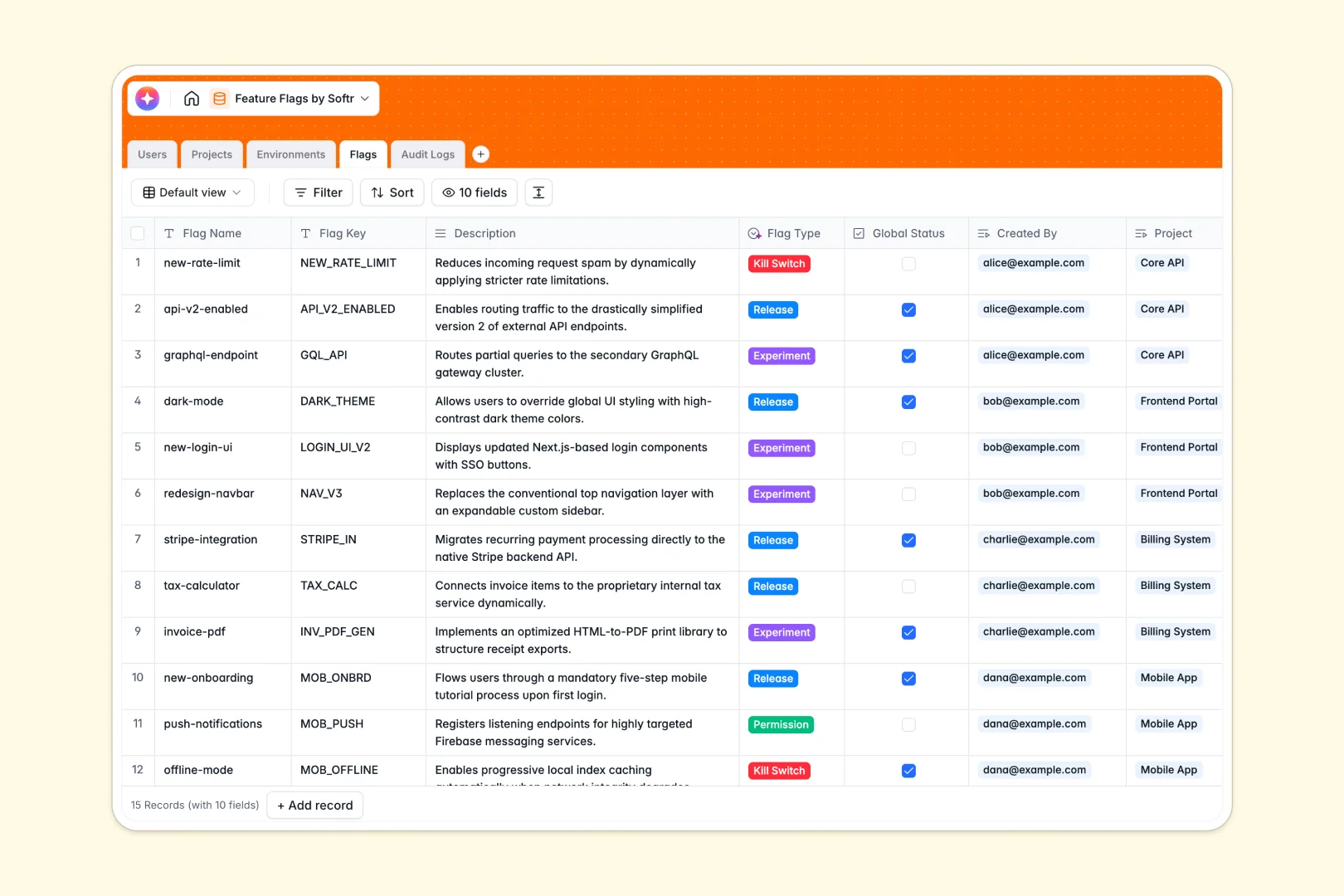
Your Feature Flags database at a glance
Safely coordinate feature releases, manage different environments like Staging and Production, and maintain full control over toggles in one unified location.
This template connects software projects directly to development tables, tracking feature flags, environment API keys, and comprehensive user audit logs automatically.
It also features built-in AI capabilities to list and summarize flag data while auto-classifying newly proposed feature flags.
Where feature flags outgrow Airtable
Setting up feature toggles requires a structured environment, but managing your releases in Airtable frequently presents hard scale and operational ceilings. As your deployments multiply, per-seat workspace pricing forces hefty subscriptions just for giving developers edit rights to trigger flags.
What changes with a database built for apps
Real feature flag management requires granular access controls and unlimited operational access. Softr Databases solve this by removing per-collaborator fees entirely and multiplying API speed limits, letting your teams adjust release flags without billing surprises.
Every table is optimized for app integrations. For example, instead of patching external portal services together, you have a solid data structure ready to drive actual frontend software.
How teams leverage this template
Operators can toggle global status metrics safe in the knowledge that native audit logs capture who, what, and when a switch flipped.
Built-in Database AI agents help organize details, writing automated project digests and categorizing flags dynamically to save technical overhead.
-
Users
Track team members with system roles, contact info, and linked projects
-
Projects
Manage software projects with AI systems that generate project flag digests
-
Environments
Deploy flags across system environments with dedicated API keys and settings
-
Flags
Control app behavior using AI to classify toggles and summarize flag goals
-
Audit Logs
Audit system and configuration history with detailed action and user tracking
Who is this Feature Flags database for
If your product teams and engineers need safe, collaborative access to flag deployments, this setup keeps actions visible and documented.
- Product Managers: Coordinate feature releases, categorize test segments rapidly, and run product experiments without staging friction.
- Engineering Teams: Protect codebases with active global kill switches, store environment API keys securely, and review historical change triggers.
- QA Specialists: Check active toggles across staging and production targets in real time prior to validation tests.
How to take it further
Customize the schema. Scale the workspace safely by adjusting toggle options, adding user roles like external analysts, or customizing your own environment parameters.
Import original sources. Move historical flag lists quickly using direct CSV uploads or automate database updates with high-throughput API integrations.
Build a full app around it. Softr allows teams to seamlessly create an internal portal or developer dashboard on top of these tables. Simply use the AI app generator to generate a functional admin interface complete with strict roles, users and permissions, and workflows, giving developers control without exposing database roots.
-
1
-
2
-
3
-
4
Frequently asked questions
-
What is a feature flags database?
-
Why use a no-code database to build a feature flags admin system?
-
How can AI help managing data for feature flags?
-
Can I build an app with this feature flags database?
-
Is this feature flags template free?
-
How is this template different from an Airtable template?
Start building today. It's free!
Build and launch your first app in under 30 minutes.