


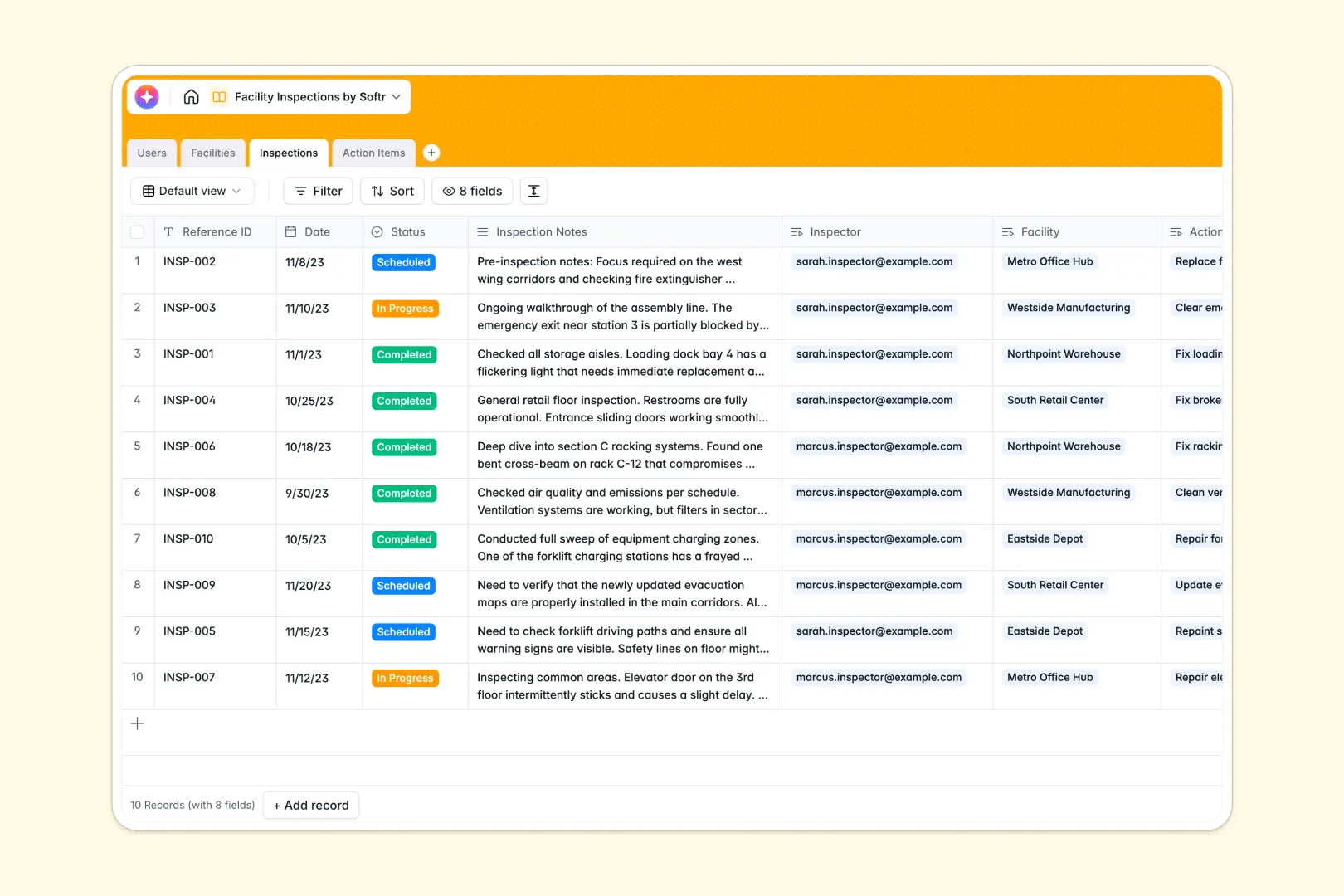
Your Facility Inspections database at a glance
This template allows you to simplify safety audits, equipment checks, and property maintenance in one secure place. Stay compliant and organized without dealing with messy offline file versions or fractured paperwork.
Keep track of your Facilities, log Inspections, assign qualified Inspectors, and track generated Action Items effortlessly. Because tables are connected, every remediation step is linked to its source audit, keeping your historical record accurate and clean.
Keep high-risk tasks top of mind using AI-powered intelligence. The inspection summary field automatically distills detailed inspector notes, while built-in priority scoring handles categorization behind the scenes so nobody misses critical repairs.
What to check before building your facility inspections base in Airtable
When managing properties, operations teams need to coordinate tasks across building managers, field inspectors, and third-party contractors.
Your audit records need a database that won't punish collaboration with ballooning per-seat costs or hard record limit ceilings.
What changes with a database built for apps
Starting from a relational database is the right move for audit reliability. In a structured database, fields stay consistent, files containing damage evidence remain attached securely, and records relate to each other without risky copy-pasting.
This is exactly what Softr Databases are built for. By keeping your data in a template that links facilities directly to personnel and issues, you avoid the structural limits and high collaborative per-seat costs that typically come with Airtable.
Your entire team can view, edit, and action items securely with zero friction or costly seat license requirements.
What you can do with this template
Get started immediately with structured fields for facilities, inspections, and remediation action items. Track unresolved issues from detection to sign-off with clear, filterable statuses.
Equip operations with Database AI agents to automatically prioritize safety risks and write summaries directly within your records. This ensures your field teams focus on high-priority hazards immediately.
-
Users
Track system administrators, inspectors, and facility managers with contact details
-
Facilities
Manage physical buildings, types, and locations requiring scheduled inspections
-
Inspections
Log inspection events and run automated AI summaries on notes and findings
-
Action Items
Track safety violations and use AI to automatically classify issue urgency
Who is this Facility Inspections database for
- Operations Managers: Track property portfolios, build historical compliance records, and oversee regional maintenance programs.
- EHS Inspectors: Complete site safety walk-throughs, log photos of hazards, and issue fixes directly while on-site.
- Facility Managers: Monitor remediation progress, coordinate tasks with maintenance contractors, and verify safety status instantly.
How to take it further
Customize the database
Adjust fields to match your real-world audit lists. Add customized dropdown options for specialized machinery inspections, insert photo attachments for proof-of-repair, or add custom properties to reflect specific compliance requirements.
Import your existing data
Migrate clean assets from existing spreadsheets easily. Use the built-in CSV importer to load facility directories and structural data in bulk, or import using our robust API to sync field reports with internal software systems.
Build a full app around it
When you are ready to move inspectors out of database cells, turn this structure into a secure mobile-ready application. Use our AI app generator to generate a functional portal on top of this exact schema.
This allows you to customize users and permissions so that external inspectors only see assigned sites, while building managers only interact with local action items. Starting from a strong database layout ensures your custom application setup takes only minutes.
-
1
-
2
-
3
-
4
Frequently asked questions
-
What is a facility inspections database?
-
Why use a no-code database to build a facility inspections system?
-
How can AI help managing data for facility inspections?
-
Can I build an app with this facility inspections database?
-
Is this facility inspections template free?
-
How is this facility inspections template different from an Airtable template?
Start building today. It's free!
Build and launch your first app in under 30 minutes.