


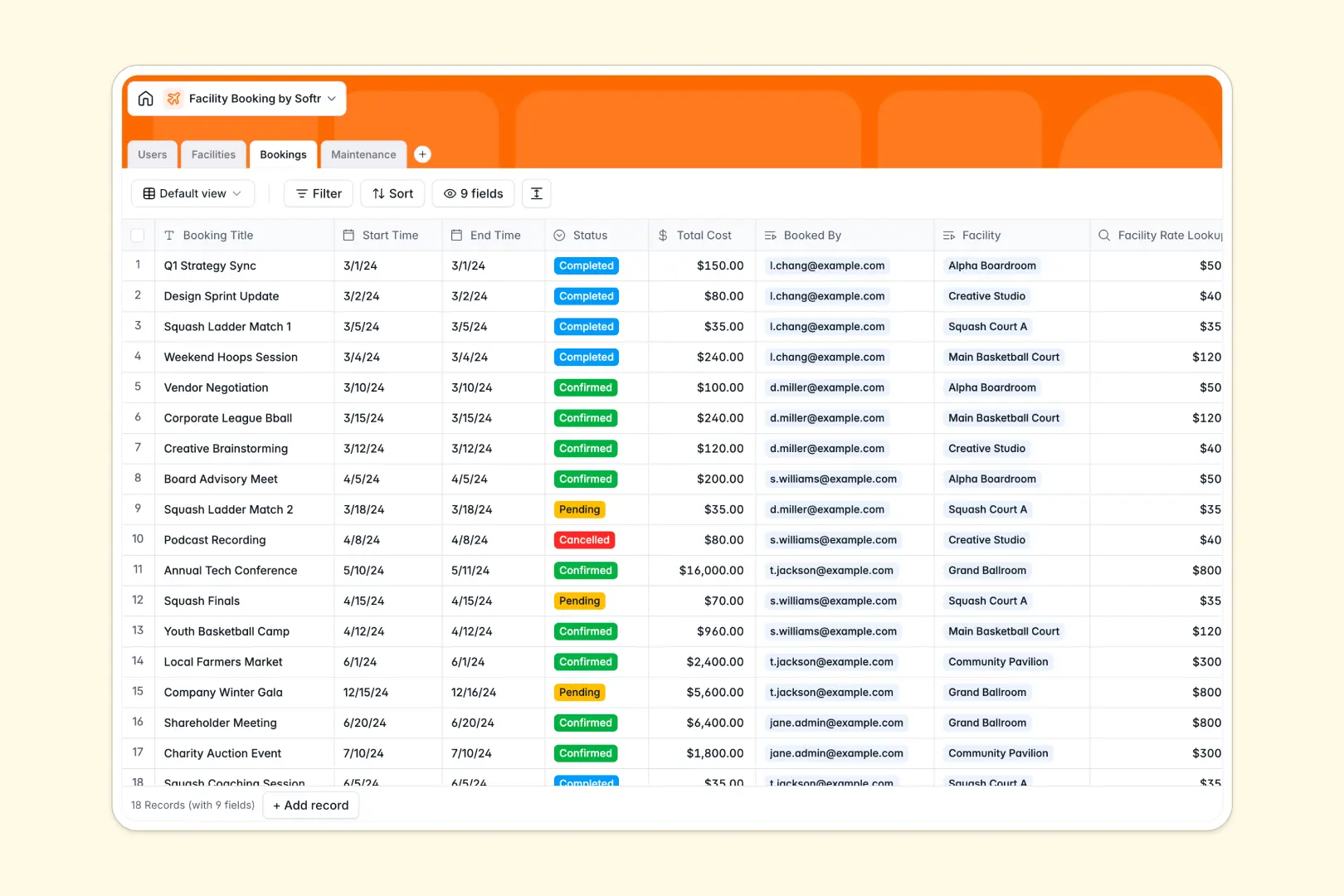
Your Facility Booking database at a glance
This template gives you an all-in-one system to manage room reservations, equipment availability, and facility upkeep. It keeps your spaces organized while giving staff and members full clarity on scheduling.
Everything connects across four purpose-built tables: Users, Facilities, Bookings, and Maintenance. When a member schedules a meeting room or event hall, rates calculate automatically and maintenance issues link directly to the affected space.
Native AI fields generate engaging descriptions for each space, summarize reservation digests, and auto-triage maintenance urgency based on the reported issue.
The cost of adding members to your reservation base
A relational setup is the right way to manage reservations. But as your community or team expands, giving every member and maintenance technician access to an Airtable base becomes expensive under per-seat pricing models.
What changes with a database built for apps
When reservation systems require multiple roles, you need flexible access without paying for every single person who books a room. Softr Databases include unlimited collaborators on all plans, letting you share scheduling data with administrators, staff, and members without escalating costs.
You also get higher capacity thresholds of up to 200,000 records per database and a fast 50 requests per second API. This ensures smooth operations even during peak booking windows.
What you can do with this template
Run your entire reservation schedule out of the box with linked records connecting spaces, time slots, and hourly rates. You can oversee pending approvals, confirmed slots, and maintenance tickets in one centralized view.
With native Database AI agents, your records maintain themselves by auto-tagging maintenance urgency and summarizing incoming bookings instantly.
-
Users
Manage user accounts, roles, contact information, and linked activities
-
Facilities
Catalog bookable venues with rates, capacity, and AI-generated overviews
-
Bookings
Track space reservations with schedules, pricing, and AI booking digests
-
Maintenance
Handle facility upkeep tasks with staff assignments and AI urgency scoring
Who is this Facility Booking database for
This template is designed for operators who manage shared physical spaces and need reliable scheduling:
- Coworking Spaces: Coordinate desk reservations, meeting room schedules, and room turnarounds smoothly.
- Community Centers: Handle event hall rentals, sports court slots, and repair requests without confusion.
- Property Managers: Track amenity reservations and dispatch maintenance technicians to reported issues.
- Corporate Offices: Manage internal boardrooms, studio spaces, and office equipment across departments.
How to take it further
Customize your database structure
Adapt the template to your exact operations in minutes. Add new space types, adjust hourly rates, or create custom maintenance status tags directly in your visual database settings.
Import your existing records
Bring over your current member lists and space catalogs through simple CSV imports or connect automated sync routines via API.
Turn your database into a custom portal
When you need dedicated portals for members and staff, use Softr's AI app generator to generate a complete web application with a single prompt. Configure granular users and permissions so members only see their own bookings while maintenance crews access active repair tasks.
-
1
-
2
-
3
-
4
Frequently asked questions
-
What is a facility booking database?
-
Why use a no-code database to build a facility booking tool?
-
How can AI help managing data for facility booking?
-
Can I build an app with this facility booking database?
-
Is this Facility Booking database free?
-
How is this template different from a facility booking Airtable base?
Start building today. It's free!
Build and launch your first app in under 30 minutes.