


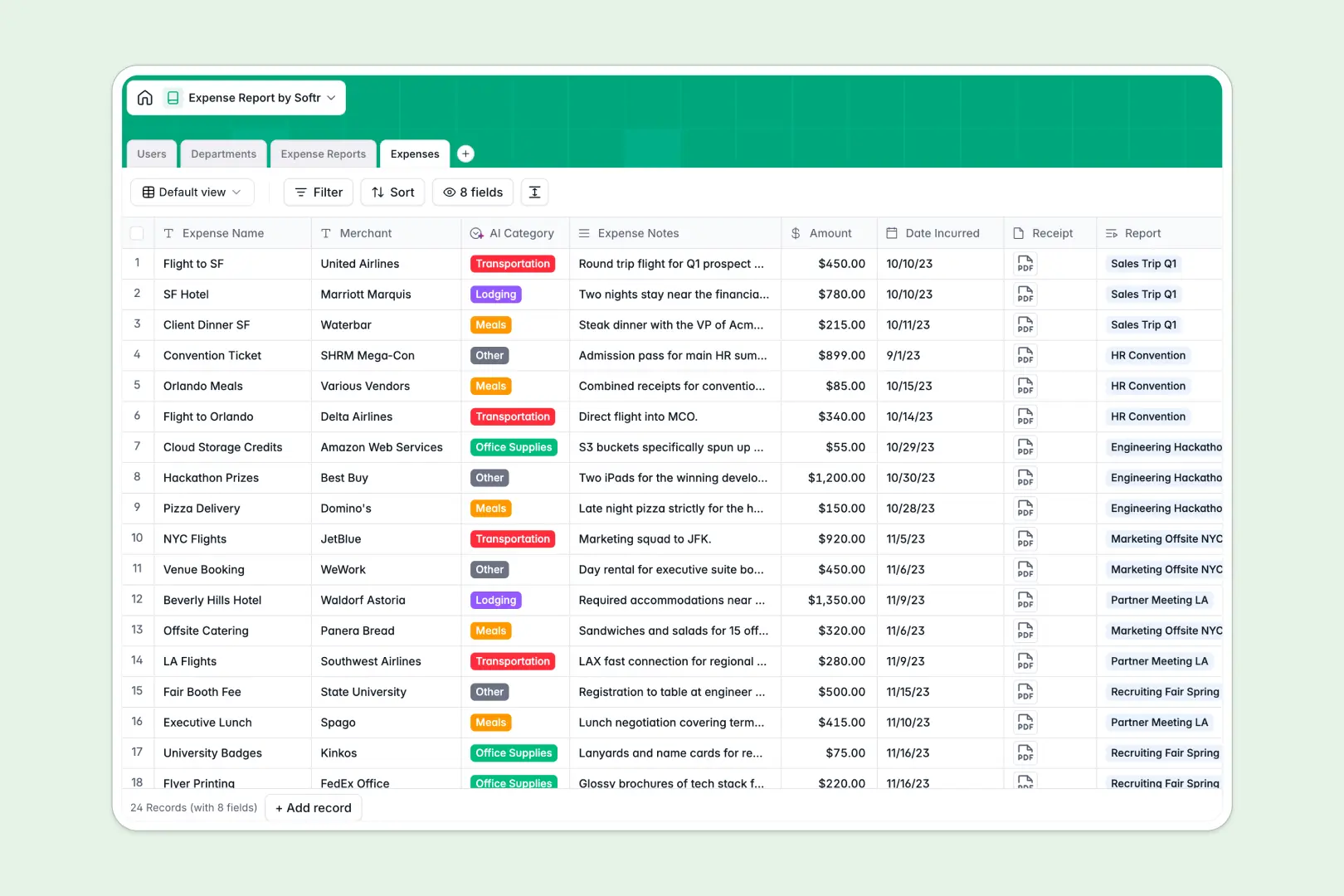
Your Expense Report Database at a glance
This pre-built tracking system handles team spending, itemized receipts, and organizational budgets seamlessly. It ensures every expense is logged, categorized, and audited with minimum friction.
The database connects four intuitive tables—Users, Departments, Expense Reports, and Expenses—to map every line item to a submitter, an approver, and a department budget without duplicate entries.
It also features built-in intelligence that automatically organizes receipts into categories and reviews overall compliance.
What to check before building your expense report base in Airtable
While building an expense report system in Airtable provides strong relational data structure, managing it across a growing company quickly exposes several systemic limits.
What changes with a database built for apps
Traditional databases charge you for every single collaborator who needs editing privileges, making company-wide expense submission prohibitively expensive.
Choosing Softr Databases gives you the exact same relational integrity, but with unlimited collaborators so your whole team can log expenses without extra fees.
What you can do with this template
This setup comes pre-configured with Database AI agents to automate repetitive compliance tasks.
The system automatically classifies expense types and generates an audit summary for reviewers to spot errors or non-compliant spending instantly.
-
Users
Track team members, roles, departments, and specific approval workflows
-
Departments
Manage organizational units with associated team members and annual budgets
-
Expense Reports
Group corporate expenses and leverage AI to audit overall compliance
-
Expenses
Log purchase items, receipts, and utilize AI for automatic categorization
Who is this Expense Report database for
Managing company spending requires different tools for different stakeholders involved in the reimbursement pipeline:
- Finance Teams: Keep department-wide budgets visible, balance submissions against annual limits, and ensure policy compliance easily.
- Team Approvers: Speed up sign-offs with automatically summarized reports and flagged violations instead of scrolling through receipts.
- Employees: Submit business expenses and attach digital receipts through a clean, guided layout without accessing raw tables.
How to take it further
Customize the database. You can easily adjust the structure to fit your accounting practices. Add custom tax fields, rename departments, or modify choices in the expense category dropdown within seconds.
Import your existing data. If you currently use manual trackers, import your CSV records into the template in a few clicks to centralize history without starting over.
Build a full app around it. When you are ready, transform this structured data into a secure employee portal. Use the AI app generator to generate a custom interface where users submit requests visually.
You can then set precise users and permissions so employees only view their own items, while managers can approve submissions directly from their personal dashboard.
-
1
-
2
-
3
-
4
Frequently asked questions
-
What is an expense report database?
-
Why use a no-code database to build an expense report system?
-
How can AI help managing data for expense reports?
-
Can I build an app with an expense report database?
-
Is this Expense Report template free?
-
How is this different from an Airtable template?
Start building today. It's free!
Build and launch your first app in under 30 minutes.