


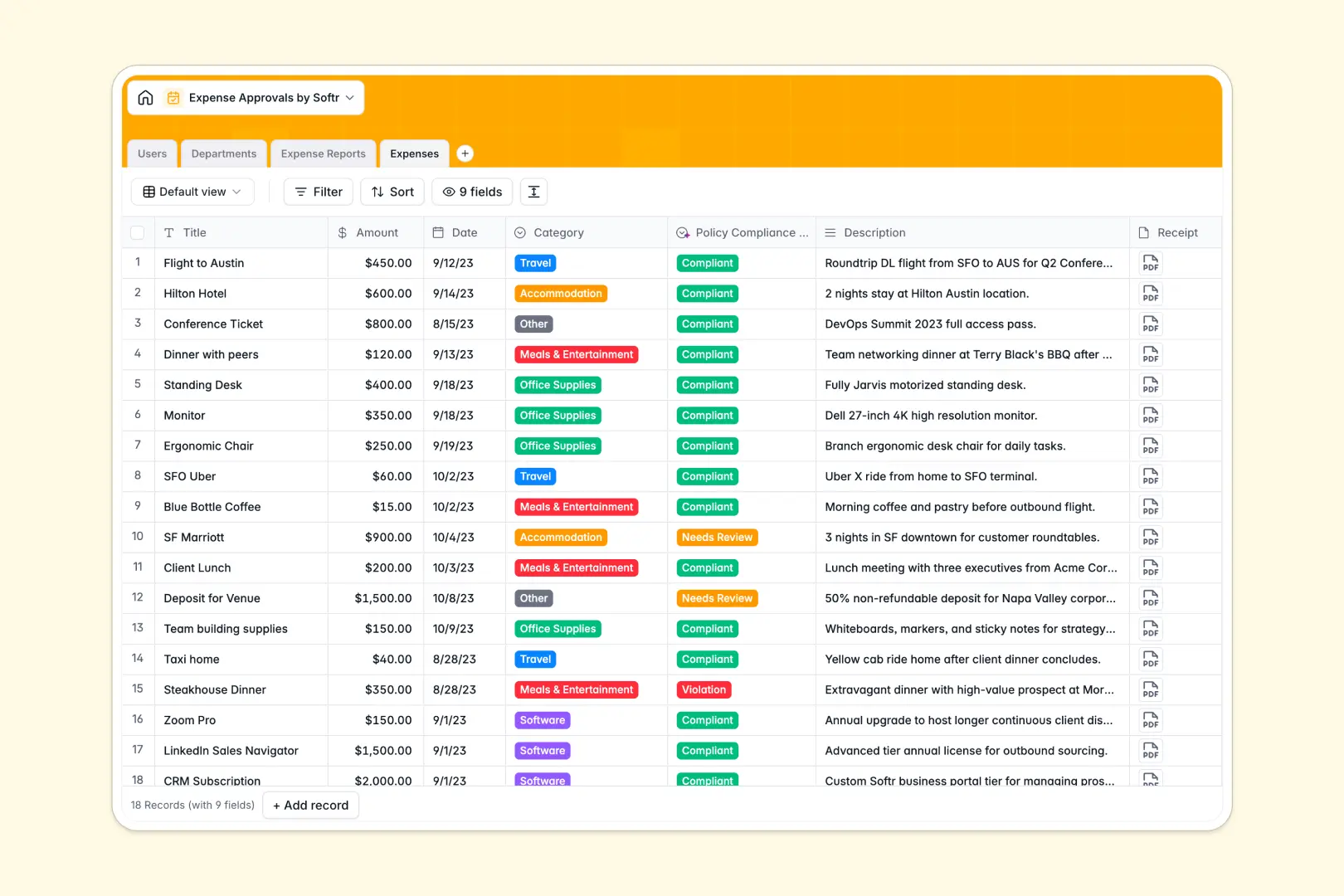
Your Expense Approvals database at a glance
This template helps finance teams and managers approve spending and track budgets in real time. It organizes individual expenses and links them directly to consolidated reports, making validation effortless.
Your teams can submit line items with receipts, while department budgets update automatically. With built-in AI fields, you can instantly flag policy compliance and summarize reports.
What to check before building your expense approvals base in Airtable
When managing company spending, choosing the right tool determines how easily the rest of your team can submit receipts and request approvals.
What changes with a database built for apps
While databases organize records, managing approvals requires employee interaction. To let teams submit requests safely in Airtable, you often need to buy expensive per-seat licenses for every single employee or stitch together external form tools.
This is why starting with Softr Databases is different. It provides the same robust tables and relational structures, but lets you build secure portals where unlimited employees submit expenses and managers approve them without extra per-seat fees.
What you can do with this template
This template connects individual expenses directly to specific department budgets. Every time an expense is approved, calculations update to show the remaining budget immediately.
It also features native Database AI agents to automate validation. The database automatically categorizes receipts and generates summaries for managers, reducing manual work and streamlining approvals.
-
Users
Track team members with roles, contact info, and approval linkages
-
Departments
Manage corporate departments with allocated budgets and leadership roles
-
Expense Reports
Aggregate spending reports using AI to compile executive summaries
-
Expenses
Store receipt receipts with AI evaluating tax policy compliance
Who is this Expense Approvals database for
- Finance teams: Monitor remaining department budgets and process payout statuses easily.
- Department managers: Review consolidated employee reports and track actual versus allocated spend.
- General employees: Submit receipts, categorize expenses, and track approval status in real time.
How to take it further
Customize the database
You can modify expense categories, add custom spending limits, and adjust approval workflows in seconds. Adapting fields to match your specific corporate policy takes only a few clicks.
Import your existing data
Bring your existing history of approved receipts or active employee lists directly into the database. You can quickly upload CSV files or sync data through the API to run everything on one system.
Build a full app around it
When you are ready to move beyond raw data entry, you can instantly turn this database into an interactive portal. Use the AI app generator to generate a secure interface where employees only view their own submissions and managers see reports pending action.
By leveraging Softr's native users and permissions, you can ensure that department budgets and sensitive financial records remain fully secure.
-
1
-
2
-
3
-
4
Frequently asked questions
-
What is an expense approvals database?
-
Why use a no-code database to build an expense approvals tracker?
-
How can AI help managing data for expense approvals?
-
Can I build an app with an expense approvals database?
-
Is this expense approvals template free?
-
How is this template different from an Airtable template?
Start building today. It's free!
Build and launch your first app in under 30 minutes.