


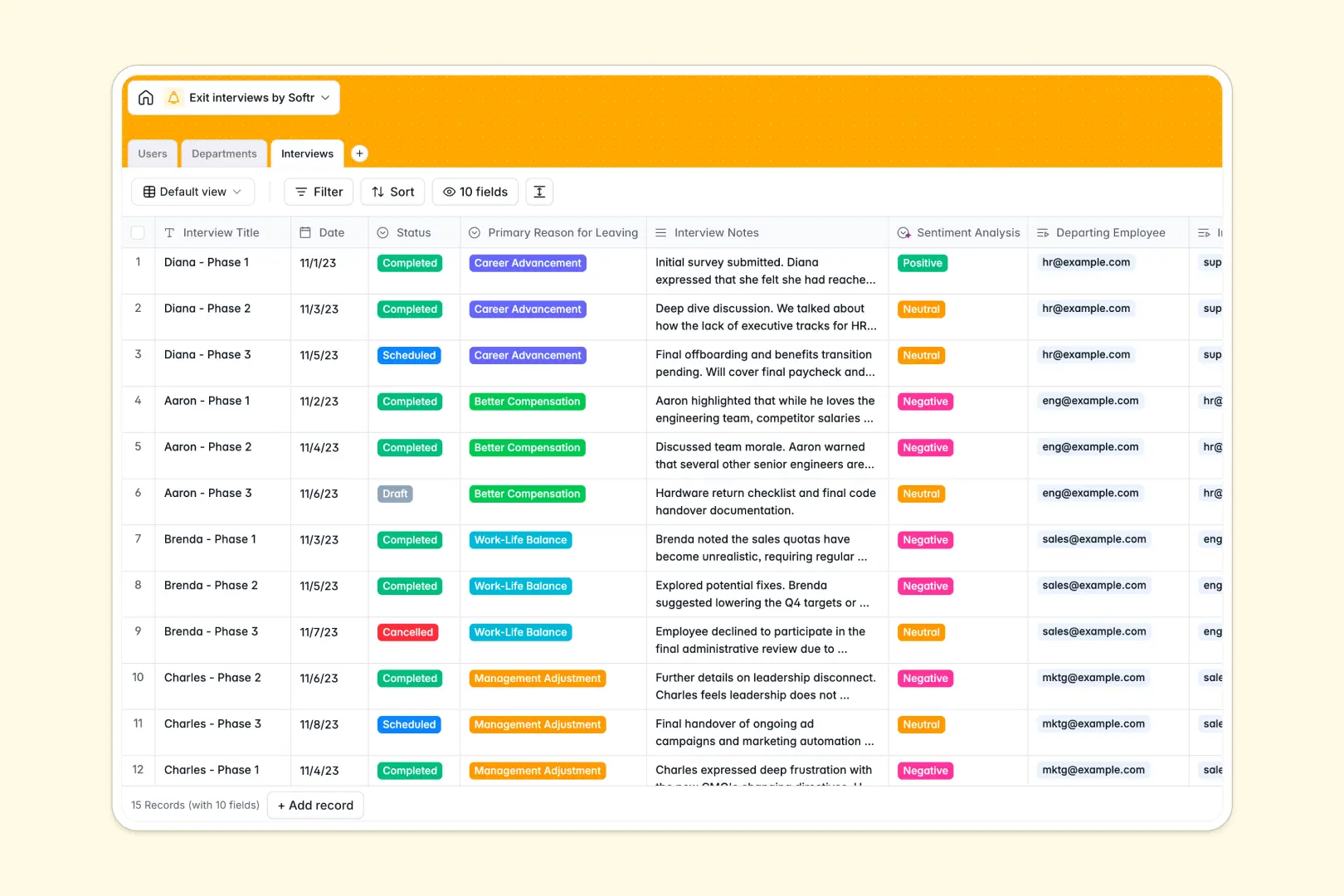
Your Exit Interviews database at a glance
This template helps HR teams capture and analyze departure feedback in one structured place. It allows you to track employee journeys, understand primary reasons for leaving, and monitor department-specific turnover trends.
Your database connects three essential tables: Users (employees, managers, and HR), Departments (to track retention metrics), and Interviews (where scheduling, notes, and direct feedback live).
With built-in AI fields, the database automatically extracts key takeaways and registers sentiment directly from your written interview notes.
What to check before building your exit interviews base in Airtable
If you want a secure environment to manage sensitive HR feedback, choosing a structured database is the best decision. However, relying on Airtable to handle exit interviews with your team presents some distinct operational hurdles.
What changes with a database built for apps
Airtable relies on expensive per-seat pricing, which means giving managers or HR personnel access to view or edit interview records quickly becomes costly.
This is exactly what Softr Databases are designed to solve. Softr includes unlimited collaborators on all plans, allowing you to share your HR insights with executives and managers without worrying about spiraling costs.
Additionally, building a front-end portal for employees to fill out questionnaires or for managers to view departmental sentiment requires stitching together third-party apps in Airtable. Softr lets you build web apps, internal portals, and granular workflows natively on top of your database files.
Gain deeper insights with native automation
By starting with this template, you can let Database AI agents analyze performance and sentiment on autopilot as soon as interview notes are submitted.
You have complete control over when these agents run, ensuring sensitive data is synthesized safely and displayed only to authorized personnel.
-
Users
Manage employees, HR staff, and departing members with access levels
-
Departments
Track company teams to monitor custom division metrics and department heads
-
Interviews
Record scheduled logs and run AI sentiment and feedback extraction to analyze turnover
Who is this Exit Interviews database for
- HR Departments: Standardize exit protocols and track feedback across teams seamlessly.
- Department Heads: Understand why talent leaves your team to proactively improve retention.
- People Operations Managers: Leverage AI sentiment analysis to spot systemic company issues.
- Talent Acquisition Leads: Connect hiring trends with departure feedback to improve future hiring.
How to take it further
Customize the database
Modify the multi-select fields to match your company's list of departure reasons, or add custom fields to track notice periods and onboarding-related feedback.
Import your existing data
Bring your historical offboarding lists into the database in seconds using the native CSV import tool, or sync your current HRIS system via API.
Build a full app around it
When you are ready to share this database safely with the wider team, you can build an app on top of it. In one simple prompt, Softr's AI Co-Builder can generate a complete HR portal tailored specifically to this database structure.
You can then set up granular users and permissions so departing employees can only fill out their own questionnaires, managers can see aggregated department stats, and HR has master access to all sensitive notes.
-
1
-
2
-
3
-
4
Frequently asked questions
-
What is an exit interviews database?
-
Why use a no-code database to build an exit interview system?
-
How can AI help managing exit interview data?
-
Can I build an app with this exit interviews database?
-
Is this exit interviews template free?
-
How is this template different from an Airtable template?
Start building today. It's free!
Build and launch your first app in under 30 minutes.