


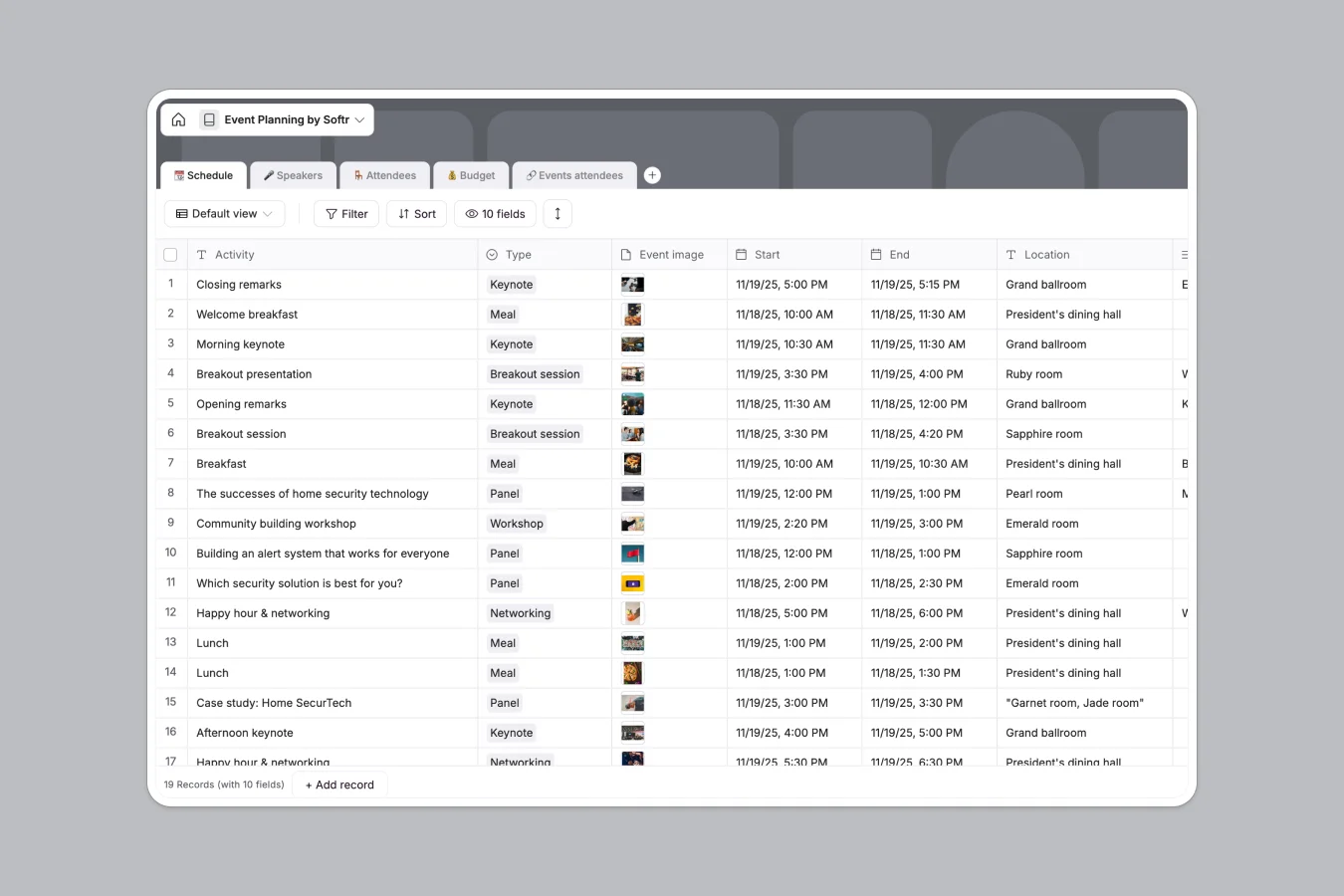
Your Event Planning database at a glance
This template lets you coordinate schedules, speakers, attendees, and budgets in a single, connected workspace. Keep track of all panel sessions, keynote details, and logistical updates without losing focus or dropping details.
By linking speakers and attendees directly to your event schedule, you can see instantly who is presenting where, manage event tracks, and keep your budget fully updated as costs change.
What to check before building your event planning base in Airtable
If you are planning an event, you need to collaborate with guest speakers, venue staff, and your core team. When building this system, you need to consider how your tools scale as the guest list grows.
What changes with a database built for apps
While databases are ideal for linking sessions to speakers, sharing that data in other platforms gets expensive quickly. Traditional tools charge you for every single collaborator who needs to edit records or check statuses.
This is exactly what Softr Databases are designed to solve. You get full relational structure with unlimited collaborators on all plans, higher API limits, and a built-in app builder.
What you can do with this template
This template lets you log session times, map speakers to their breakout rooms, and track speaker slide submissions effortlessly. Everything updates automatically across your linked tables, ensuring no scheduling conflicts.
You also get a dedicated budget sheet that calculates total costs based on actual item costs and quantities, warning you instantly with built-in formulas if you go over budget.
-
📆 Schedule
Plan event activities, sessions, locations, timelines and speaker sessions
-
🎤 Speakers
Manage presenters with contact info, confirmation status and session materials
-
🪑 Attendees
Track registered event participants, admin roles and personalized access links
-
💰 Budget
Monitor event expenses by comparing estimated and actual costs against a limit
-
🔗 Events attendees
Map registrations by linking specific attendees to scheduled event activities
Who is this Event Planning database for
- Corporate Event Managers: Map out complex multi-day schedules and keep track of internal speaker details in one central view.
- Conference Organizers: Track thousands of attendees, register participants to sessions, and confirm speaking slots seamlessly.
- Budget Directors: Monitor event estimated vs. actual expenses and ensure catering, venue, and production costs stay under budget.
- Agency Producers: Coordinate with external vendors, manage client approvals, and share session details without sharing the whole database.
How to take it further
Customize the database
You can easily tailor this database to match your specific style of event. Add a select field for session tracks, add a new table for sponsor packages, or modify current session types like workshop or networking panel.
Import your existing data
If you already have a speaker list or an attendee CSV, you can upload it directly into your database in seconds. You can also sync live data from external services using API integrations.
Build a full app around it
When your team or event grows, you can easily build an app on top of this database. Use the AI app builder to generate a fully functional attendee portal, speaker hub, or internal coordinator app right on top of this exact data source.
With granular users and permissions, you can ensure that speakers only see their assigned sessions and attendees only access their own registration details, keeping private data entirely secure.
-
1
-
2
-
3
-
4
Frequently asked questions
-
What is an event planning database?
-
Why use a no-code database to build an event planning system?
-
How can AI help managing data for event planning?
-
Can I build an app with this event planning database?
-
Is this event planning template free?
Start building today. It's free!
Build and launch your first app in under 30 minutes.