


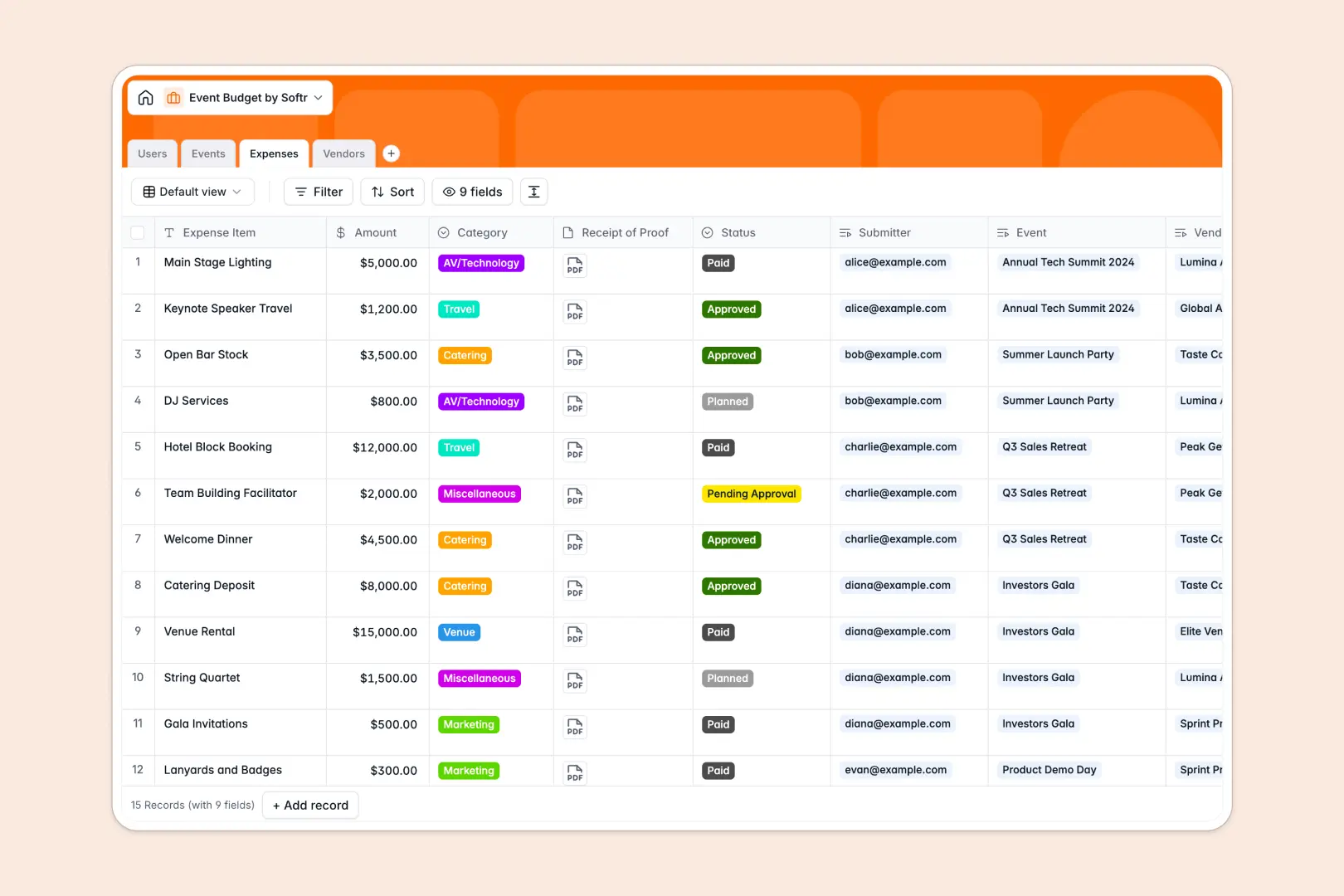
Your Event Budget database at a glance
This ready-to-run template gives you full visibility over your event finances from day one. You can log individual expenses, assign managers, and check automated calculations of remaining allocations instantly.
It connects four clean tables: Users, Events, Expenses, and Vendors. Because they are naturally linked, logging a catering receipt updates your total used event budget and vendor payout metrics with zero manual math.
Built-in AI features automatically write project briefs, generate spending justifications, and research vendor profiles directly in your tables.
What to check before building your event budget base in Airtable
Setting up your finances in a relational database is a smart choice. But before you lock yourself into Airtable for your event budget tracking, there are key scaling hurdles to consider.
What changes with a database built for apps
Airtable functions nicely as a standalone data sheet, but its per-seat pricing immediately punishes collaboration. Once you invite vendors to log quotes, or field managers to submit receipts, your subscription bill multiplies fast.
With Softr Databases, you get identical relational power—linked records, rollups, and formulas—without per-user pricing penalties. You can structure your event and vendor tables safely and invite unlimited team members to collaborate.
What you can do with this template
This template gives you an automated environment for all your line-item expenses under planned, pending, or paid categories. The database automatically subtracts approved amounts from your allocation to show you real-time drift.
To make tracking even simpler, it comes equipped with Database AI agents that write your internal briefs and professional justifications whenever costs are entered.
-
Users
Track database of internal event staff, roles, and managed accounts
-
Events
Manage scheduled events, budgets, and AI-generated project briefs
-
Expenses
Log event expenditures and bills with AI-powered justification text
-
Vendors
Track contracted service providers and auto-generate profiles using AI
Who is this Event Budget database for
- Event Agencies: Manage different client events, staff allocations, and vendor payments simultaneously.
- Internal Marketing Teams: Organize campaign-related events and keep track of actual spend versus planned budgets.
- Nonprofits & Associations: Ensure perfect compliance by documenting every receipt of proof alongside automated justifications.
How to take it further
Customize the database
You can modify this template in seconds by editing selection fields like your expense categories or adding new columns. Tailor it to your exact internal approval statuses or custom event types visually.
Import your existing data
Move your past budget spreadsheets or client lists into this database immediately using the built-in CSV import tool. You can also connect external platforms via the API to sync transaction logs automatically.
Build a full app around it
When your operations expand, you can seamlessly build an app on top of this exact structure. Softr's AI Co-Builder turns a plain-text prompt into a complete portal, letting you manage and visualizes event data through custom dashboards.
With native users and permissions, you can let event managers submit receipts via forms while restricting vendors to only view their own payment histories.
-
1
-
2
-
3
-
4
Frequently asked questions
-
What is an event budget database?
-
Why use a no-code database to build an event budget tool?
-
How can AI help managing data for event budgets?
-
Can I build an app with this event budget database?
-
Is this event budget database template free?
-
How is this template different from an Airtable template?
Start building today. It's free!
Build and launch your first app in under 30 minutes.