


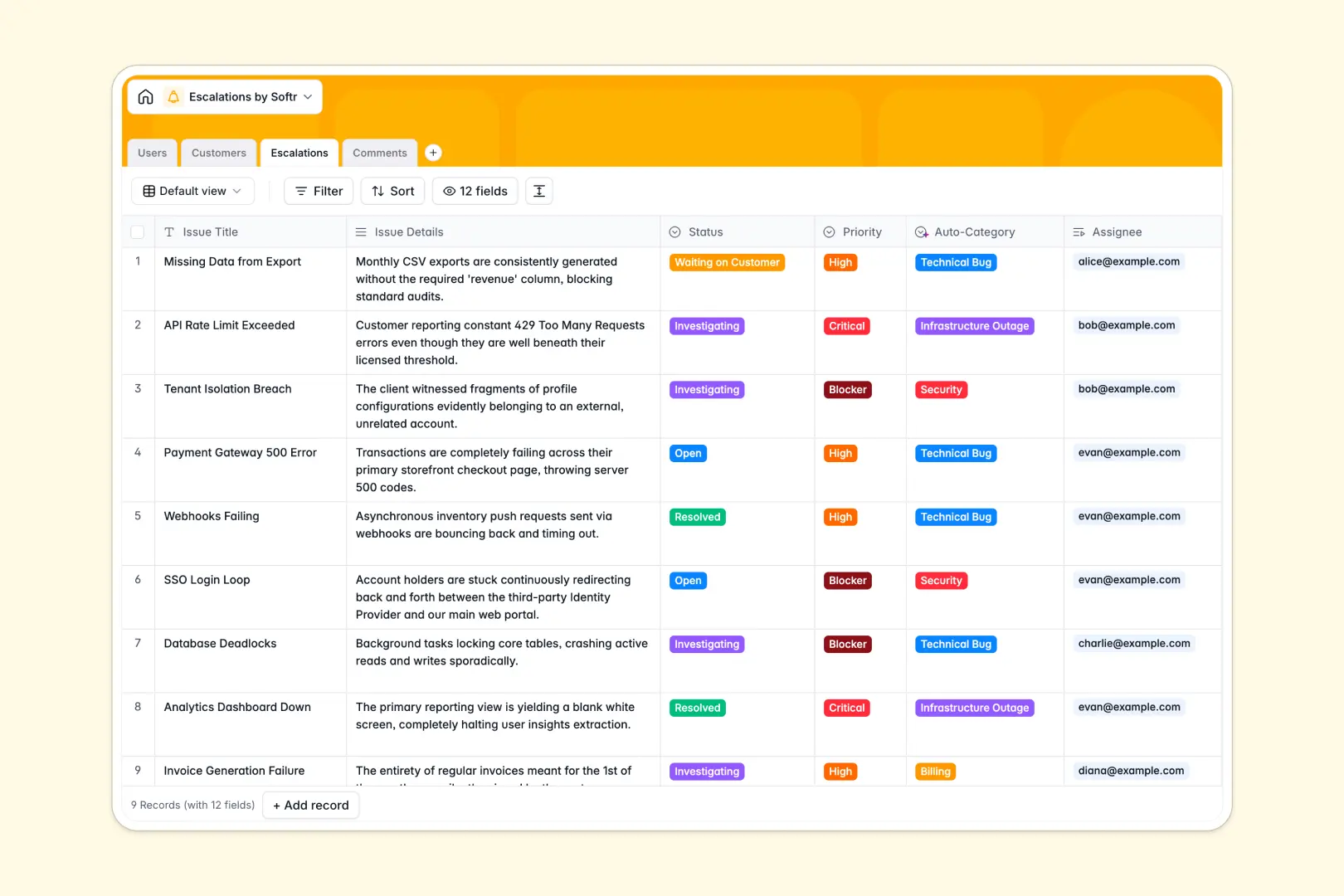
Your Escalations Database at a glance
This template allows you to centralize urgent technical issues, track incident ownership, and manage the impact on critical clients in real time. It ensures that support representatives, developers, and team managers are always aligned during product outages or blockers.
All data is structured into four connected tables: Users, Customers, Escalations, and Comments. This relational layout connects every ticket to the specific affected customer, and groups all engineer notes under the corresponding issue.
With native AI features, you can automatically pull business descriptions from client websites, auto-classify the exact category of an incident, and generate quick executive bullet-points summarizing progress.
Where tracking escalations outgrows Airtable
When a major platform incident happens, you need support, engineering, and product managers speaking to each other. In Airtable, pulling all these team members into the database quickly becomes incredibly expensive.
What changes with a database built for apps
Because Airtable charges per seat, adding a developer who only needs to update a single ticket once a month costs the same as your full-time operations administrator. This pricing structure discourages sharing and leaves engineers in the dark.
This is exactly why teams use Softr Databases. You get structured relational tables, high-speed API performance, and massive scaling limits with unlimited collaborators on all plans.
Instead of paying for extra seats, you can immediately build secure, tailored portals with dedicated logins so engineers, agents, and executives see exactly what belongs to them.
What you can do with this template
This template gives you an instant system to triage, tag, and trace high-priority issues. You can assign owners, tag affected Enterprise accounts, and read through linear comment threads to track updates.
By leveraging Database AI agents, you can run precise workflows to extract site data, auto-categorize tickets, and produce three-bullet resolution summaries to instantly keep stakeholders informed.
-
Users
Track support staff and engineers handling active customer escalations
-
Customers
Manage client companies with tier tracking and AI-powered business profiles
-
Escalations
Resolve critical situations using AI ticket auto-categorization and summaries
-
Comments
Log timeline of investigations, notes, and updates for critical issues
Who is this Escalations Database for
This system is designed specifically for teams that need to organize clear pathways for high-tier issues:
- Support Managers: Keep high-tier customer tickets separated from everyday queues and secure fast development help.
- Engineering Leads: Track code bugs and infrastructure outages directly linked to customer priority levels.
- Customer Success Directors: Get real-time updates on active account issues ahead of critical check-in calls.
How to take it further
Customize the database
You can modify this template in seconds by adding your own custom fields, altering security policies, or adding new incident priorities like "Critical Blockers." Softr makes editing fields and types fast and entirely visual.
Import your existing data
Move your team's current incident backlog out of messy trackers or local documents using CSV files or the API. Your data will instantly map into the template's relational schema.
Build a full app around it
When you are ready to put this workflow in front of team members, you can use the AI app generator to turn this system into a custom support portal. Design beautiful interfaces, set strict user permissions, and ensure the engineering department only views technical fields while support sees client contact information. With Softr, you can seamlessly construct a complete application that combines interfaces, users and permissions, and workflows on top of this structured foundation.
-
1
-
2
-
3
-
4
Frequently asked questions
-
What is an escalations database?
-
Why use a no-code database to build an escalation tracker?
-
How can AI help managing data for escalations?
-
Can I build an app with this escalations database?
-
Is this Escalations Database free?
-
How is this template different from an Airtable template?
Start building today. It's free!
Build and launch your first app in under 30 minutes.