


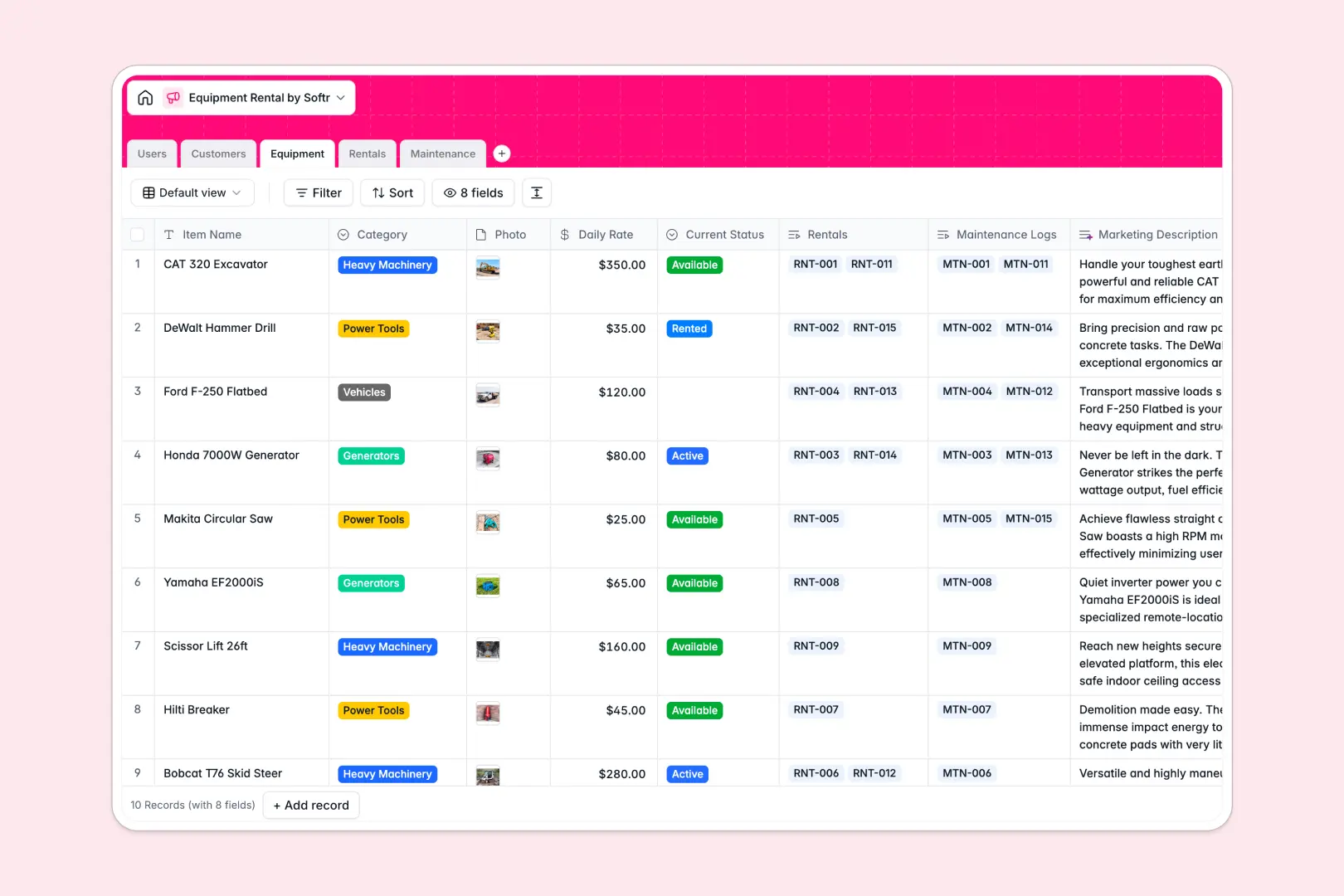
Your Equipment Rental Database at a glance
This template lets you effortlessly manage your inventory, track live reservation logs, and coordinate machine maintenance in real time. Keep operations moving by linking your staff to active rental agreements immediately.
Everything in your fleet is connected. Your customers link directly to their rental history, while your equipment connects directly to scheduled maintenance and physical wear logs.
With built-in AI capabilities, this database automatically researches customer businesses and writes professional listing descriptions for your rental catalog.
What to check before building your equipment rental base in Airtable
Many operations managers start tracking their assets using database tools. While finding a structured environment is the right move for relational data (like linking rentals to specific customer records), there are critical friction points to consider before committing your workflow to Airtable.
What changes with a database built for apps
Airtable functions great as a backend, but sharing that database with your workshop technicians, reservation agents, and remote staff quickly runs into steep per-seat pricing barriers.
Softr Databases solve this by offering native relational tables with unlimited collaborators across all tiers, ensuring your mechanics can record maintenance tasks without inflating monthly software bills.
Instead of stitching third-party portal tools together to protect sensitive financial or customer data, you get native interface layouts and workflows within the same platform.
What you can do with this template
- Track live inventory statuses: Instantly filter tools by "Available," "Rented," or "In Maintenance" to eliminate double-bookings.
- Automate background work: Utilize integrated Database AI agents to evaluate physical damage descriptions and tag urgency levels like High, Medium, or Low dynamically.
- Organize customer databases: Maintain detailed history cards tracking total rental revenue, business websites, and logged contracts without complicated formulas.
-
Users
Manage internal staff profiles, roles, and assigned tasks and rentals
-
Customers
Track client info with AI-generated background summaries from websites
-
Equipment
Catalog rental inventory featuring AI-generated marketing descriptions
-
Rentals
Track equipment rental contracts, timelines, costs, and customer links
-
Maintenance
Manage servicing logs using AI to classify task urgency from issues
Who is this Equipment Rental database for
- Fleet & Logistics Managers: Keep track of high-value machinery, daily rates, and maintenance lifecycles in one hub.
- Reservation & Depot Agents: Quickly check real-time tool availability, verify start dates, and build brand-new rental agreements.
- Technical Workshop Staff: Log repair steps, update actual resolution dates, and note service costs per asset.
How to take it further
1. Customize your database
Tailor your inventory tracking to match your specific yard layout. You can quickly add new fields to hold serial numbers, upload safety manuals as attachments, or adjust daily rates with standard currency formats.
2. Import your existing data
Avoid manual typing and rebuild your inventory list instantly. Use a clean CSV export to pull all your existing tools, customer details, and past rental sheets directly into the Softr Database with a few clicks.
3. Build a full app around it
When your team is ready, convert this database into an internal operating app or an external client-facing store. Using the AI app generator, you can describe the exact portal you need to generate views tailored to different user roles.
Set granular users and permissions to ensure customers only view their active invoices while depot agents can modify inventory status fields during pick-ups. A structured database is the perfect foundation to build operational apps that work flawlessly.
-
1
-
2
-
3
-
4
Frequently asked questions
-
What is an equipment rental database?
-
Why use a no-code database to build an equipment rental system?
-
How can AI help managing data for equipment rentals?
-
Can I build an app with this equipment rental database?
-
Is this Equipment Rental template free?
-
How is this template different from an Airtable template?
Start building today. It's free!
Build and launch your first app in under 30 minutes.