


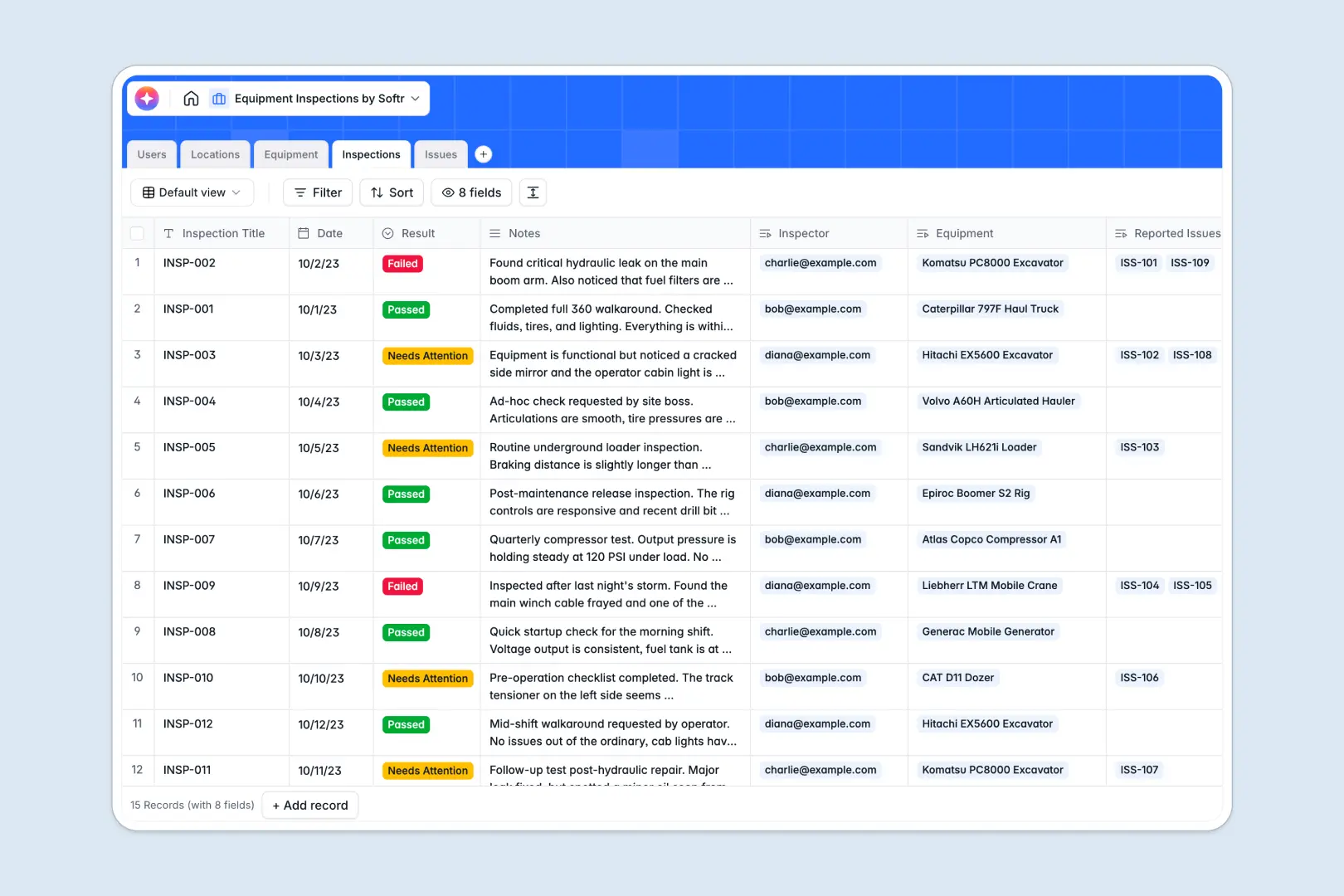
Your Equipment Inspections database at a glance
This template provides a central hub to organize your physical assets, record safety checks, and track physical defects. By keeping your operational data connected, you can eliminate verbal handovers and guarantee compliance.
Everything in this database is designed as a relational system. Your physical Equipment is linked to specific Locations, while Inspections automatically reference historical Users (the inspectors) and generate specific Issues for maintenance triage.
Built-in intelligent automation simplifies your workload. As inspection notes are entered, the system automatically writes concise summaries and classifies issue severity levels based on descriptions, allowing you to prioritize repairs without manual review.
What to check before building your equipment inspections base in Airtable
While Airtable is an incredible relational database platform, choosing where to manage highly collaborative operations like equipment inspections requires looking closely at who will interact with the data.
What changes with a database built for apps
In field operations, multiple inspectors, off-site technicians, and team leads need to update inspection logs constantly. Airtable's per-seat pricing can punish team collaboration, making it expensive to give edit access to every field technician.
By moving your operations to Softr Databases, you gain high-performance relational tables that support up to 200,000 records per database and 50 API requests per second. More importantly, you can edit and collaborate with unlimited team members on all plans without paying per-seat fees.
This means every safety manager, mechanic, and contractor can update record statuses natively. Because the data structure lives on the same platform where you build public portals or internal apps, you can easily go from simple tables to fully permissioned software.
How this template makes inspection operations smarter
This database does not just hold rows of data; it works for you automatically. Using native Database AI agents, the database performs web research to populate exact equipment specifications instantly based on the model name.
When a safety check is logged, another agent summarizes long-form assessment notes into actionable summaries, while a third automatically flags defect severity. This prevents critical equipment failures from getting lost in endless lines of text.
-
Users
Track inspectors and system admins with profiles and roles
-
Locations
Manage physical deployment sites and calculate current asset volumes
-
Equipment
Register physical assets using AI to research custom specifications
-
Inspections
Log technical checks and automatically summarize findings with AI
-
Issues
Track hardware defects while classifying incident severity using AI
Who is this Equipment Inspections database for
- Inspection Teams: Log compliance checks directly from any site and instantly record active safety outcomes.
- Maintenance Managers: Track reported issues, prioritize work orders by severity, and coordinate machinery repairs.
- Operations Executives: Monitor asset health, view total equipment per site, and maintain reliable audit trails.
How to take it further
1. Customize the database
Adjust this database to fit your visual guidelines and custom operational workflows. You can easily modify status options (like renaming operational states) or introduce specific inspection checklists as raw columns directly in the platform.
2. Import your existing data
If you already have a list of physical assets, you do not need to restart from scratch. Bulk upload your equipment registry using a native CSV import, or connect external maintenance spreadsheets directly through API sync.
3. Build a full app around it
When your team is ready, you can seamlessly construct a portal around this data. Use the interface builder to turn this database into an intuitive web or mobile app where technicians only see their assigned inspections.
With granular users and permissions, you control exactly who can approve maintenance tasks or edit safety reports. Starting with a structured database ensures that whatever app or workflow your team co-builds next will run on robust foundations.
-
1
-
2
-
3
-
4
Frequently asked questions
-
What is an equipment inspections database?
-
Why use a no-code database to build an equipment inspection system?
-
How can AI help managing data for equipment inspections?
-
Can I build an app with this equipment inspections database?
-
Is this Equipment Inspections database free?
-
How is this template different from an Airtable template?
Start building today. It's free!
Build and launch your first app in under 30 minutes.