


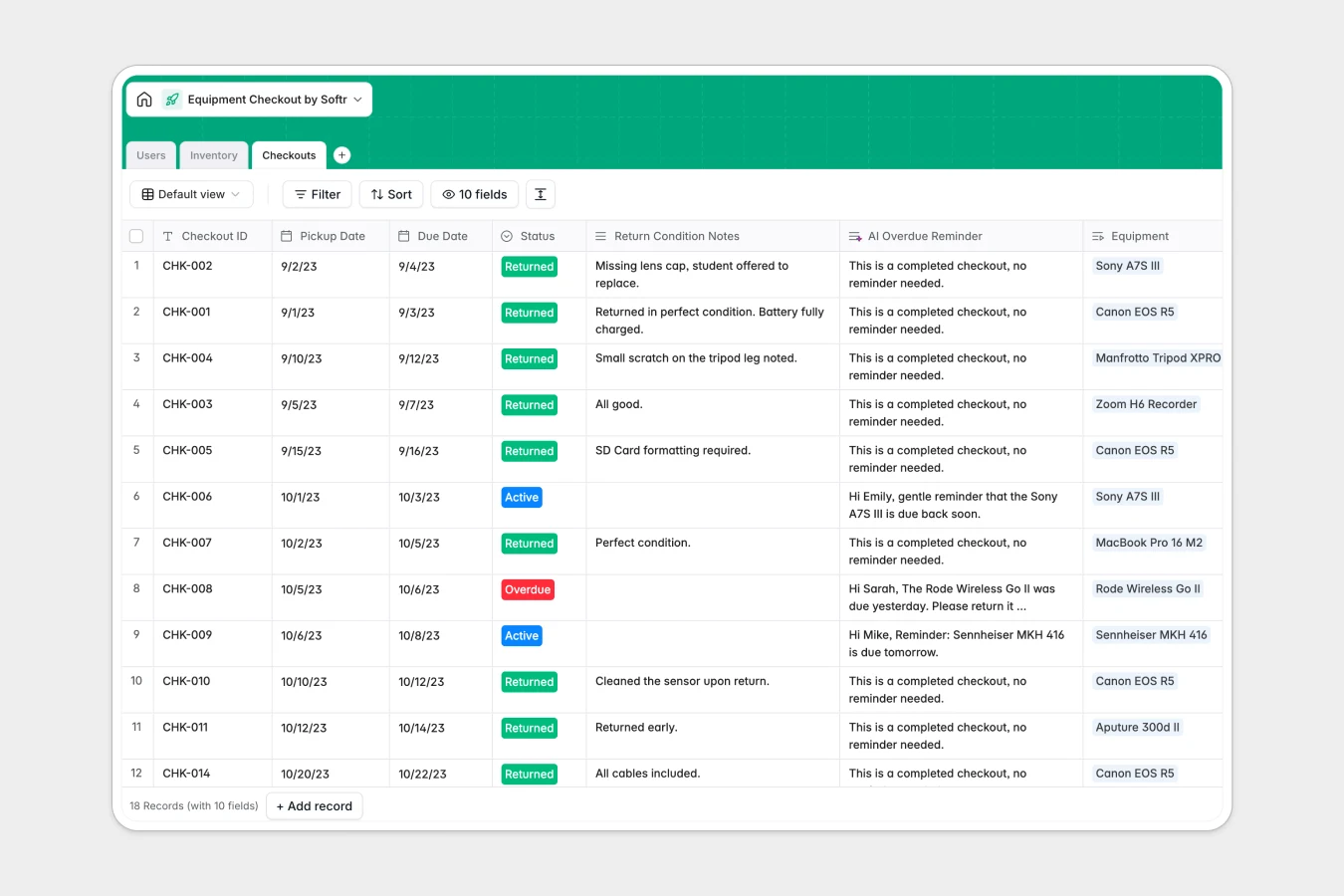
Your Equipment Checkout database at a glance
This template provides a central hub to manage physical assets, coordinate rentals, and record transaction logs. It connects your equipment inventory directly to authorized borrowers, ensuring complete chain of custody for every item.
By linking assets to checkout logs, you can monitor live availability statuses and return dates instantly. Built-in automation fields even generate item specifications and draft friendly return reminder emails when gear is overdue.
What to check before building your equipment checkout base in Airtable
While Airtable is a powerful relational database for organizing inventory, sharing it across a large team of administrators, staff, and students can generate steep, unexpected per-seat costs.
What changes with a database built for apps
Managing checkouts requires input from multiple stakeholders, which is why Softr Databases feature unlimited collaborators on all plans. You can invite your entire staff or student body to log requests and update statuses without paying penalty fees for every user.
Additionally, you get elevated record ceilings and significantly more API requests per second. This ensures your check-out system runs smoothly as your inventory of cameras, IT hardware, or physical tools scales.
What you can do with this template
This template gives you an organized inventory structure that tracks storage locations, item photography, serial numbers, and live availability.
It features two integrated Database AI agents designed to eliminate manual data entry. One agent automatically pulls in tech specs for new equipment, while the other generates drafted reminder notices for overdue items based on pickup dates.
-
Users
Manage authorized borrowers with contact details, roles, and history
-
Inventory
Track equipment status, locations, with technical details generated by AI
-
Checkouts
Log equipment rentals, dates, and drafts AI-powered overdue notices
Who is this Equipment Checkout database for
- Media & Photography Programs: Coordinate shared camera bodies, lenses, and audio gear across multiple classes.
- IT & Operations Departments: Maintain visibility over company laptops, tablets, and cables assigned to remote staff.
- Engineering & Science Labs: Manage high-value lab instruments, specialized tools, and shared testing gear.
How to take it further
Customize the database
Adjust this template to fit your precise organizational structure. Customize the item categories to match your catalog, add new tables for storage locations, or introduce customized status fields like "In Repair" or "Retired."
Import your existing data
Skip manual setup by uploading your legacy spreadsheet of inventory and barcodes straight into this database via CSV import. You can also connect to external barcode or RFID reading tools using our developer API.
Build a full app around it
When you are ready, use Softr's interface builder to turn this relational database into a self-service reservation portal. You can easily configure users and permissions so that borrowers can login, reserve items, and check their history, while admins retain complete editing rights over stock levels.
-
1
-
2
-
3
-
4
Frequently asked questions
-
What is an equipment checkout database?
-
Why use a no-code database to build an equipment checkout system?
-
How can AI help managing data for equipment checkouts?
-
Can I build an app with this equipment checkout database?
-
Is this equipment checkout template free?
-
How is this template different from an Airtable template?
Start building today. It's free!
Build and launch your first app in under 30 minutes.