


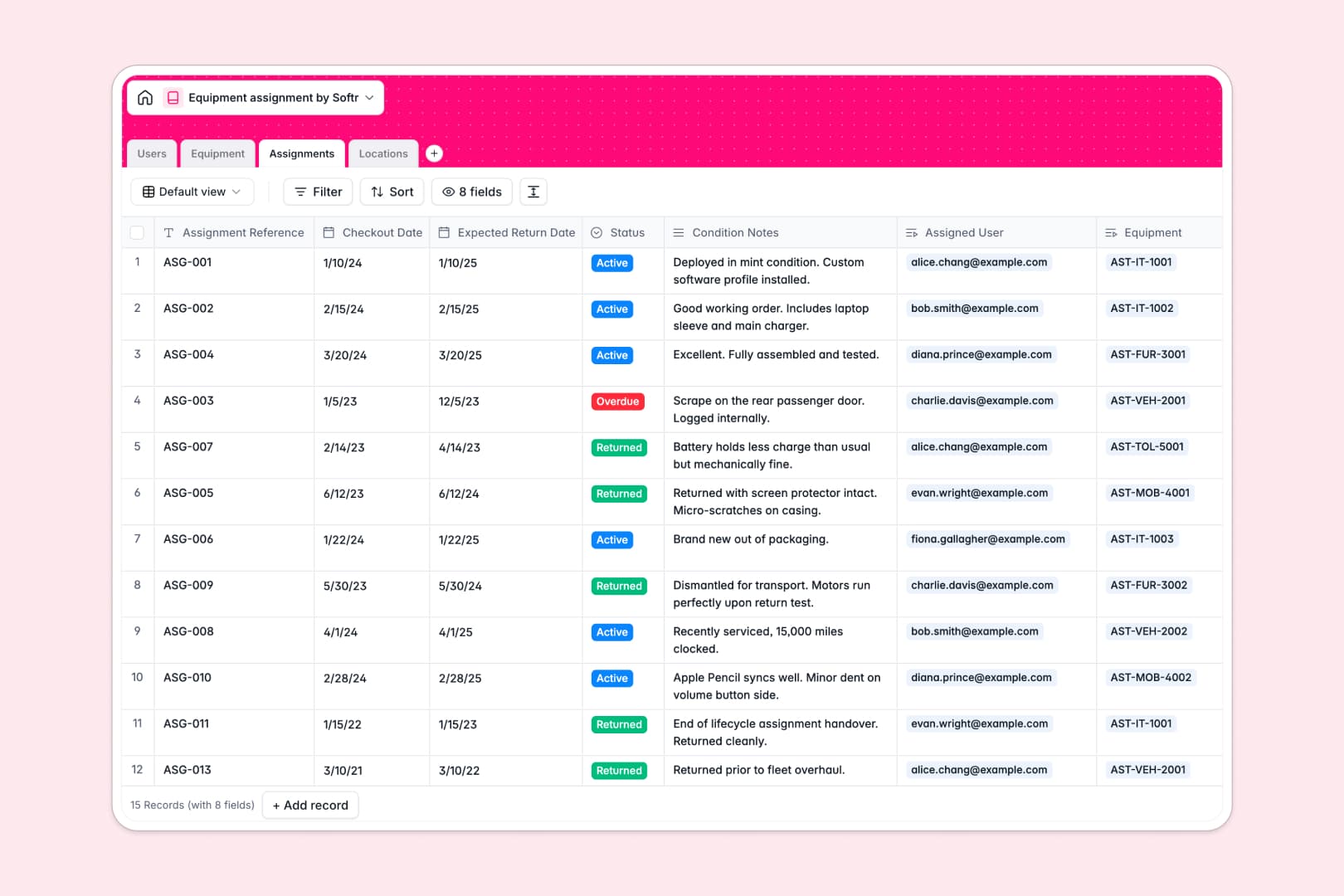
Your Equipment Assignment database at a glance
This template simplifies asset tracking by linking your physical assets directly to the team members borrowing them. It helps you prevent lost equipment, eliminate scheduling conflicts, and manage returns without manual chase-ups.
The database connects your inventory across four relational tables: Users, Equipment, Assignments, and Locations. Because these tables are linked, assigning an asset to a user instantly updates its status and log history.
It also features built-in AI capabilities, automatically generating technical specs for your assets and writing instant status summaries based on return condition notes.
What to check before building your equipment assignment base in Airtable
Airtable is a capable relational system, but managing internal equipment checks on it can become costly and highly restrictive as your operations grow. Before you commit to building your warehouse or IT assignment tracker there, consider how your team actually works.
A database that scales without collaborator fees
Airtable charges per collaborator as soon as team members need editing rights, meaning your bill grows every time an employee checks out a laptop or updates an asset's condition.
With Softr Databases, you can share your database and collaborate with your entire team without paying per-seat fees. You also gain much higher record caps and API speeds, ensuring your inventory tracking never hits scale ceilings.
What you can do with this template
Get started immediately with pre-built relationships that link assets to locations, managers, and active checkout assignments.
Leverage built-in AI fields to auto-populate product specifications or summarize asset return conditions as soon as status updates change. This template keeps your logistics hands-free and accurate.
-
Users
Track staff members, contact details, roles, and current equipment logs
-
Equipment
Manage asset inventory using AI to generate detailed technical specifications
-
Assignments
Track checkouts with schedules, status, and AI-generated state summaries
-
Locations
Organize physical offices, storage sites, and aggregate inventory levels
Who is this Equipment Assignment database for
We designed this template for teams that need to keep physical assets organized and accounted for without administrative overhead.
- IT Managers: Track laptops, mobile devices, and software assignments while managing returns and system health logs.
- Operations Leads: Monitor tools, vehicles, and heavy equipment across multiple physical warehouses and storage locations.
- Office Admins: Keep furniture and hybrid-office accessories organized while logging who has checked out what.
How to take it further
Customize the database
You can easily modify asset categories, add custom status tags like "In Repair," or include custom fields for purchase orders. The visual fields editor lets you adjust fields in seconds.
Import your existing data
If you already have your asset list in another tool, import it in seconds via CSV or connect via API. You won't have to rebuild your structures or spend hours copy-pasting entries manually.
Build a full app around it
When your team is ready for an even simpler workflow, you can use the AI app generator to turn this database into a complete portal. Employees can request assets through a simple interface, while admins approve assignments from a tailored dashboard. Softr lets you configure custom access control rules, ensuring users only see relevant assignments.
-
1
-
2
-
3
-
4
Frequently asked questions
-
What is an equipment assignment database?
-
Why use a no-code database to build an equipment assignment tool?
-
How can AI help managing data for equipment assignment?
-
Can I build an app with this equipment assignment database?
-
Is this equipment assignment template free?
-
How is this template different from an Airtable template?
Start building today. It's free!
Build and launch your first app in under 30 minutes.