


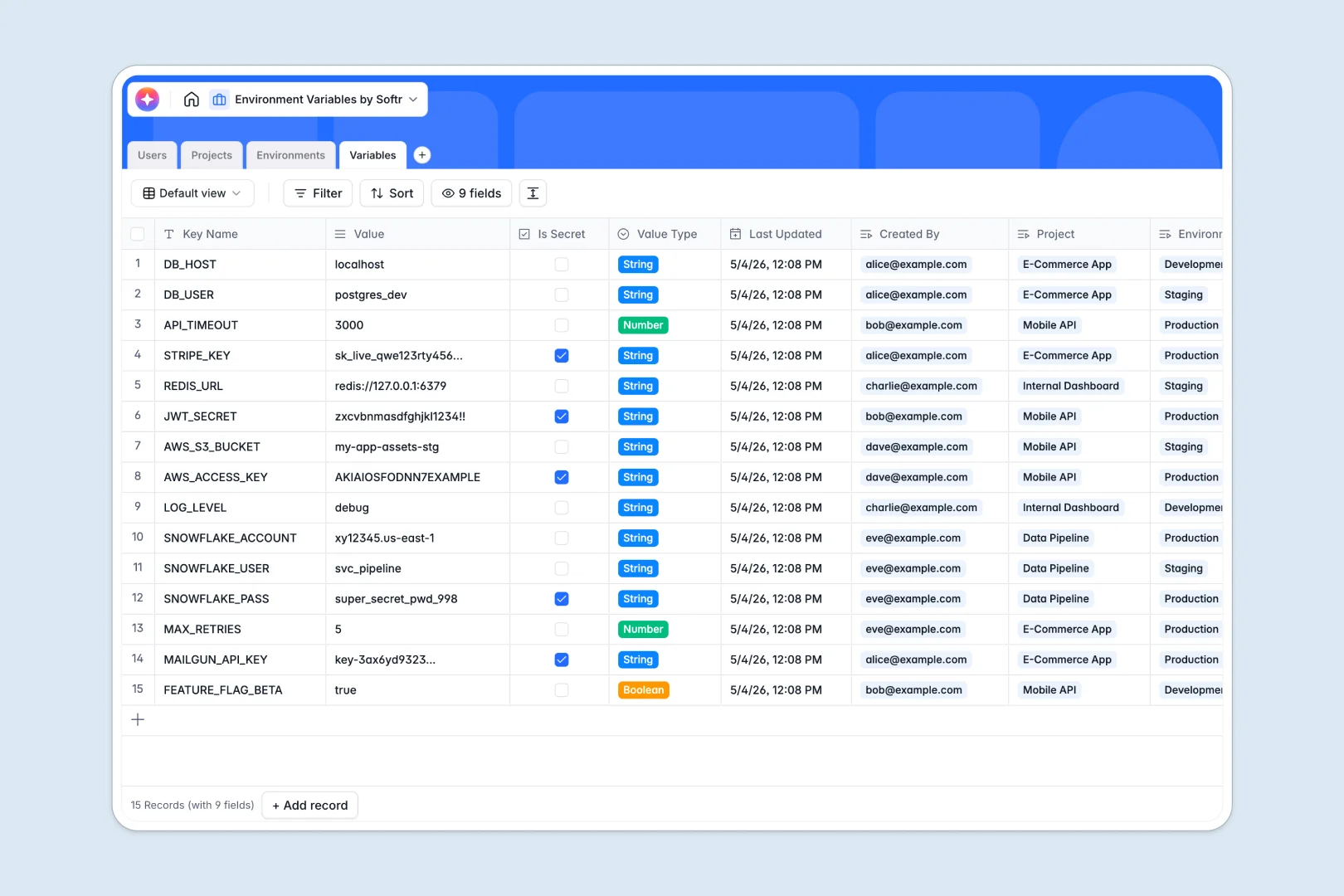
Your Environment Variables database at a glance
Streamline how your team tracks application secrets, API keys, and configuration rules across different deployment environments. This template helps you organize critical system values in one centralized, secure location to avoid deployment errors.
Everything is structured logically. The Variables table maps directly to specific Projects and Environments (like Dev, Staging, or Prod), while the Users table defines who manages or views each key.
Built-in Database AI agents automatically generate documentation explaining what each variable controls and summarize project scopes instantly.
What to check before building your environment variables base in Airtable
While Airtable is an excellent relational database, managing sensitive development configurations like environment variables across a growing team can expose structural and billing bottlenecks.
What changes with a database built for apps
When managing sensitive configuration keys, you need granular control without a massive bill. Airtable charges per collaborator, meaning every developer who needs to update a variable adds to your subscription cost. This is exactly what Softr Databases are designed to solve—offering unlimited collaborators on all plans so your entire team can participate without extra fees.
Additionally, high-velocity development pipelines can hit Airtable's speed ceilings. Softr Databases support up to 200,000 records and provide a highly responsive API capable of handling 50 requests per second to keep your deployment workflows running fast.
What you can do with this template
Use this pre-built structure to instantly categorize variables by value type (such as JSON or Boolean) and flag highly sensitive values with the "Is Secret" checkbox. You can easily keep track of who created each record and monitor precisely when values were last modified.
With native relational links, you can view the complete status of any staging or production environment at a glance without duplicate entries. You can also import existing setups via CSV or connect external systems directly using our production-ready API.
-
Users
Track system users, developer access roles, and permissions
-
Projects
Manage software applications with AI summaries of their key details
-
Environments
Define deployment targets with designated security and exposure levels
-
Variables
Store application secrets using AI-powered automatic documentation
Who is this Environment Variables database for
- DevOps Engineers: Maintain a clean, structured directory of configurations across staging and production systems.
- Engineering Managers: Oversee project scopes, variable counts, and developer access levels in one unified view.
- Software Developers: Quickly reference key names, value types, and auto-generated documentation when writing code.
- Product Teams: Gain visibility into deployment environments and active repositories without bugging the engineering team.
How to take it further
Customize the database
Tailor this setup to your stack in seconds. Add customized environment names, define new security levels, or introduce a "Service" table to categorize keys by microservices. Since it functions as a native Softr Database, structural edits take only a few clicks.
Import your existing data
Migrate your configurations smoothly without starting from scratch. Utilize our fast CSV import to bulk upload your existing key-value pairs, or leverage the database API to sync credentials directly from your CI/CD pipelines.
Build a full app around it
When your team is ready, you can easily turn this database into a secure developer portal. Use the AI app generator to generate an app with AI using a simple prompt, creating custom web interfaces on top of this exact database. Once generated, define precise users and permissions to ensure developers only modify their assigned projects while keeping production credentials safely hidden from unauthorized eyes.
-
1
-
2
-
3
-
4
Frequently asked questions
-
What is an environment variables database?
-
Why use a no-code database to build an environment variables tool?
-
How can AI help managing data for environment variables?
-
Can I build an app with this environment variables database?
-
Is this Environment Variables template free?
-
How is this template different from an Airtable template?
Start building today. It's free!
Build and launch your first app in under 30 minutes.