


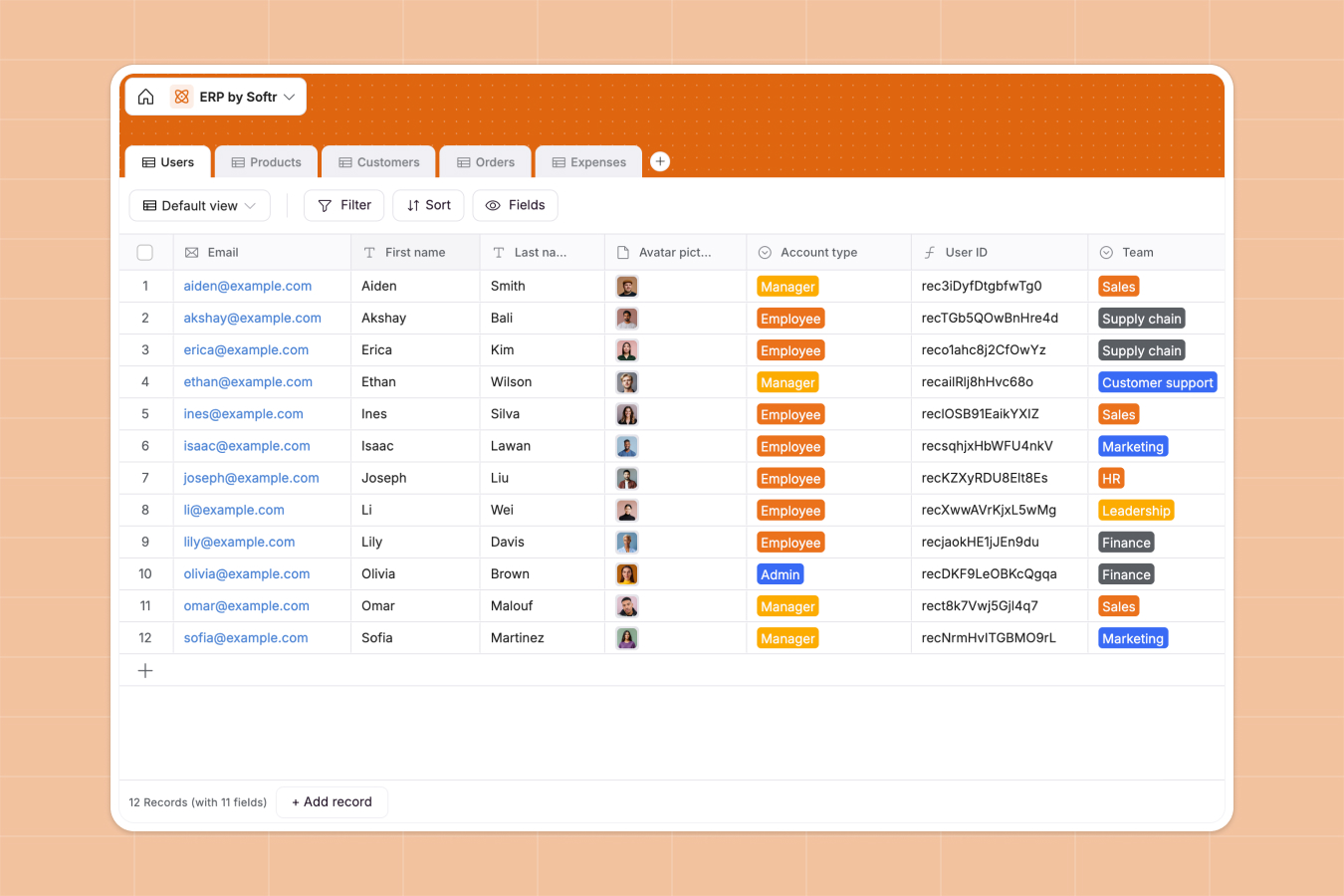
Your Enterprise Resource Planning database at a glance
This template gives you a central place to run your business operations. It untangles your team's daily processes by linking together departments, inventory, sales, and budgets.
With structured tables for Users, Products, Customers, Orders, and Expenses, you can instantly see how your stock impacts sales, track which clients drive the most revenue, and manage teammate expenses.
What to check before building your enterprise resource planning base in Airtable
When managing operations, keeping your teams and data aligned is critical. While starting from a relational system is the right choice, several limitations can hold you back as your business grows.
What changes with a database built for apps
Running operations inside a back-end system often becomes expensive because every teammate who needs to update status codes or input expenses requires a paid seat. With Softr Databases, you get unlimited collaborators across all plans, letting your entire workforce contribute without scale ceilings or surprising monthly bills.
Operational software also needs proper interfaces and guardrails so a warehouse worker doesn't accidentally change finance figures. Instead of stitching together external portals or form tools, Softr natively includes your databases, visual interfaces, permissions, and automated workflows on a single platform.
What you can do with this template
- Track live stock value: Instantly calculate inventory values based on unit prices and quantities in your Products table, linking them directly to your Orders table.
- Control customer revenue: Automatically rollup client order numbers and total customer spend to see exactly where your revenue is coming from.
- Automate operational workflows: Turn your data into moving tasks by using built-in Database AI agents to auto-categorize expenses, draft invoices, or scan receipts.
-
Users
Manage employee directories, roles, system access, and expense owners
-
Products
Track corporate product inventory, unit prices, and active stock values
-
Customers
Manage corporate client profiles, global contact details, and revenues
-
Orders
Process client sales transactions, processing status, and invoices
-
Expenses
Track corporate expenditures, operational costs, and user reimbursement
Who is this Enterprise Resource Planning database for
- Operations Managers: Centralize product stock, customer accounts, and order processing in one place.
- Finance Teams: Keep close track of business expenditures and verify submitted invoices linked to employees.
- Sales Leaders: Track client relationships, view individual order values, and identify top revenue sources.
- HR Specialists: Manage internal employee rosters, verify department assignments, and track asset allocations.
How to take it further
1. Customize the database
Modify select field options like team structures, payment terms, or product categories to match your exact business model. You can quickly add new relational links, such as connecting products to specific suppliers, without writing any code.
2. Import your existing data
Avoid manual entry by uploading your current spreadsheets via CSV or connecting directly to external APIs. In just a few clicks, your past catalogs, client directories, and spending ledgers will map into clean, structured tables.
3. Build a full app around it
When you are ready to put this data to work, you can easily build an app on top of this database. Use Softr's AI Co-Builder to generate clean user interfaces, distinct employee portals, and secure inventory management dashboards with customized users and permissions in minutes. This ensures that warehouse staff only see inventory levels, sales agents only see their client list, and the finance team remains the sole viewer of employee expenses.
-
1
-
2
-
3
-
4
Frequently asked questions
-
What is an enterprise resource planning database?
-
Why use a no-code database to build an ERP system?
-
How can AI help managing data for enterprise resource planning?
-
Can I build a secure client or employee app around this ERP database?
-
Is this Enterprise Resource Planning template free?
-
How is this ERP template different from an Airtable template?
Start building today. It's free!
Build and launch your first app in under 30 minutes.