


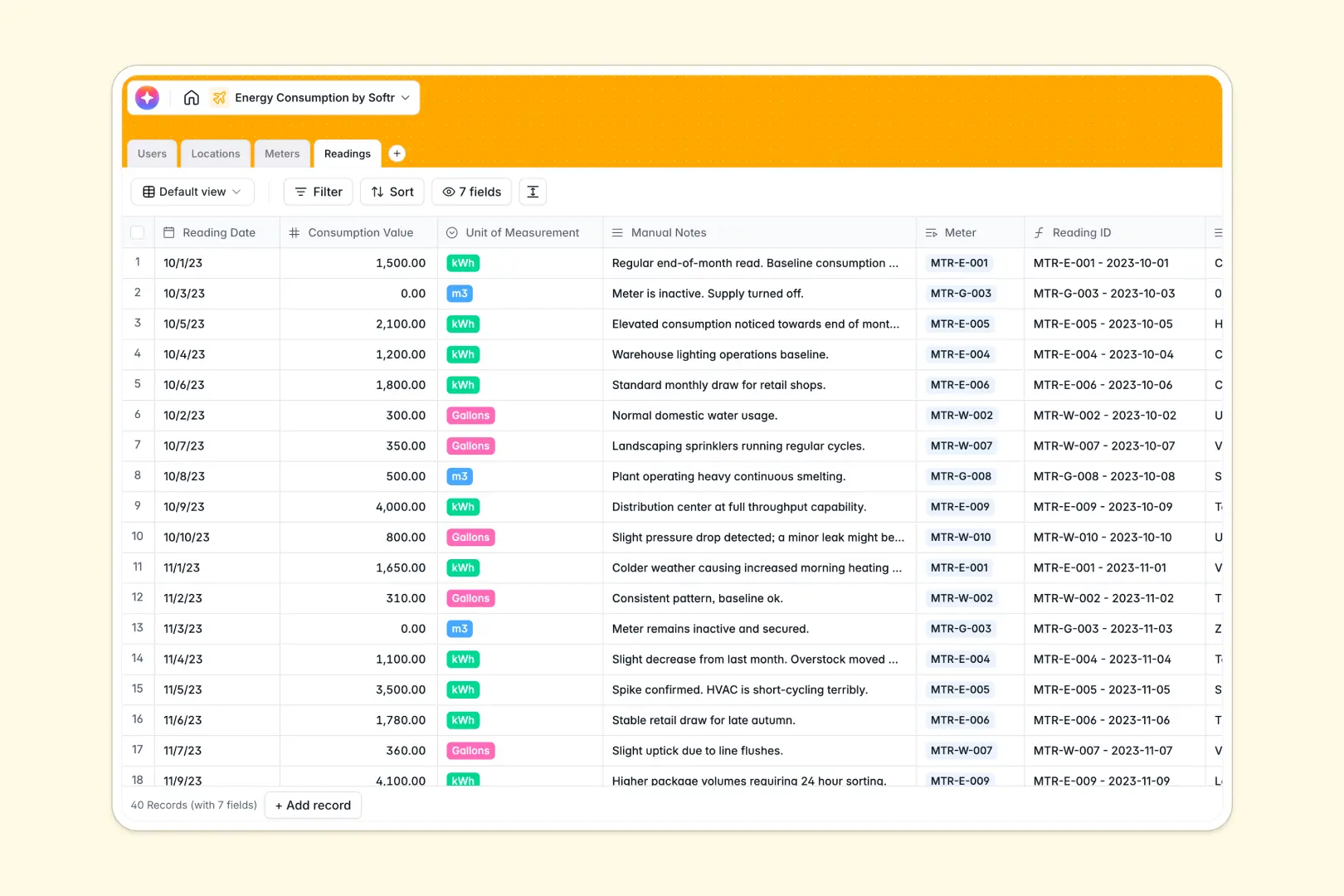
Your Energy Consumption database at a glance
This template allows property managers and sustainability analysts to log meter readings, track utility types, and monitor building performance over time. It serves as your central source of truth for energy and water consumption metrics across all physical locations.
By cleanly organizing meters, readings, and physical sites into separate tables, the system ensures data integrity. Property managers link directly to locations, and utility meters automatically calculate total consumption from linked reading logs.
AI features are built straight into the fields. The database automatically drafts building overviews based on location addresses and generates instant analytical summaries for high consumption readings.
What to check before building your energy consumption base in Airtable
Many facility teams naturally turn to Airtable to manage environmental metrics. While Airtable provides solid database foundations, teams scaling their operations often hit limits that prompt them to look elsewhere.
What changes with a database built for apps
When multiple managers, analysts, and utility technicians need to update readings, Airtable's per-seat pricing quickly becomes expensive because everyone needs edit access to input data.
With Softr Databases, you get identical relational power—complete with rollups, formulas, and lookups—but with unlimited collaborators on all plans. This means anyone on your team can submit or edit readings without hiking up your monthly software bill.
Additionally, Airtable forces you to stitch separate portal and custom interface tools together to hide sensitive user details. Softr provides the database, permissions, workflows, and frontend builder in a single, unified platform.
what you can do with this template
This template is ready-to-use and lets you instantly log electricity, gas, and water data across multiple physical buildings.
By leveraging Database AI agents, the database works for you behind the scenes. It automatically researches addresses to outline property details and analyzes manual reading notes to flag abnormal spikes or maintenance issues instantly without human intervention.
-
Users
Manage system users with defined roles, contacts, and managed properties
-
Locations
Track properties using AI to generate comprehensive building profiles
-
Meters
Oversee utility devices with active status, history, and consumption values
-
Readings
Analyze utility readings using AI-powered insights to spot trends
Who is this Energy Consumption database for
- Property Managers: Track mechanical assets, log physical meter updates, and maintain high-level occupancy profiles across portfolios.
- Sustainability & Energy Analysts: Review utility usage logs, spot seasonal spikes, and run analytics reports to hit reduction targets.
- Operations Leaders: Coordinate on-site technicians, assign site responsibilities, and monitor inactive meters requiring immediate maintenance.
How to take it further
Customize the database
Modify utility select options, add carbon offset formulas, or introduce customized status choices like "Faulty" or "Calibrated" to match your engineering team's exact specifications in just a few clicks.
Import your existing data
Avoid manual entry by uploading historical utility bills and property records via CSV. You can also connect live smart-meter APIs to stream data directly into your tables.
Build a full app around it
When you are ready to expand, use Softr's AI Co-Builder to generate an internal dashboard on top of this database in seconds. Bring your data to life with an interface builder that shows graphs of energy spikes directly to analysts.
By layering granular users and permissions, you can ensure property managers only see data for their assigned locations, while technicians are only allowed to submit new reading logs.
-
1
-
2
-
3
-
4
Frequently asked questions
-
What is an energy consumption database?
-
Why use a no-code database to build an energy tracker?
-
How can AI help managing energy consumption data?
-
Can I build a custom app with this energy database?
-
Is this Energy Consumption template free?
-
How is this database different from an Airtable template?
Start building today. It's free!
Build and launch your first app in under 30 minutes.