


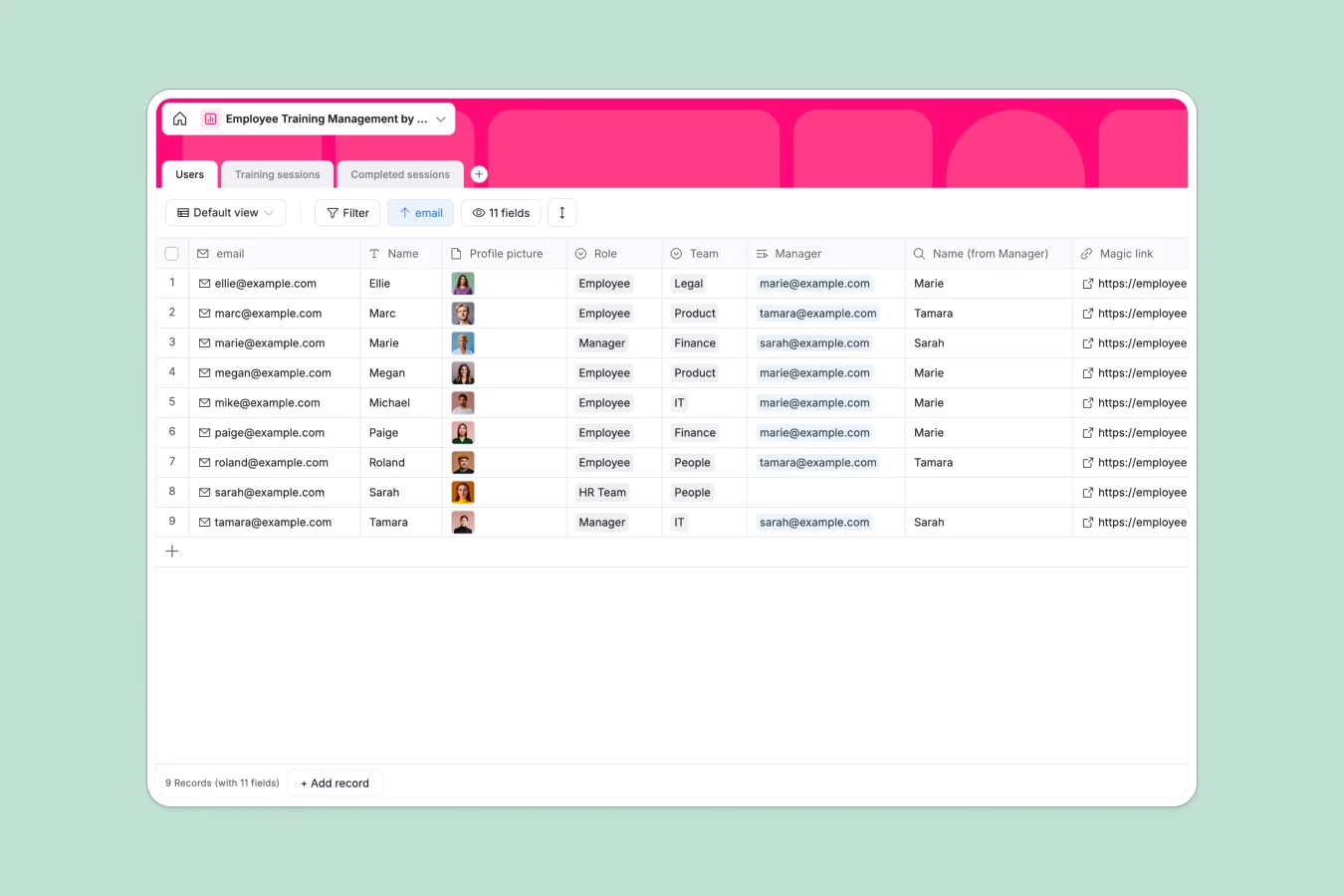
Your Employee Training database at a glance
This template allows you to centralize your training program, coordinates required courses, and tracks employee completions with proof of signature. It gives HR teams and managers instant visibility into the upskilling status of individual team members.
By establishing distinct tables for Users, Training Sessions, and Completed Sessions, this database links every training course directly to the attendees who finish them. HR managers can easily organize online or physical conference rooms, distribute support materials, and monitor individual sign-offs.
What to check before building your employee training base in Airtable
Many organizations rely on Airtable to map out staff learning milestones because it manages complex relational data cleanly. However, as your team grows, specific financial and operational limitations often arrive.
What changes with a database built for apps
When multiple managers and hundreds of employees need to view and update their training records, Airtable's per-seat pricing gets incredibly expensive. If you need clean dashboards where employees only see their own training lists while managers see their entire department, you are forced to purchase separate licenses for every viewer or stitch together expensive third-party interface layers.
This is exactly what Softr Databases are designed to solve. Softr includes unlimited collaborators on every plan, so your whole organization can access, update, and search records without inflating your monthly software bill.
Real-time visibility without manual updates
With this database, registering a completed session is fully automated and clear. Related columns auto-populate details like course covers, descriptions, and materials the moment a completion record is linked.
By leveraging Database AI agents, you can automate the training lifecycle even further. For instance, you can configure an AI agent to read session descriptions and automatically tag them by skill category, or generate post-session summaries for staff who missed the live event.
-
Users
Manage employee directories, roles, departmental teams and supervisor links
-
Training sessions
Schedule educational classes with venues, links, dates and team assignments
-
Completed sessions
Track corporate training completions with participant signatures and dates
Who is this Employee Training database for
- HR & People Ops Leads: Maintain clean records of mandatory compliance training, track completions, and manage course schedules in one dashboard.
- Department Managers: Keep tabs on team development, review which team members completed their assigned sessions, and assign new courses.
- All Employees: Access assigned training programs, download support materials, join online sessions, and sign off on completed courses.
-
1
-
2
-
3
-
4
Frequently asked questions
-
What is an employee training database?
-
Why use a no-code database to build a training system?
-
How can AI help managing data for employee training?
-
Can I build an app with this employee training database?
-
Is this employee training template free?
-
How is this different from an Airtable template?
Start building today. It's free!
Build and launch your first app in under 30 minutes.