


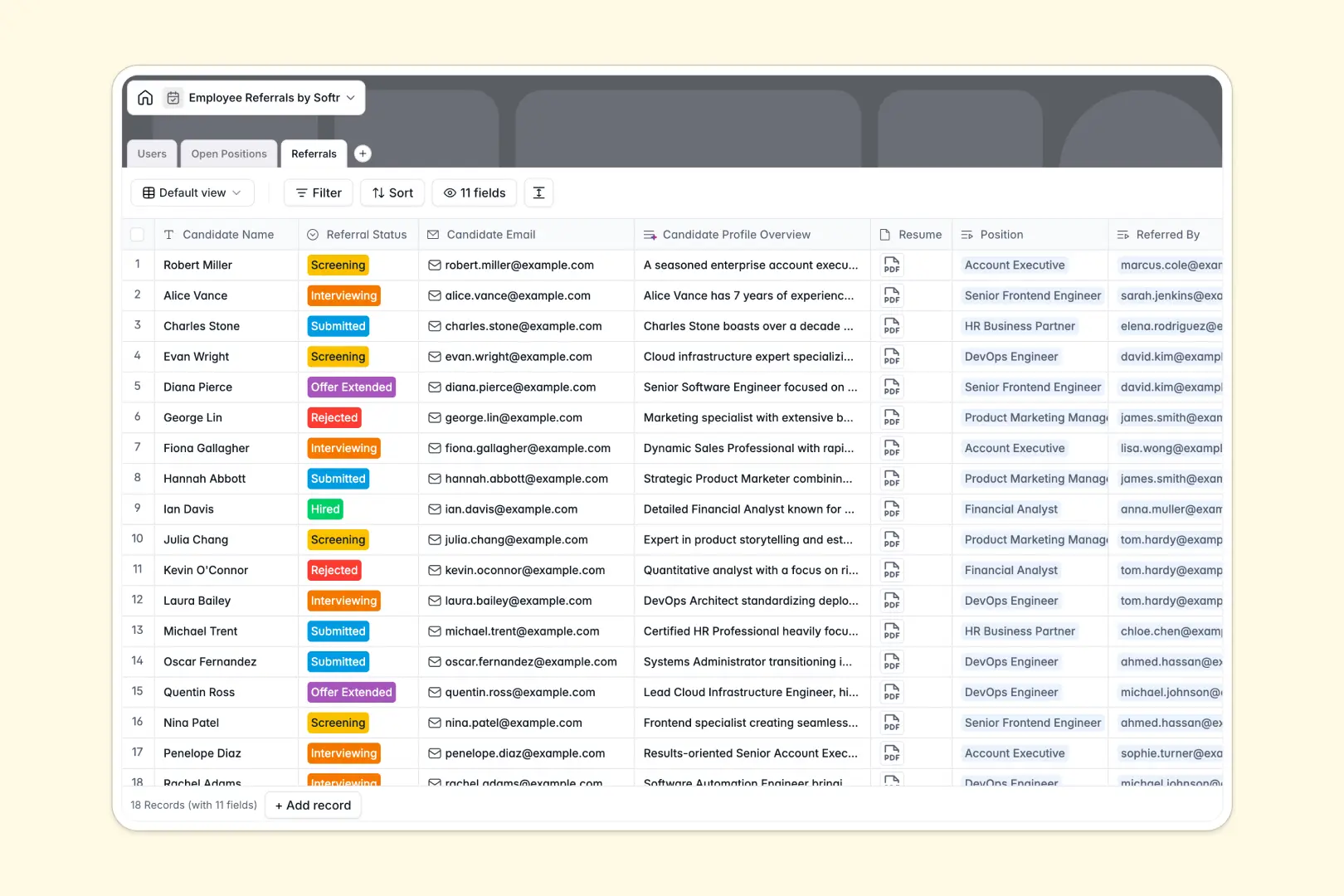
Your Employee Referrals database at a glance
This template organizes your entire referral pipeline in one place, helping HR teams and employees collaborate seamlessly on open roles. It connects your hiring goals directly to your team's network without administrative chaos.
Everything works through simple, interconnected tables: Users (employees and hiring managers), Open Positions, and Referrals. When an employee submits a candidate, the system automatically links the referral to the specific job opening and the referring team member, tracking progress instantly.
This database also includes built-in AI fields that automatically summarize long job descriptions for social sharing and research candidates' backgrounds directly from their LinkedIn profiles.
What to check before building your employee referrals base in Airtable
While Airtable is a capable relational database, managing a company-wide referral program on it can quickly trigger unexpected challenges that complicate adoption.
What changes with a database built for apps
With our platform, you get the robust relational foundations you need without the scaling ceilings. Instead of getting hit with expensive per-seat charges for every employee who submits a referral, you can scale your database with unlimited collaborators.
This is exactly what Softr Databases are designed for. You get secure, built-in structural fields, relational tables, and native capabilities that allow your database to grow seamlessly to 200,000 records.
What you can do with this template
By adopting this template, you can track candidate application progress from initial screening to final offer, keeping everyone aligned on who referred whom. You can also calculate referral payouts automatically using rollups connected directly to your open roles.
For faster candidate processing, you can leverage native Database AI agents to summarize candidate backgrounds, saving hiring managers hours of manual research before interviews even begin.
-
Users
Track employees and hiring managers with roles and submission counts
-
Open Positions
Manage job listings with AI-generated social sharing summaries
-
Referrals
Track referred candidates with AI-powered professional profile summaries
Who is this Employee Referrals database for
- HR & Talent Acquisition: Effortlessly track your referral pipeline, manage job eligibility, and keep hiring managers aligned in real time.
- Hiring Managers: Review incoming candidate profiles, access automated LinkedIn candidate summaries, and manage open positions in one place.
- Business Team Leads: Keep your department's open positions up-to-date and empower team members to refer talent from their personal networks.
How to take it further
Customize the database
You can easily modify our database to fit your company's processes. Change select choices (like department names or screening statuses), add a column for custom employee notes, or adjust referral bonus amounts in seconds.
Import your existing data
If you already have a list of referrals or active jobs in spreadsheets, you can import them into your workspace in a few clicks using our CSV importer. You can also connect external systems via API to keep your database dynamically synced.
Build a full app around it
When your team is ready, you can immediately build an app on top of this structure. It takes just one prompt to generate an app with AI, creating a front-end portal with custom users and permissions.
This lets employees view open positions and submit referrals through clean, branded forms, while hiding sensitive candidate details from everyone except HR managers. Starting from a clean database ensures your custom employee portal operates flawlessly from day one.
-
1
-
2
-
3
-
4
Frequently asked questions
-
What is an employee referrals database?
-
Why use an employee referrals Airtable alternative to build this system?
-
How can AI help managing employee referral data?
-
Can I build an app with this employee referrals database?
-
Is this employee referrals template free?
-
How is this template different from an Airtable template?
Start building today. It's free!
Build and launch your first app in under 30 minutes.