


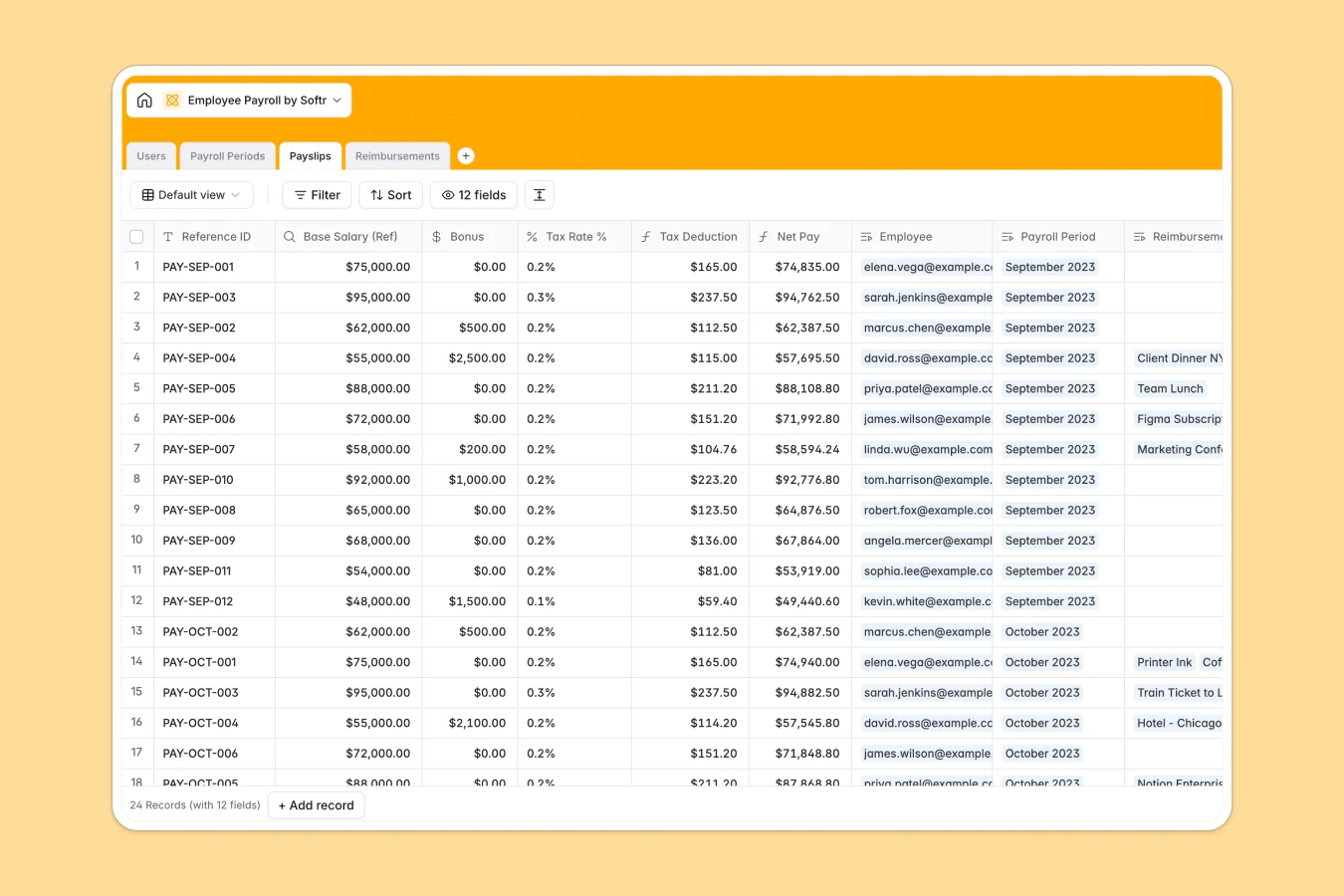
Your Employee Payroll database at a glance
This template centralizes employee data, pay cycles, and calculations to run payroll without errors. Track salaries, calculate tax deductions, and approve expense reimbursements in one unified spot.
It connects four functional tables—Users (Employees), Payroll Periods, Payslips, and Reimbursements. Native relational formulas automatically calculate tax deductions and compute net pay based on base salaries, bonuses, and approved expenses.
What to check before building your employee payroll base in Airtable
Managing payroll records requires strict security, flexible team sharing, and clear viewing permissions so employees only see their own payslips.
What changes with a database built for apps
While Airtable handles structured data well, sharing that data securely with a growing team gets expensive fast. Airtable's per-seat pricing charges you for every collaborator who needs to edit or submit their own expense records.
This is where Softr Databases change the game. By keeping your data in a secure, relational database that natively supports unlimited collaborators, you can let your entire company access, submit, and view their payroll data without ballooning costs.
What you can do with this template
With this template, you can track structural pay cycles over specific Payroll Periods and review the automated rollups of your total payroll cost instantly.
Employees can submit Reimbursements by uploading receipts directly to the database. These are automatically linked to active payslips, allowing HR managers to process accurate Net Pay payouts with zero manual math.
-
Users
Store and manage employee profiles, roles, and compensation details
-
Payroll Periods
Define and track recurrence schedules and active processing cycles
-
Payslips
Calculate and record individual salary breakdowns, taxes, and net pay
-
Reimbursements
Track employees expense claims and approval status for payroll payout
Who is this Employee Payroll database for
- HR Managers: Calculate precise net pay payouts and manage monthly payroll cycles with complete data integrity.
- Startups & SMB Leads: Run internal calculations and manage pay records on a secure database without paying expensive software fees.
- Finance Teams: Audit submitted receipts, run payroll cost rollups, and keep track of payment statuses in one real-time dashboard.
How to take it further
Customize the database
You can easily adapt this template by adjusting fields like Tax Rate % or adding new expense categories such as "Remote Setup" or "Travel Expense". Since it is a native database, you can customize select values and fields visually in seconds.
Import your existing data
Moving your transition data over is frictionless. You can upload past employee lists or historical payroll logs using a simple CSV import, or use the API to sync with external bookkeeping software.
Build a full app around it
When you are ready, you can easily turn this database into a secure payroll portal. Use the AI app generator to generate an interface, giving employees self-service login access to view their own payslips.
With granular users and permissions, employees will only see their own database rows, while HR managers retain full editing control to manage and change payment records securely.
-
1
-
2
-
3
-
4
Frequently asked questions
-
What is an employee payroll database?
-
Why use a no-code database to build an employee payroll system?
-
How can AI help managing data for payroll purposes?
-
Can I build an app with this employee payroll database?
-
Is this employee payroll template free?
-
How is this template different from an employee payroll Airtable template?
Start building today. It's free!
Build and launch your first app in under 30 minutes.