


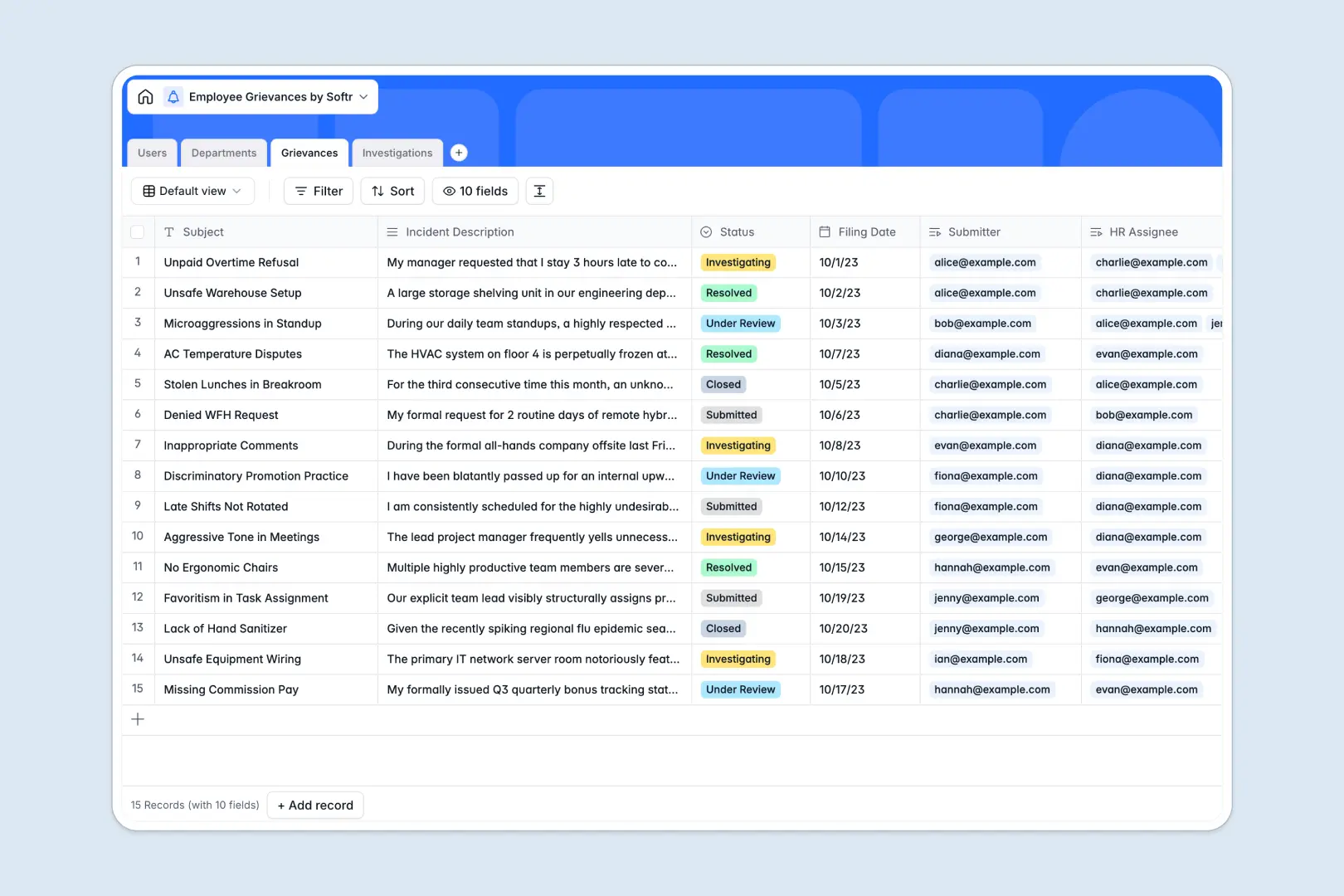
Your Employee Grievances Database at a glance
This template provides a secure, structured space to document and track employee workplace complaints through every phase of resolution. It ensures HR teams can maintain absolute confidentiality while managing cases without letting details slip through the cracks.
Your database connects submitted grievances to specific team members, departments, and investigator notes automatically. By keeping cases, departments, and investigations in separate, linked tables, you remove the risk of messy, unorganized tracking sheets.
Using native database AI agents, this system automatically extracts complaint categories from raw text, generates quick summaries for review, and suggests recommended next steps based on your meeting notes.
What to check before building your employee grievances base in Airtable
When handling sensitive medical, personal, or workplace issues, how you manage collaborator permissions and pricing matters just as much as how you structure the data.
What changes with a database built for apps
Airtable functions well for basic relational tracking, but its per-seat pricing quickly penalizes you when adding multiple managers, investigators, or admins to collaborate on cases.
This is exactly what Softr Databases are designed to solve by including unlimited database collaborators on all plan levels. You can freely collaborate with external counsel or internal stakeholders without watching your monthly bill skyrocket.
Furthermore, sensitive cases require absolute database structure isolation. Softr Databases support large scale limits of up to 200,000 records per database and 50 requests per second across native API channels, making sure your record-keeping stays compliant and uninterrupted as your company scale grows.
What you can do with this template
With this pre-built layout, you can log incident descriptions, assign internal investigators, and track progress from "Under Review" to "Resolved" immediately.
No manual sorting is required. Built-in database AI agents process incoming incidents automatically and output standard classifications so you can identify department-wide trends instantly.
-
Users
Track employees, HR managers, and administrators with contact details and roles
-
Departments
Manage organizational units to monitor where employee grievances originate
-
Grievances
Track workplace complaints using AI to summarize reports and categorize issues
-
Investigations
Log internal hearings and resolutions with AI-generated recommended actions
Who is this Employee Grievances database for
- HR Leaders: Securely log issues, assign investigators, and ensure policy compliance without manual spreadsheets.
- Operations Officers: Standardize dispute tracking across multiple regional hubs, offices, or departments.
- Legal Counsel: Keep structured, immutable records of internal mediation steps and final dispute resolutions.
- Executive Teams: Check high-level rolled-up safety metrics and departmental case volumes without seeing personal details.
How to take it further
Customize the database
To match your internal company guidelines, you can immediately modify select properties like case categories or status options. Add file attachments for official employee agreements or policy sign-offs directly inside the existing schema.
Import your existing data
Migrate from raw spreadsheets or external trackers in minutes by uploading standard CSV files. If you are migrating your workflow from other software, use our direct API integration to easily sync active records.
Build a full app around it
When your HR staff is ready to securely share update views with team managers and employees, you can seamlessly build an app on top of this exact structure. Softr's AI Co-Builder lets you outline the portal you need in plain text, then automatically configures custom interfaces and secure users and permissions to specify who can view or sign off on cases. This ensures staff only submit complaints through secure personal portals, while investigators use dedicated admin dashboards.
-
1
-
2
-
3
-
4
Frequently asked questions
-
What is an employee grievances database?
-
Why use a no-code database to build an employee grievances tracker?
-
How can AI help managing data for workplace grievances?
-
Can I build an app with this employee grievances database?
-
Is this Employee Grievances template free?
-
How is this template different from an Airtable template?
Start building today. It's free!
Build and launch your first app in under 30 minutes.