


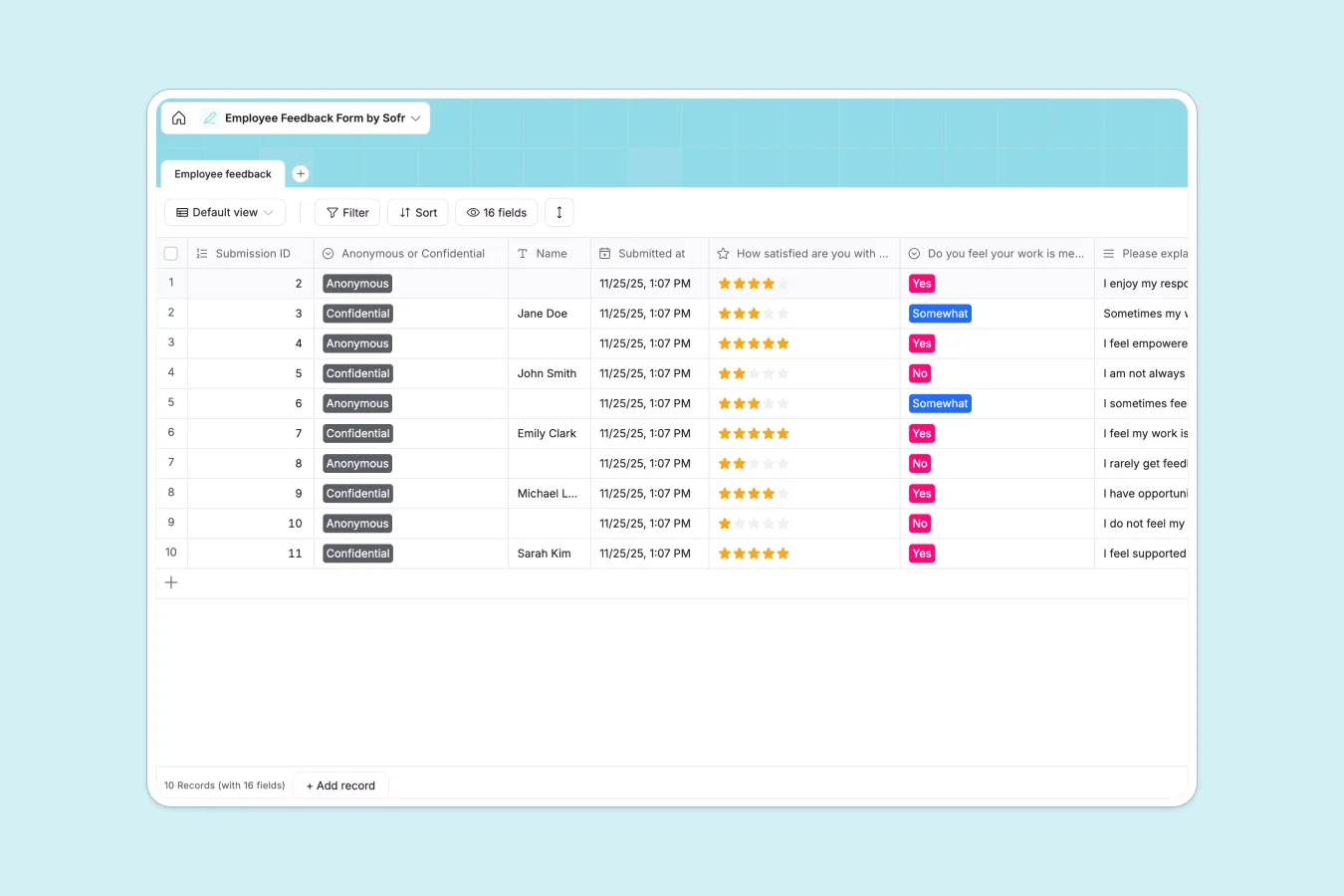
Your Employee Feedback database at a glance
This template gives you a central workspace to gather, review, and organize team input. Keep all survey submissions structured in a single workspace so you can spot trend lines, address concerns, and make informed choices to improve company culture.
Every response is neatly mapped across structured fields—such as job satisfaction ratings, cultural feedback, and development needs. This makes it easy to separate anonymous submissions from confidential insights without messing up your records.
What to check before building your employee feedback base in Airtable
If you want to track team feedback systematically, choosing a database over a flat spreadsheet is a smart move. But before committing your data to Airtable, consider what happens as your feedback loops scale.
What changes with a database built for apps
Airtable charges per collaborator, which makes collecting or sharing feedback expensive when multiple managers need access. In contrast, built-in databases on Softr come with unlimited collaborators on all plans, letting your entire department review submissions without extra seats.
More importantly, a database is only half the job when dealing with sensitive HR information. With Softr Databases, you have the database, workflows, and granular permissions natively in one place, turning raw feedback records into secure portals directly.
What you can do with this template
This template lets you track critical metrics like role satisfaction, communication clarity, and growth opportunities. You can easily view rating averages or drill down into written explanations to identify exactly where your team needs support.
To automate your processes, you can use Database AI agents to automatically categorize qualitative long-text feedback or flag critical survey responses based on custom triggers, saving hours of manual review.
-
Employee feedback
Gather and analyze employee sentiments on role satisfaction and culture
Who is this Employee Feedback database for
- HR Managers: Streamline how you collect yearly, quarterly, or ad-hoc cultural feedback from the team.
- Department Heads: Track role satisfaction, communication health, and support needs within your specific teams.
- People Ops Leads: Keep a secure record of growth opportunities and culture suggestions to drive retention initiatives.
- Leadership Teams: Review structured high-level ratings on company alignment and overall employee sentiment.
How to take it further
1. Customize the database
Adjust fields to match your exact survey style. You can add new rating metrics, insert drop-down choices for different offices, or add automated timestamp columns to track exactly when feedback is submitted.
2. Import your existing data
If you have legacy team surveys saved in spreadsheets, upload them directly via a quick CSV import. You can also connect your database to existing tools through the API to sync and centralize all feedback.
3. Build a full app around it
When you are ready to share this feedback safely, you can use Softr's AI app generator to generate an interface on top of this exact database. This lets you build a secure HR dashboard where team leads only see feedback for their own departments, maintaining strict users and permissions control over sensitive information.
-
1
-
2
-
3
-
4
Frequently asked questions
-
What is an employee feedback database?
-
Why use a no-code database to build an employee feedback system?
-
How can AI help managing employee feedback data?
-
Can I build an app with an employee feedback database?
-
Is this Employee Feedback template free?
-
How is this template different from an Airtable template?
Start building today. It's free!
Build and launch your first app in under 30 minutes.