


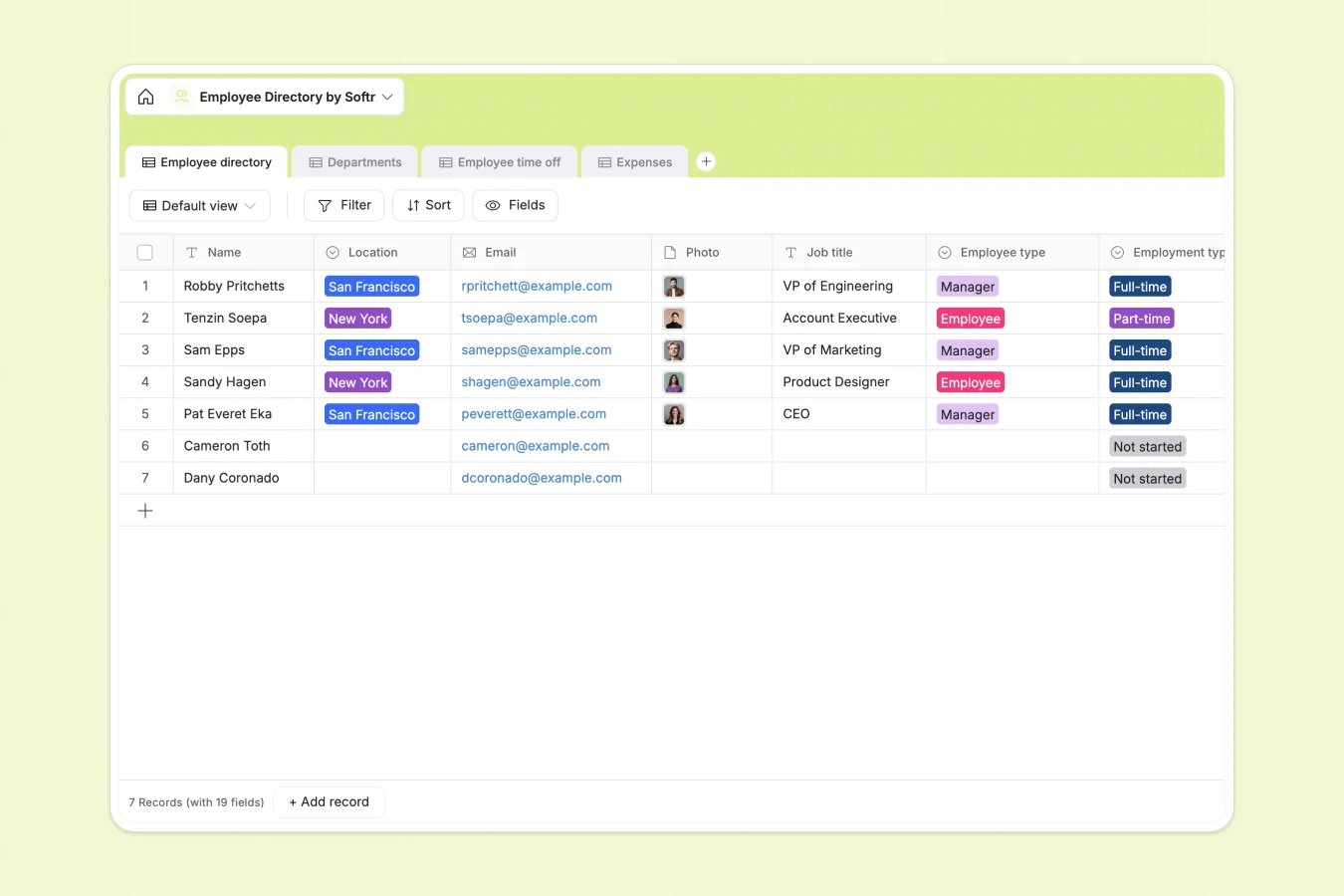
Your Employee Directory database at a glance
This template makes it easy to organize team details, from basic contact information and bio details to emergency contacts and department structures.
By linking employees directly to departments, expenses, and time off requests, you keep all operational data connected in one clean system.
Where your employee directory outgrows Airtable
While building an employee directory in Airtable is a great relational step up from spreadsheets, sharing this secure personal data with the whole company gets difficult quickly.
Traditional database tools charge you per seat, meaning giving every employee access to update their own contact information or log an expense becomes incredibly expensive.
What changes with a database built for apps
With Softr Databases, you get a fully relational database foundation with unlimited collaborators included on all plans.
This means you can store up to 200,000 employee, time off, or expense records without worrying about restrictive licensing fees or hitting record limits.
What you can do with this template
Immediately record employee info, map departments, track time-off balances, and manage team receipts without custom setup.
You can easily use Database AI agents to automate tasks like summarizing professional bios or extracting information from uploaded receipts automatically.
-
Employee directory
Maintain details of team members, roles, contact info, and departments
-
Departments
Organize company departments with direct managers and staff counts
-
Employee time off
Track leaves, absenteeism, vacation schedules, and illness records
-
Expenses
Manage business expenditures, receipts, and professional reimbursements
Who is this Employee Directory database for
This directory is perfect for organizations looking to streamline employee management without manual overhead.
- HR Teams: Maintain secure records, coordinate upcoming time-off planning, and organize key emergency contacts in one secure spot.
- Department Heads: Instantly view structural reporting, roll up employee counts, and track team-specific operational expenses.
- Operations Leads: Keep office locations, starting dates, and personal interests aligned to coordinate internal culture events effortlessly.
How to take it further
Customize the database. You can easily modify the pre-built select choices like department names or location options to reflect your organizational structure in seconds.
Import your existing data. Bring your current employee data into your database within seconds using a CSV bulk upload or connect via our robust API.
Build a full app around it. When you are ready, use our AI app generator to turn this exact database into a custom portal in seconds.
Defining granular users and permissions ensures employees can log expenses and edit profiles while hiding confidential payroll details.
-
1
-
2
-
3
-
4
Frequently asked questions
-
What is an employee directory database?
-
Why use a no-code database to build an employee directory?
-
How can AI help managing data for an employee directory?
-
Can I build an app with this employee directory database?
-
Is this employee directory template free?
-
How is this employee directory template different from an Airtable template?
Start building today. It's free!
Build and launch your first app in under 30 minutes.