


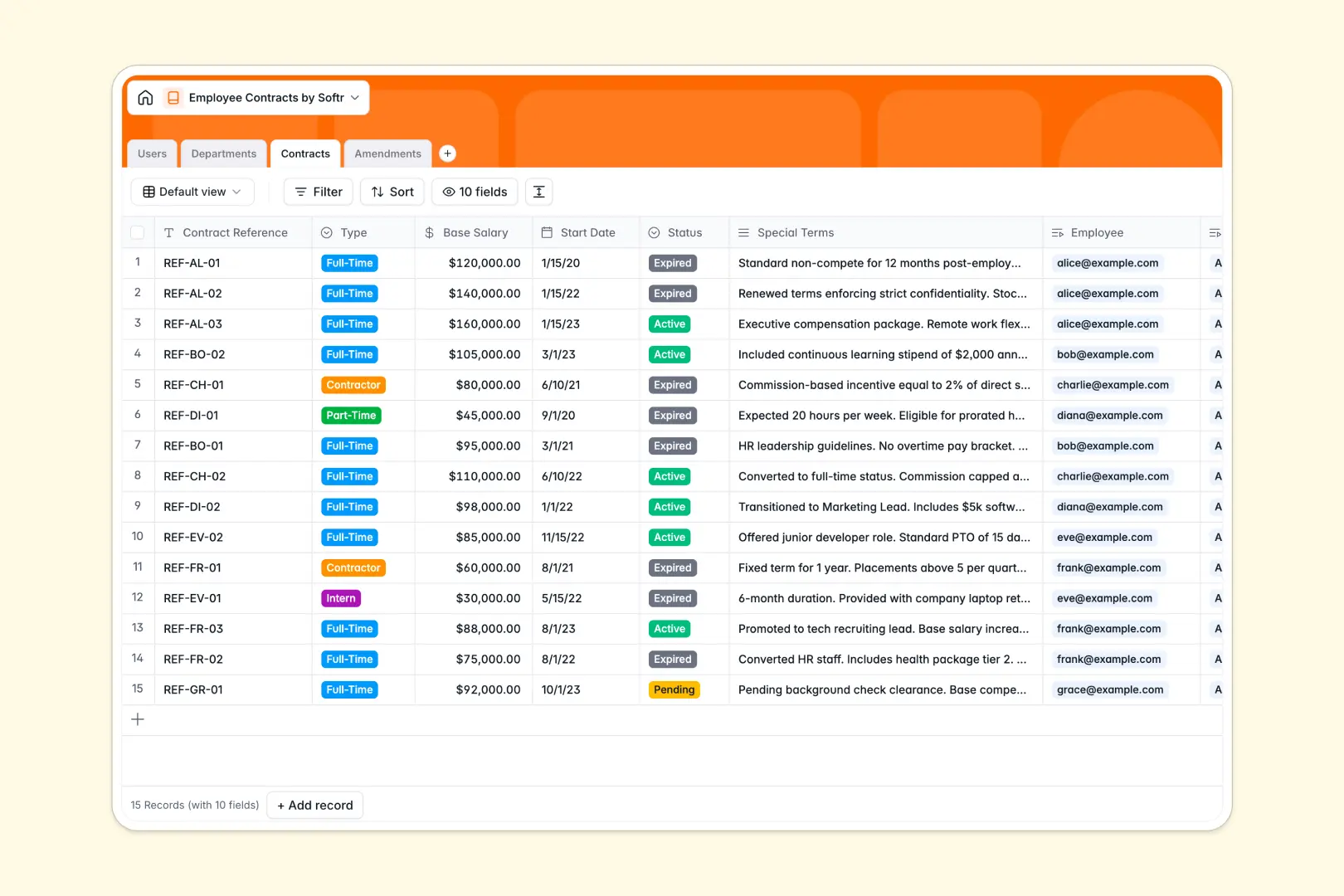
Your Employee Contracts database at a glance
This template is designed to help HR teams and hiring managers securely store, track, and update employment agreements and their successive adjustments.
The database links employees directly to their contracts, departments, and specific signed amendments, ensuring you always see the current salary and status at a glance.
Native database AI automatically summarizes complex special terms and categorizes contract amendments based on your written updates.
What to check before building your employee contracts base in Airtable
While Airtable is an excellent relational database, managing sensitive employee data and collaborating with managers across departments can quickly reveal its pricing and sharing limitations.
What changes with a database built for apps
If your HR team needs to share contract access with department leads or external auditors, Airtable's per-seat pricing can make collaboration expensive very quickly.
Softr Databases include unlimited collaborators on all plans, allowing you to share files and records without being penalized for scaling your team.
Furthermore, Softr isn't just a backend storage tool—it has the interface and granular user access built directly into the same platform to protect sensitive salary data.
What you can do with this template
Get started instantly with pre-linked tables for employees, departments, contracts, and amendments, keeping history clean and accessible.
Use Database AI agents to auto-fill department summaries and digest long, complex special contract terms into three clean bullet points.
Track change histories, verify signed documents, and monitor approval states without writing any code.
-
Users
Track team members with roles, departments, and linked contracts
-
Departments
Manage organizational units with AI-generated functional descriptions
-
Contracts
Manage employee agreements with AI-powered summaries of special terms
-
Amendments
Track contract changes with AI-assisted categorization
Who is this Employee Contracts database for
This database is built for growing teams that need a secure and structured way to handle contract lifecycles.
- HR Managers: Securely house salary structures, official start dates, and track contract signature statuses in one central register.
- Department Heads: Monitor their team's active agreements, manage department allocations, and view rollup metrics like headcount instantly.
- Operations Leads: Keep an audit-ready log of signed amendments, salary increases, and active or expired contractor agreements.
How to take it further
Customize your fields in seconds by adding custom select values or new columns to track unique benefits like equity or healthcare tiers. Because it is a native Softr Database, structural edits take just a few clicks.
Import your historical data by uploading your existing employee and contractor sheets via CSV, or use the API to sync with your payroll tools.
Build a full app around it when your team is ready to scale. Simply describe the internal portal you need in a single prompt, and the AI app generator will automatically build the web interface, security layers, and user profiles.
This lets you build a secure HR portal where managers only see their direct reports' contracts, while general employees can view only their own signed documents using strict permissions.
-
1
-
2
-
3
-
4
Frequently asked questions
-
What is an employee contracts database?
-
Why use a no-code database to build a contract management system?
-
How can AI help managing data for employee contracts?
-
Can I build an app with this employee contracts database?
-
Is this employee contracts template free?
-
How do I import my existing contract records from Airtable?
Start building today. It's free!
Build and launch your first app in under 30 minutes.