


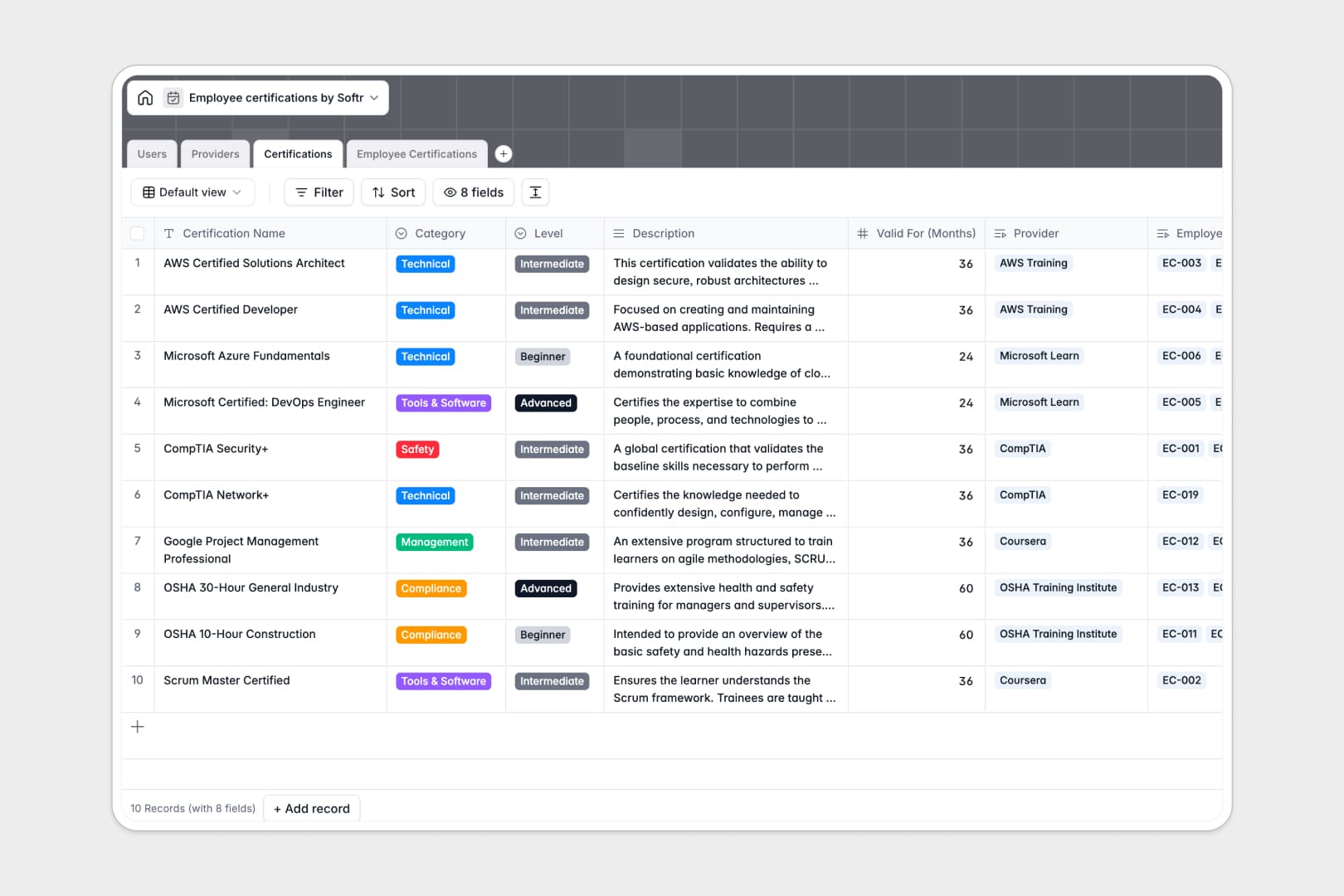
Your Employee Certifications database at a glance
This pre-structured database makes it easy to track employee credentials and manage training compliance across your entire workforce.
Keep a clean directory of your employees in the `Users` table, link them to their records in the `Employee Certifications` table, and manage credential catalog and training vendors using the `Certifications` and `Providers` tables.
The template includes built-in AI fields that automatically search the web to analyze providers and summarize complex certification descriptions into simple, scannable bullet points.
What to check before building your employee certifications base in Airtable
If you are planning to manage your team's compliance and skills catalog, Airtable seems like a natural choice. However, before you commit your operational workflows to it, there are a few structural scale and billing factors you should consider.
What changes with a database built for apps
While databases need structure, your operational workflows need an interface. Airtable forces you into high, per-seat pricing the moment a colleague needs to update their own credentials or view their certification status.
This is exactly what Softr Databases are designed for. You get the same powerful relational tables—linking employees to certifications and training providers—but with a platform built to share.
You can keep data clean with strict database structure, leverage higher record limits, and avoid per-seat database pricing entirely when sharing with your team.
What you can do with this template
With this database, you can automatically run Database AI agents directly inside your tables. The AI agent will read a training provider's website and instantly generate a clear overview, saving manual research time.
You can also monitor expiring certificates with clear dates and attachments. Because it is highly customizable, you can instantly rename fields, edit department options, and add custom renewal rules to fit your industry.
-
Users
Manage employee directories, roles, departmental assignments and active training metrics
-
Providers
Track educational institutions with AI-generated web-search profiles
-
Certifications
Catalog training courses with difficulty levels and key AI-powered modular summaries
-
Employee Certifications
Monitor employee credential validity, status changes and uploaded documents
Who is this Employee Certifications database for
- HR & Compliance Managers: Easily track mandatory industry certifications, monitor expiration dates, and prevent compliance violations.
- Department Heads: Identify skill gaps within engineering, IT, or sales, and check who has completed required tool trainings.
- Operations Teams: Keep training records audit-ready and manage historical certificates in one central place.
How to take it further
Customize the database
Modify select fields to match your company structure. For example, easily add new choices like 'Finance' to the department field or customize the certification 'Category' list to match your industry compliance standards.
Import your existing data
Move off scattered spreadsheets by uploading your employee records using our bulk CSV import. You can also connect to external training platforms via API to keep your database synced in real time.
Build a full app around it
When your team is ready, you can easily turn this database into a self-service portal. The fastest path is to build an app with Softr's AI Co-Builder, which will automatically generate a custom interface on top of this exact data.
Your employees can log in to upload new certificates, while managers can log in to view department compliance dashboards. You can set granular users and permissions so employees only edit their own profiles while admins manage the entire directory.
-
1
-
2
-
3
-
4
Frequently asked questions
-
What is an employee certifications database?
-
Why use a no-code database to build a certification tracker?
-
How can AI help managing data for employee certifications?
-
Can I build an app with this employee certifications database?
-
Is this Employee Certifications template free?
-
How is this template different from an Airtable template?
Start building today. It's free!
Build and launch your first app in under 30 minutes.