


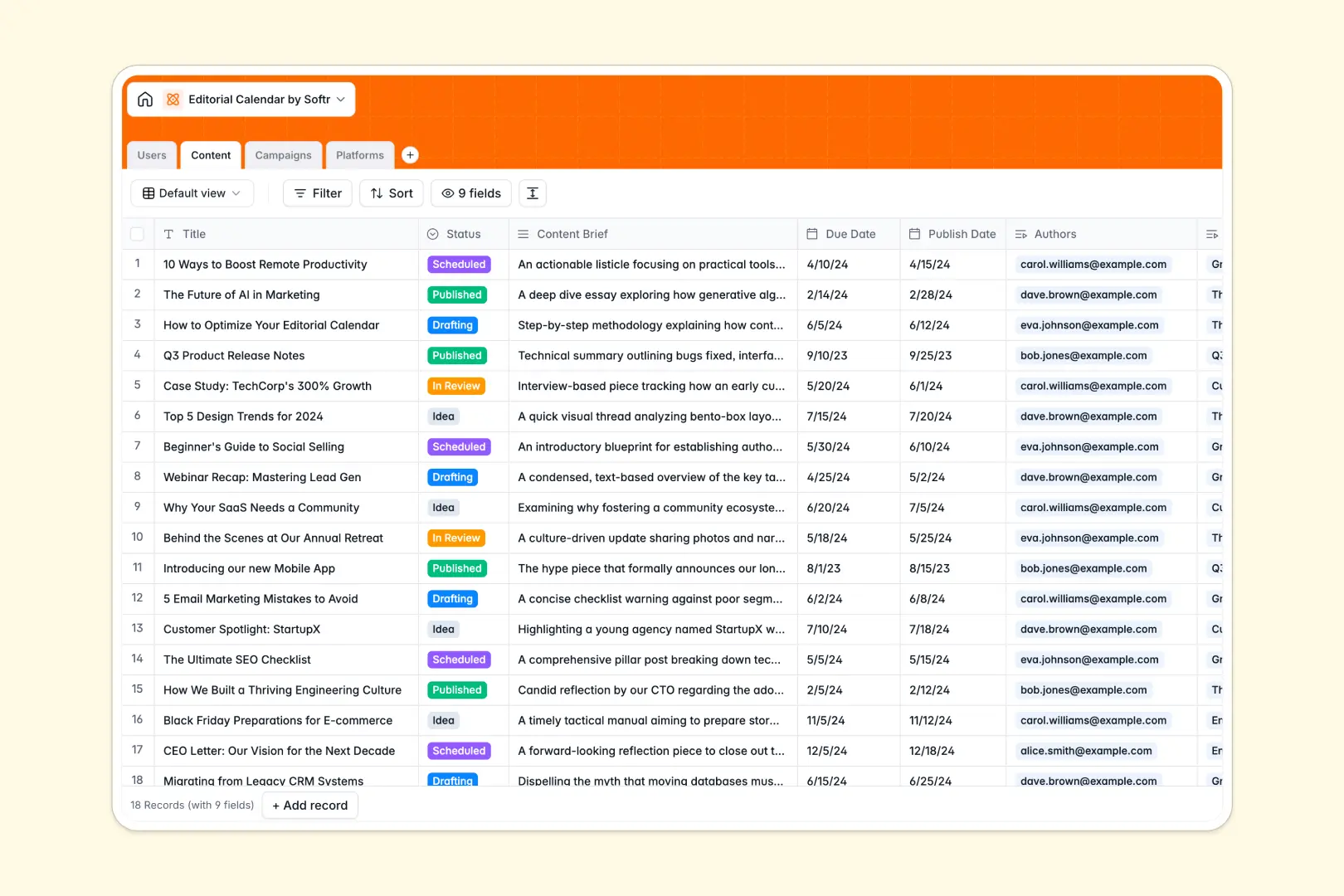
Your Editorial Calendar Database at a glance
This Editorial Calendar template helps marketing teams, publishers, and content creators plan, scale, and publish content consistently without administrative clutter. It centralizes your entire production pipeline in one structured system.
Keep track of content drafts, assign specific writers and editors, and group individual pieces under larger marketing campaigns. Every article, brief, due date, and platform is linked together naturally, ensuring your team always knows what is scheduled next.
With built-in AI fields, you can instantly generate SEO titles from briefs and pull platform descriptions from live URLs, removing repetitive manual work from your workflow.
What to check before building your Editorial Calendar base in Airtable
When organizing content across multiple writers, campaigns, and distribution channels, standard spreadsheets mess up quickly. Selecting a structured database is the right move because it keeps your scheduling and team assignments aligned.
What changes with a database built for apps
While Airtable is a powerful tool, teams often outgrow it when managing collaborative marketing pipelines. Airtable's per-seat pricing quickly becomes expensive when you need to give multiple freelance writers, external stakeholders, or agency partners editing rights on your board.
Starting with Softr Databases gives you the same relational power—like linking authors directly to content pieces and campaigns—but with unlimited collaborators on all plans. You can share your workspace with your entire team of writers and editors without worrying about a ballooning monthly bill.
Additionally, you get generous record limits and a faster API, meaning your content archive can grow without hitting hard scaling ceilings.
What you can do with this template
With this pre-built template, you can immediately manage your scheduling, track draft statuses, and group assets under strategic platforms and campaigns. The structure ensures that you never mix up due dates or lose content briefs again.
This template also natively supports Database AI agents. You can configure automated fields that use AI to generate optimized search descriptions or research target distribution channels on the live web, keeping your pipeline automated and clean.
-
Users
Track writers, editors, and administrators with roles and assigned content
-
Content
Manage articles and tasks with AI-powered SEO keyword and title generation
-
Campaigns
Group digital assets and editorial pieces under larger marketing initiatives
-
Platforms
Track distribution channels using AI to research and summarize website profiles
Who is this Editorial Calendar database for
- Content Marketing Managers: Keep track of multi-channel campaigns, coordinate writers, and monitor release schedules.
- Editorial Teams: Align writers and editors on review processes, deadlines, and active feedback loops.
- Digital Agencies: Organize deliverables for different clients and coordinate platform distribution in one structure.
- Independent Creators: Schedule personal blog posts, newsletter editions, and social content without manual clutter.
How to take it further
Customize the database
You can easily modify this database to match your exact editorial workflow. Add customized selection choices to your status fields, create new channels in your Platforms table, or insert a rating column for content performance metrics.
Import your existing data
Move your content files or scheduling spreadsheets directly into the template. You can upload active drafts or publication archives via CSV files in seconds, or use the API to sync existing drafts from third-party tools.
Build a full app around it
When your team is ready, you can easily turn this database into a custom client portal or internal dashboard. By using the AI app generator, you can describe the portal you need in a single prompt to automatically create a workspace customized for your team.
This app layer gives you granular users and permissions control. You can let freelance writers submit drafts and view only their assigned work, while editors have full publishing control over the entire calendar.
-
1
-
2
-
3
-
4
Frequently asked questions
-
What is an editorial calendar database?
-
Why use a no-code database to build an editorial calendar?
-
How can AI help managing data for an editorial calendar?
-
Can I build an app with this editorial calendar database?
-
Is this editorial calendar template free?
-
How is this editorial calendar different from an Airtable template?
Start building today. It's free!
Build and launch your first app in under 30 minutes.