


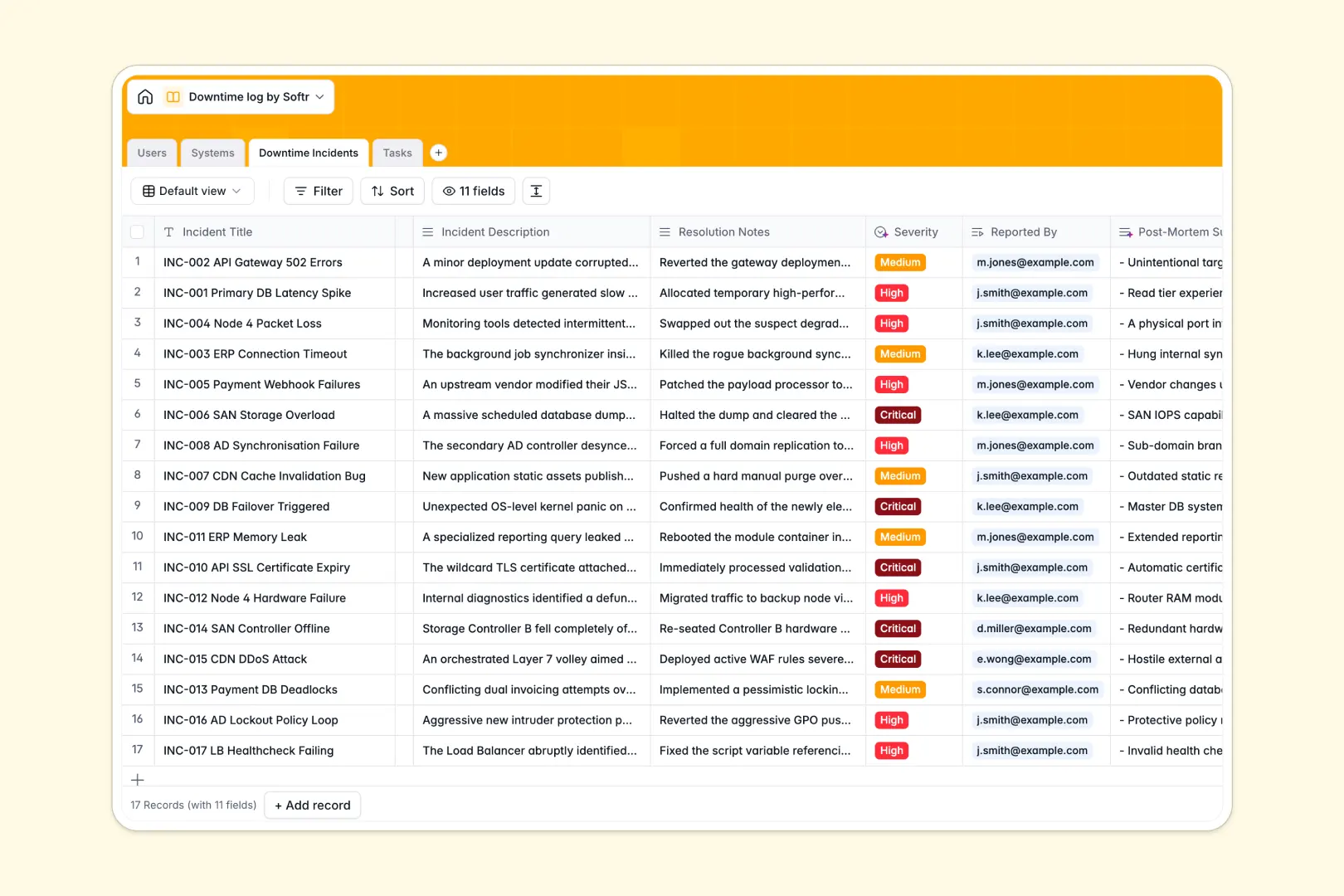
Your Downtime Log database at a glance
Monitor operational health and resolve system interruptions quickly with this ready-to-use downtime log template. It organizes your assets, outages, responsibilities, and remediation tasks in one unified space.
This template links your hardware, cloud services, and servers directly to logged downtime incidents. As incidents occur, operators can immediately delegate tasks to system engineers, keeping everyone aligned during critical outages.
Built-in Database AI agents automatically classify incident severity from reports and generate 3-bullet post-mortem summaries, saving your team hours of manual analysis.
What to check before building your downtime log base in Airtable
While keeping track of critical infrastructure updates requires a robust relational setup, choosing where to host your operations log shapes how your team performs under pressure.
What changes with a database built for apps
Using a database like Airtable means dealing with per-seat pricing that spikes as soon as multiple operators, engineers, and stakeholders need edit access to the incident log.
This is exactly what Softr Databases are designed to solve by offering unlimited database collaborators. It gives you the same strong relational structures combined with higher record limits and faster API performance.
Most importantly, your incident registry shouldn't live as an isolated back-office table. It works best as an interactive internal console with tailored logins for external vendors, off-hours operators, and executive stakeholders.
What you can do with this template
With this downtime log template, you can track incident status from 'Investigating' to 'Resolved' and map each outage directly to its system owner.
Our native Database AI agents automatically research system profiles, prioritize emergency response levels, and suggest actionable mitigation steps based on task keywords. This turns your static registry into an active assistant that speeds up incident resolution.
-
Users
Manage IT staff, administrators, and operators responsible for system upkeep
-
Systems
Track monitored IT assets and servers with AI-generated system descriptions
-
Downtime Incidents
Log downtime events featuring AI-analyzed severity and post-mortem summaries
-
Tasks
Coordinate mitigation tasks and actions using AI to draft detailed steps
Who is this Downtime Log database for
- DevOps & IT Teams: Keep infrastructure reliable by linking system statuses directly to active recovery tasks.
- Support Operations: Monitor application uptime in real time to give customer-facing reps accurate incident statuses.
- Site Reliability Engineers: Track incident histories, analyze root causes, and run post-mortems smoothly.
- Operations Managers: Track KPIs on total outages logged and coordinate system owners with clear responsibilities.
How to take it further
Customize the database
Adjust fields to match your IT stack or update system categorization choices. You can easily add custom tables, change severity rules, or rename options inside the native editor without breaking existing relations.
Import your existing data
Move your historical outage logs and asset sheets into your workspace in seconds. Use the direct CSV import or connect external sources via API to get a single, clean overview of your system's operational history.
Build a full app around it
When your team is ready, convert this database into an interactive status portal or incident command center. Run your prompt through our AI app generator to instantly generate an interface on top of this exact schema.
Set up custom users and permissions so system engineers see active tasks while leadership accesses view-only post-mortem summaries. Building a full app directly from your structured database keeps your communication during incidents secure and clean.
-
1
-
2
-
3
-
4
Frequently asked questions
-
What is a downtime log database?
-
Why use a no-code database to build a downtime log?
-
How can AI help managing data for downtime tracking?
-
Can I build an app with this downtime log database?
-
Is this downtime log template free?
-
How is this template different from an Airtable template?
Start building today. It's free!
Build and launch your first app in under 30 minutes.