


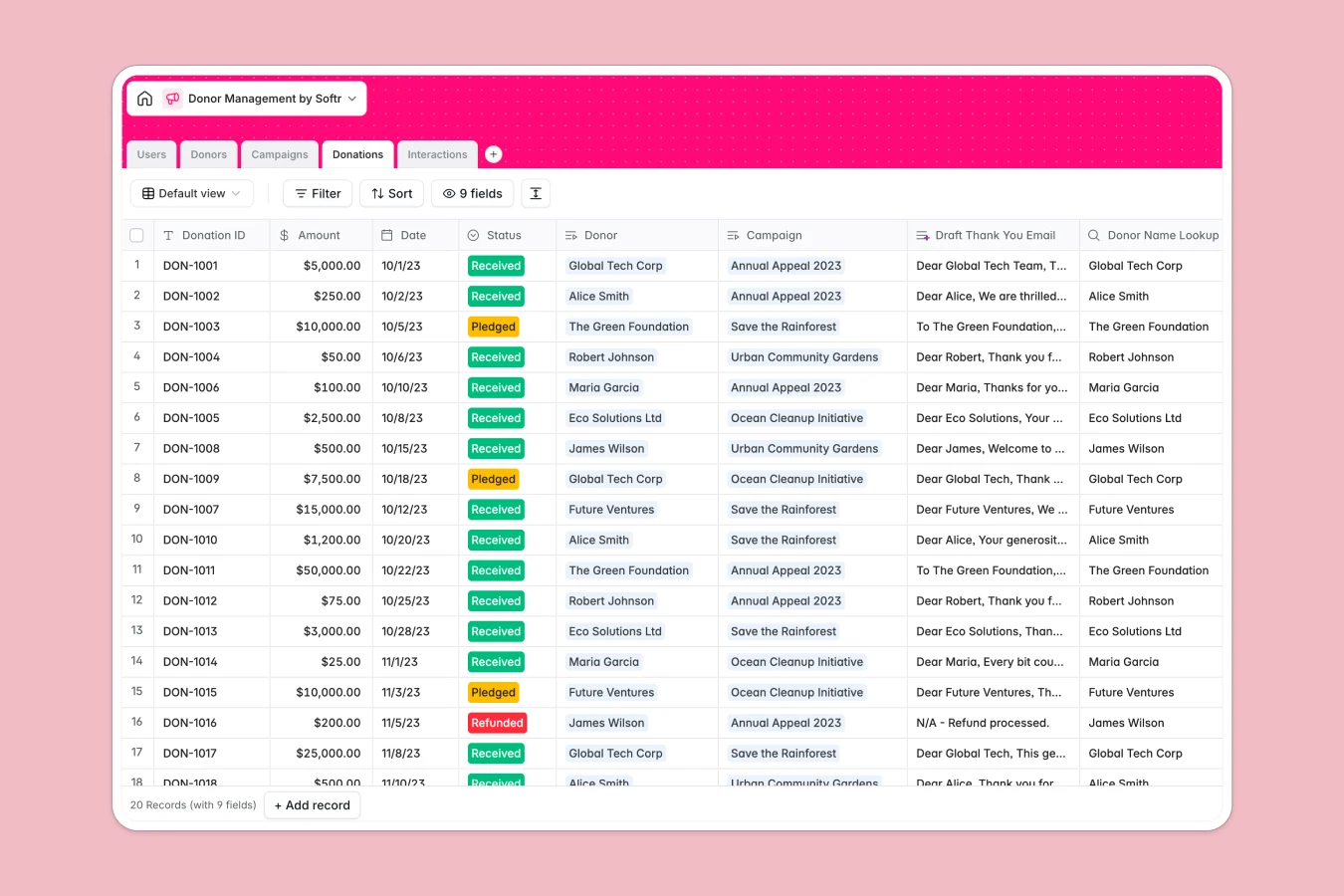
Your Donor Management Database at a glance
This template allows your organization to centralize donor profiles, monitor active fundraising campaigns, and log communications in one secure place.
Everything is connected. When you input a donation, it automatically rolls up to show campaign progress and updates the individual's lifetime donor value in real time.
Built-in AI features help you run campaigns faster by automatically drafting thank-you letters, conducting web research on corporate donors, and analyzing the sentiment of your interaction logs.
What to check before building your donor management base in Airtable
Cultivating relationships requires teamwork across fundraisers, board members, and volunteers. While raw database storage is always helpful, managing interactions across multiple team members often makes Airtable frustrating.
#### What changes with a database built for apps
Unlike Airtable's per-seat pricing model that charges for every internal member who needs more than view access, Softr Databases let you invite unlimited collaborators to view and edit your data.
With higher record allowances and a significantly faster API, your organization can grow its historical data safely without worrying about hitches or sudden platform ceilings.
Because the database layer lives on a platform designed to generate interfaces, you don't need to stitch multiple tool stacks together when you want to build custom portals for your staff or donors.
#### What you can do with this template
Keep track of individual, foundation, and corporate donors along with their complete communication histories to make sure no lead goes cold.
Leverage native Database AI agents to read a donor's website address and draft a summarized brief of their philanthropic interests inside your records.
Draft personalized thank-you emails and log critical call records in the same clean view your team uses to measure daily progress.
-
Users
Track database administrators and staff with system roles and action logs
-
Donors
Manage individual and corporate giving profiles with integrated AI summaries
-
Campaigns
Track fundraising progress and generate compelling campaign bios using AI
-
Donations
Record and analyze financial gifts with personalized AI draft thank you emails
-
Interactions
Log donor communications and automatically classify sentiment using AI
Who is this Donor Management database for
This system is built for nonprofit operators and development professionals who need to manage relationships without fighting clunky back-office spreadsheets.
- Nonprofit Directors: Monitor overall fundraising goals and campaign status dashboards from a single visual source.
- Development Teams: Keep structured records of every call and meeting to coordinate communication across multiple donors.
- Donor Relations Officers: Instantly compile draft thank-you messages and reference key donor histories when sending receipts.
How to take it further
#### 1. Customize the database
Tailor the template to suit your team's existing terminology. Adjust selection drop-downs to match your exact donation categories or insert custom fields to capture specialized details like regional chapters.
#### 2. Import your existing data
Bring your information over in bulk using a simple CSV import or trigger an API call to sync contact details from legacy fundraising channels without manual data entry.
#### 3. Build a full app around it
When you are ready to expand your workflow, you can generate an app with AI directly on top of this exact database. Build custom portals with precise users and permissions so that volunteers see only specific logs, while donors get secure spaces to confirm their donation records and manage preferences. This approach allows your team to move beyond tracking spreadsheets and use a tool tailored to your operational needs.
-
1
-
2
-
3
-
4
Frequently asked questions
-
What is a donor management database?
-
Why use a no-code database to build a donor management system?
-
How can AI help managing data for donor management?
-
Can I build an app with this donor management database?
-
Is this Donor Management Database template free?
-
How is this template different from an Airtable template?
Start building today. It's free!
Build and launch your first app in under 30 minutes.