


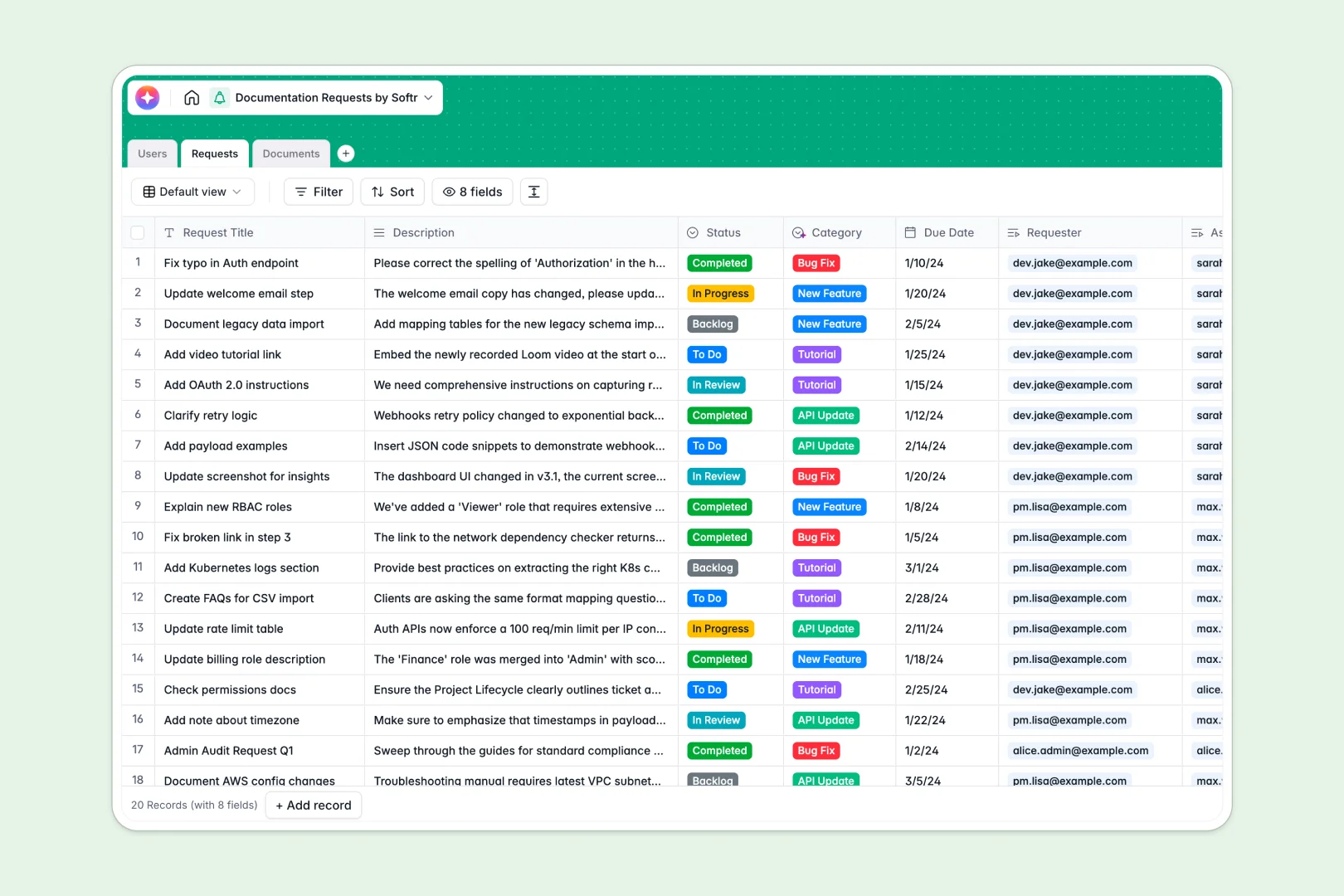
Your Documentation Requests database at a glance
Manage incoming ticketing requests for new guides, bug fixes, and API updates in one centralized system. This template coordinates requesters, technical writers, and administrators to ensure your product documentation stays accurate and up to date.
Everything connects natively: the Requests table links back to original Users (requesters and writers) and connects directly to live Documents. No more searching through slack threads or disconnected documents.
With built-in AI, incoming documentation tickets are automatically categorized, and documents are automatically summarized to save your writers precious hours.
What to check before building your documentation requests base in Airtable
While Airtable is a capable relational database, managing technical writing workflows and cross-departmental documentation tickets there can quickly become complex and costly.
What changes with a database built for apps
Airtable charges per collaborator as soon as team members need edit access, meaning collection of feedback and requests from your entire company quickly gets expensive.
Softr Databases include unlimited collaborators on all plans, allowing you to let developers, product managers, and support agents submit and track their docs tickets without worrying about seat fees.
Because the database comes with granular team permissions and an interface builder in the same platform, you do not have to stitch external tools together. You can easily set up customized portals where writers only see their assigned tickets and requesters only see their submitted drafts.
What you can do with this template
- Automate categorizations: Save manual triage time by having Database AI agents analyze descriptions and instantly categorize tickets as bug fixes, tutorials, or API updates.
- Keep documentation organized: Connect every official reference page directly to its origin request, showing who owns the draft and what status it is in (draft, under review, or published).
- Draft automatic summaries: Generate instant 2-3 bullet point summaries of your document content to serve as metadata or quick overviews for developers and readers.
-
Users
Manage requesters, technical writers, and admins with assigned documentation roles
-
Requests
Track documentation tickets and use AI to automatically classify their categories
-
Documents
Store official articles and drafts featuring AI-powered automatic summaries
Who is this Documentation Requests database for
- Technical Writing Teams: Organize incoming update requests, assign tasks, and track doc statuses from draft to publish.
- Product Managers & Developers: Submit structured requests for new features, bug fixes, or API documentation changes without losing track of progress.
- Customer Support Teams: Flag outdated tutorials or request missing guides directly based on customer pain points.
- Operations & Project leads: Maintain a unified directory of writers, owners, and active tickets to balance workloads.
How to take it further
Customize the database
Adjust fields and choices easily to match your exact release cycles. You can add custom documentation categories, add progress ratings, or rename statuses in your Softr Database in just a few clicks.
Import your existing data
Move your team's existing lists in seconds. Upload your active documentation tickets via CSV import, or use the API to automatically sync and pull existing technical specifications from other developer tools.
Build a full app around it
When your team is ready, generate an internal portal around this data. Use the AI app generator to turn this template into a collaborative technical writing platform.
You can configure custom users and permissions so that external product managers can only submit and view their own requests, while your technical writers get a full dashboard to edit documents, change statuses, and track their pipeline.
-
1
-
2
-
3
-
4
Frequently asked questions
-
What is a documentation requests database?
-
Why use a no-code database to build a documentation request system?
-
How can AI help managing data for technical documentation?
-
Can I build an app with this documentation requests database?
-
Is this documentation requests template free?
-
How is this template different from an Airtable template?
Start building today. It's free!
Build and launch your first app in under 30 minutes.