


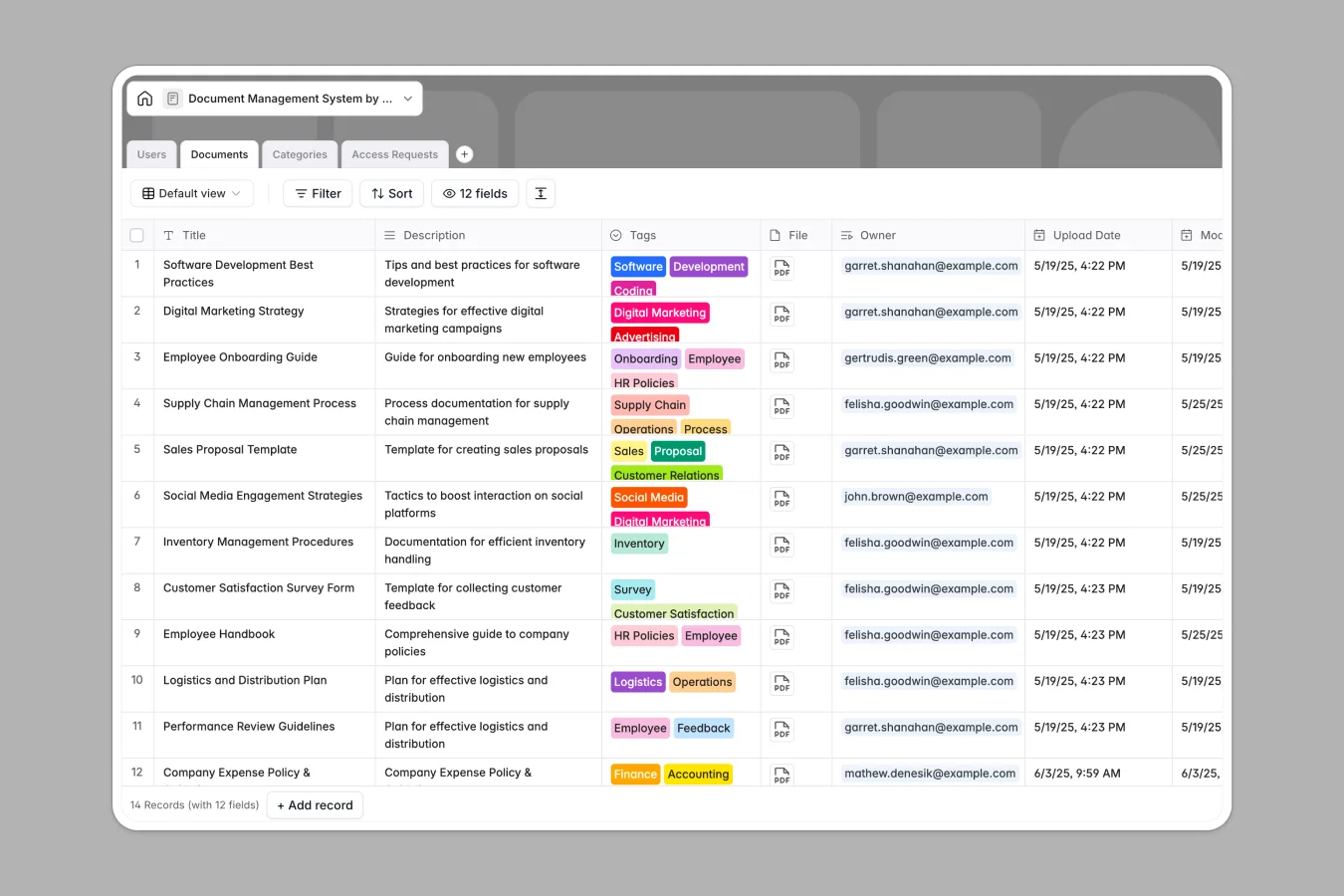
Your Document Management database at a glance
This template provides a secure way to organize team files and manage document ownership.
It coordinates linked records across tables like documents, users, categories, and access requests so permissions remain clear.
Where document management outgrows Airtable
Building a secure document repository is a great use case for a relational database, which is why starting with structure makes sense.
However, managing private files in Airtable quickly becomes expensive and complex once you share them with a broader team.
What changes with a database built for apps
Airtable's per-seat pricing means adding collaborators just to view or request document access gets costly.
With Softr Databases, you get unlimited collaborators on all plans alongside built-in app-building tools.
This means you can easily turn your files, categories, and access requests into a secure internal portal where users only see details they own.
What you can do with this template
You can track files alongside their upload dates, manage specific categories, and log access requests with status labels from "Pending" to "Approved."
Because the database natively links owners to their documents and categories, you never have to duplicate user logs.
Deploying this template takes seconds, giving your team an immediately functional foundation for secure file sharing.
-
Users
Manage user profiles, platform roles, and document access permissions
-
Documents
Centralize file uploads with metadata, category links, and access controls
-
Categories
Organize stored documents into structured folders with access rules
-
Access Requests
Track and manage user permissions and approval states for documents
Who is this Document Management database for
- Operations Teams: Track operational files and manage department-wide categories easily.
- HR Managers: Upload policies, manage employee access requests, and track owned items.
- IT Administrators: Securely assign document categories to users while maintaining a complete access audit log.
How to take it further
Customize the database
Tailor the template to your exact workflow by modifying select tags like "Cybersecurity" or "Finance." You can also quickly add new fields to store custom metadata.
Import your existing data
Bring your existing file index into the system immediately using a CSV upload or direct API connections.
Build a full app around it
When your team is ready, you can easily build an app on top of this structure.
Using Softr, you can instantly turn this database into a portal where users and permissions define who can view, upload, or request access to specific documents.
-
1
-
2
-
3
-
4
Frequently asked questions
-
What is a document management database?
-
Why use a no-code database to build a document management system?
-
How can AI help managing data for document management?
-
Can I build an app with this document management database?
-
Is this document management database template free?
-
How is this document management template different from an Airtable template?
Start building today. It's free!
Build and launch your first app in under 30 minutes.