


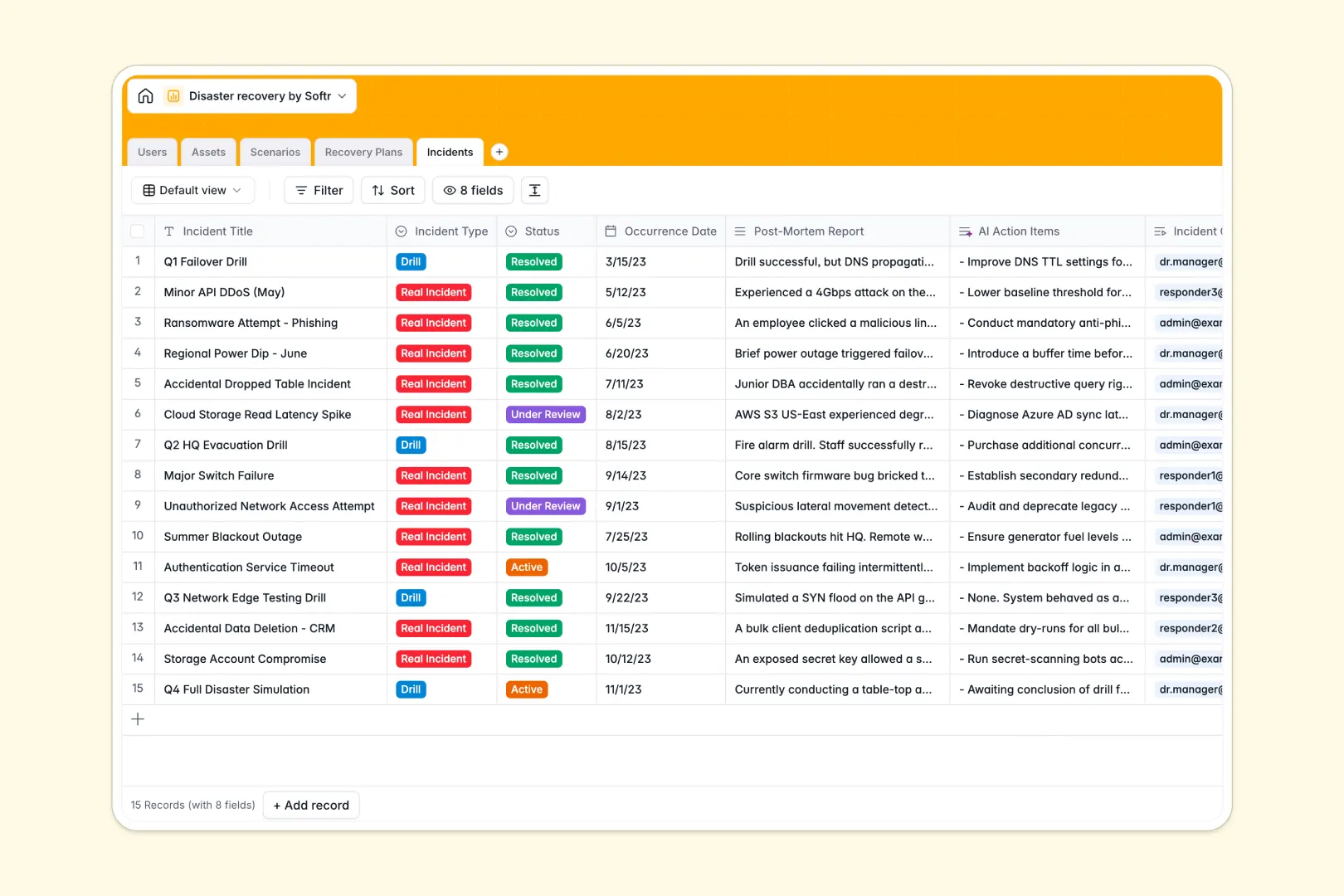
Your Disaster Recovery database at a glance
This ready-to-use template helps you centralize critical information to maintain operations during unexpected events. It replaces fragmented lists and scattered PDFs with an aligned, relational workspace designed for business resilience.
Your database connects team roles, business assets, threatening scenarios, recovery procedures, and post-mortem logs. By linking infrastructure directly to response tasks, your team knows exactly what to do when minutes matter.
AI-powered fields automate critical tasks: the template can research public threat profiles and draft rapid-action action items from post-incident reports instantly.
What to check before building your disaster recovery base in Airtable
When managing business continuity, maintaining alignment and giving the right people fast access to recovery checklists is non-negotiable. While Airtable provides great database capabilities, setting up your resilience protocols there comes with real obstacles as you prepare your organization.
What changes with a database built for apps
Instead of paying per-seat for every responder who needs update capabilities during a crisis, you need a system that everyone can access without soaring costs. Softr Databases allow you to share recovery plans with your entire staff, with unlimited collaborators included on any plan level.
Having your database built natively alongside an interface builder means you can design individual portals for DR Managers and responders. You get clean database tables, built-in communication, and precise user permissions without having to pay for and stitch together separate external software tools.
Practical outcomes with this template
- Protect critical systems: Link infrastructure items to designated asset owners so that vulnerability assessments and backups always have clear advocates.
- Trigger smart summaries: Run built-in Database AI agents to outline fast-action instructions direct from your longer, complex text procedures.
- Organize incident drills: Manage real-time event logs, assign commanders, and automatically generate post-mortem action items in a separate, secure table.
-
Users
Track recovery team members with contact info, roles, and asset ownership
-
Assets
Inventory critical infrastructure, software, and systems with criticality
-
Scenarios
Identify potential threat scenarios using AI to summarize risk profiles
-
Recovery Plans
Manage response action steps and use AI to extract fast-action summaries
-
Incidents
Log real events or drills and use AI to generate post-mortem action items
Who is this Disaster Recovery database for
- DR Managers: Centralize asset inventories, risk classifications, and response plan statuses in one source of truth.
- Incident Commanders: Run organized, timed recovery steps and quickly register live incident issues and remediation progress.
- Operations Directors: Maintain complete oversight of plan ownership, readiness compliance, and post-mortem improvements.
- IT Teams: Keep a secure, up-to-date log of critical hardware, software dependencies, and mitigation scenarios.
How to take it further
Customize the database
Adjust this template to fit your organization's compliance standards in seconds. Add customized criticality tiers, adjust infrastructure tags, and define specific trigger conditions for scenarios—all without writing code.
Import your existing data
If you have lists of servers, softwares, or contact roles stored in sheets, you can bring them over in seconds. Execute a bulk CSV import to upload your inventory and link existing assets to team members cleanly.
Build a full app around it
When you are ready, use our AI app generator to generate a fully tailored web interface directly on top of this database. Responders can then receive mobile dashboards to check off recovery items on-site, while executive stakeholders log in to view compliance readiness reports through granular users and permissions. Starting from a structured database keeps configuration effortless.
-
1
-
2
-
3
-
4
Frequently asked questions
-
What is a disaster recovery database?
-
Why use a no-code database to build a disaster recovery system?
-
How can AI help managing data for disaster recovery?
-
Can I build an app with this disaster recovery database?
-
Is this Disaster Recovery database template free?
-
How is this different from a disaster recovery template in Airtable?
Start building today. It's free!
Build and launch your first app in under 30 minutes.