


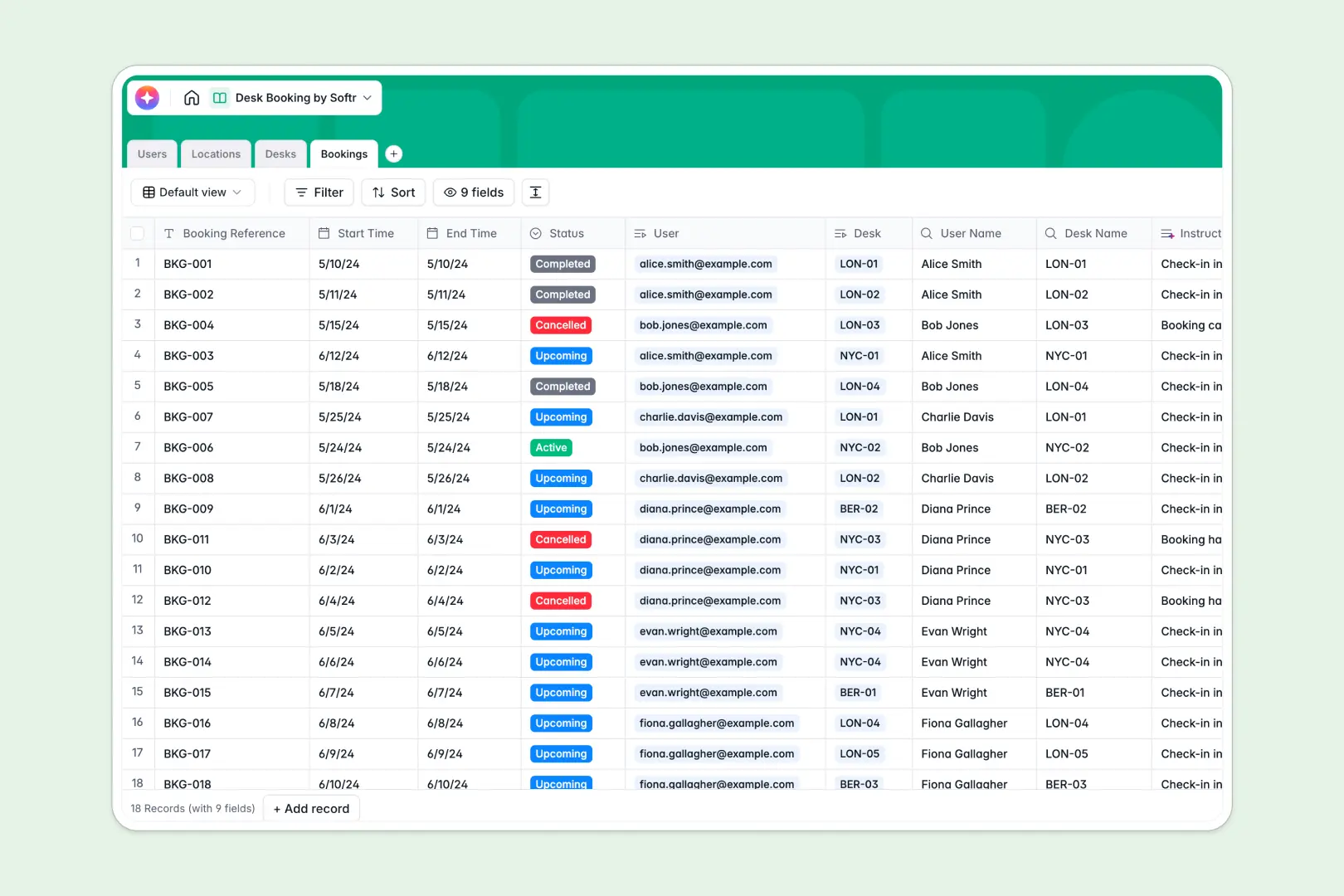
Your Desk Booking Database at a glance
This desk booking template simplifies hybrid office management by letting employees reserve workspaces across any location in real time.
It perfectly links users, locations, desks, and reservations so you can prevent double-bookings and monitor workspace capacity at a glance.
AI-powered fields automatically handle admin tasks, such as generating custom check-in instructions and drafting neighborhood food guides near your office hubs.
What to check before building your desk booking base in Airtable
Choosing a structured database instead of a spreadsheet to coordinate office desks is the right move. You need to map out locations, desks, and bookings relationally to prevent scheduling errors.
However, using Airtable for team-wide scheduling often exposes frustrating limitations as adoption grows.
What changes with a database built for apps
When every employee needs to reserve workspaces, Airtable's per-seat pricing gets expensive quickly because you are charged for each person who needs write access to save a booking.
This is exactly what Softr Databases are designed to solve, offering unlimited collaborators so your whole company can view and schedule desks without licensing penalties.
Instead of having to stitch together external form builders and portal platforms to manage access, you can keep your data, interface, and automated workflows natively in one place.
What you can do with this template
Configure your workspace inventory by linking specific desk types like standing or quiet zone workstations to clear physical locations.
Bring automation directly to your rows using Database AI agents to generate personalized check-in instructions or research amenity guides for employees visiting a new office hub.
-
Users
Directory of employees and users accessing the desk booking application
-
Locations
Manage office structures with AI-powered neighborhood guides and insights
-
Desks
Manage workspaces and generate AI promotional descriptions of workstation amenities
-
Bookings
Schedule reservations and generate personalized check-in instructions with AI
Who is this Desk Booking database for
A modern desk scheduling system helps operations and HR teams streamline hybrid workspace sharing without manual friction.
- Operations Managers: Coordinate office capacity, track building utilization, and manage desk maintenance statuses in real time.
- HR Professionals: Improve the hybrid office experience by ensuring employees can find and book workspaces easily.
- Workspace Coordinators: Maintain office floorplan details, highlight desk amenities, and coordinate daily floor layouts.
How to take it further
Customize the database. Tailor your layout by modifying select fields like desk types (adding quiet zones or phone booths) and tweaking desk statuses to fit active office guidelines.
Import your existing data. Upload your workspace inventory using CSV files to instantly populate building locations, current desks, and active employee lists.
Build a full app around it. When your team is ready, you can build an app on top of this exact database to give everyone a polished visual interface. Describe the tool you want in a simple prompt to generate an app with AI, creating check-in portals and reserving views instantly. You can easily set granular users and permissions to control who can reserve premium desks or restrict administrative actions to core staff.
-
1
-
2
-
3
-
4
Frequently asked questions
-
What is a desk booking database?
-
Why use a no-code database to build a desk booking system?
-
How can AI help managing data for desk booking?
-
Can I build an app with this desk booking database?
-
Is this Desk Booking template free?
-
How is this desk booking template different from an Airtable template?
Start building today. It's free!
Build and launch your first app in under 30 minutes.